Start with a dimmable light that you can position at an angle beside the paper and soften as needed. Then choose between one desk lamp, a panel on a stand or two lights, depending on your work surface and available space. For consistent portfolio shots, match the colour of the light to your camera’s white balance, and test for hand shadows, reflections and flicker using the settings you actually plan to use.
Who is this guide for?
Creator with a small filming desk
You want to keep your hands free and film your paper without floor stands beside your desk. Measure the edge of your desk to check whether a clamp will fit, and make sure the light reaches the entire writing area from that position.
Creator making colour-accurate portfolio shots
You want the whites of your paper and the colours of your ink to look consistent from one shot to the next. Canon Europe explains that the colour temperature of the light affects how the camera sees colours. So, match the light colour and white balance as part of the same setup.
Creator with a large or changing workspace
You need room for a larger sheet, or you film in different locations. The choice between two panels and a portable light depends on shadows, mounting options and how long the light can run on its available power source.
What should you look for in video lighting?
First, choose lighting that keeps your hand and lettering strokes visible. Then decide which colour settings, mounting options and power source suit your filming location.
| What to consider |
What to look for when buying |
Who is this important for? |
| Visible lettering strokes |
Check whether a diffuser is available and whether you can position the light at an angle beside the entire writing area. While writing, check where your hand’s shadow falls. |
If I want to see my brush strokes clearly, without distracting shadows as my hand moves, soft light is my main priority; around 31% of consumers prioritise visible lettering strokes without hand shadows. |
| Consistent paper and ink colours |
Check the colour temperature range of the exact model and match your camera’s white balance to it. Avoid changing mixed lighting during filming. |
For portfolio shots, I want the whites of my paper and the colours of my ink to stay consistent; around 25% of consumers put colour consistency first. |
| Mounting and workspace |
Measure the edge of your desk if you’re considering a clamp. Elgato lists a maximum desk thickness of 6 cm for the Key Light Air MK.2; also check that the light reaches the entire sheet. |
If I’m filming above a sheet of paper, I want the light and mount to stay clear of my work surface and camera view; around 19% of consumers prioritise space and mounting. |
| Flicker-free video |
Record a test video using the brightness, frame rate and shutter speed you plan to use. Test again if you see bands of light. |
When filming longer lessons, I don’t want visible bands in the frame; around 13% of consumers put flicker at the top of their list. |
| Power and portability |
Check whether a battery and charger are included, and how long the light runs at your preferred brightness. For a set, check which adapter and mounting options come with it. |
If I move between filming locations, I don’t want to rely on a mains socket; around 12% of consumers prioritise portability. |
Common buying mistakes
-
Comparing only the CRI rating
A stated colour-rendering value won’t stop incorrect white balance from giving white paper a colour cast.
Compare the specifications for the exact models and take a test shot with the camera, paper and ink you actually use.
-
Assuming a kit is portable without buying anything else
NP-F batteries aren’t included with the NEEWER NL660 kit reviewed here. Light modifiers are optional for the SmallRig RC 60B Lite.
Check the contents list and the run time at your chosen brightness, not just the product photo.
-
Assuming a small camera light will work as the main light for a full sheet
A stated light output measured at 0.5 m can’t be directly compared with figures measured at 1 m.
Check in a test shot whether the entire sheet of paper and your writing hand are both lit well enough.
Brands to compare
NEEWER
The NL660 is a bi-colour panel; a two-panel kit is also available for a wider setup.
- NEEWER specifies 3200–5600 K and CRI 96+ for the NL660.
- The kit is listed as including two panels, diffusers and stands.
- According to NEEWER, NP-F batteries aren’t included. These are manufacturer specifications, not the results of a comparative hands-on test.
Godox
The P260C Pro is a panel with adjustable white light and a built-in diffuser, designed for a standalone setup.
- Godox specifies 2800–6500 K and an average CRI/TLCI of at least 98 for the P260C Pro.
- These are manufacturer figures; on their own, they can’t predict how paper and ink will look in your footage.
Elgato
The Key Light Air MK.2 is a desk panel with a clamp, designed for a compact, fixed setup.
- Elgato lists a colour temperature range of 2900–7000 K and a clamp for desks up to 6 cm thick.
- According to Elgato, the stated maximum light output of 2100 lumens depends on the input power. Also check that the clamp position lets the light reach the entire sheet.
SmallRig
The RC 60B Lite is a portable bi-colour COB light for a setup you want to move around.
- SmallRig specifies a built-in battery and a range of 2700–6500 K.
- The manufacturer states a run time of 45 minutes at full power; light modifiers are optional.
Ulanzi
The VL49 RGB is a compact camera light for a small supplementary or portable lighting setup.
- Ulanzi lists 800 lux at 0.5 m and a 2000 mAh battery.
- Ulanzi lists 2500–9000 K for the VL49, while the Joybuy product listing states 2500–9500 K. Check the exact model and test whether the light covers the area of paper you need.
Video lights at Joybuy
These product picks are compact or portable video lights for brush lettering videos. With your own setup, check that the light reaches the entire writing area and that the mounting options and power source suit your needs.
 No image available
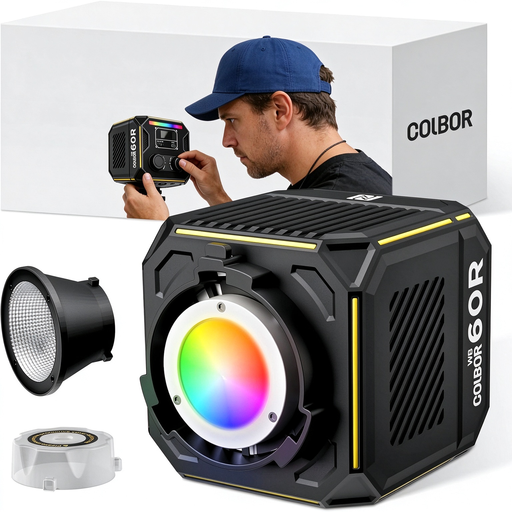
COLBOR 60 W portable RGBCW COB video light
A portable COB light for adjusting your setup at different filming locations.
60 W; 2700–6500 K; RGBCW; built-in 59 Wh battery.
View at Joybuy
 No image available
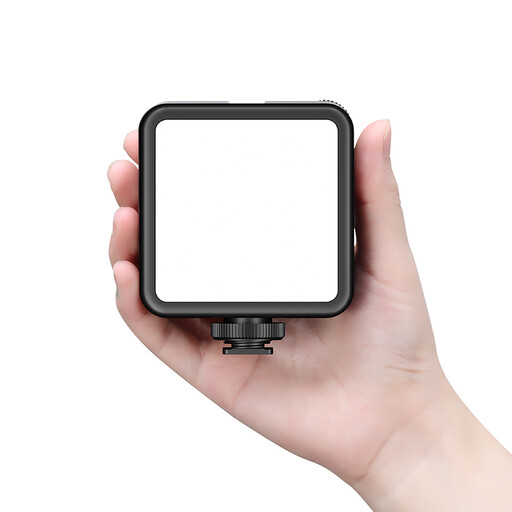
Ulanzi VL81 rechargeable LED video light, black
A rechargeable camera light for taking a compact lighting setup with you.
Before filming, check that the light reaches the entire writing area.
View at Joybuy
 No image available
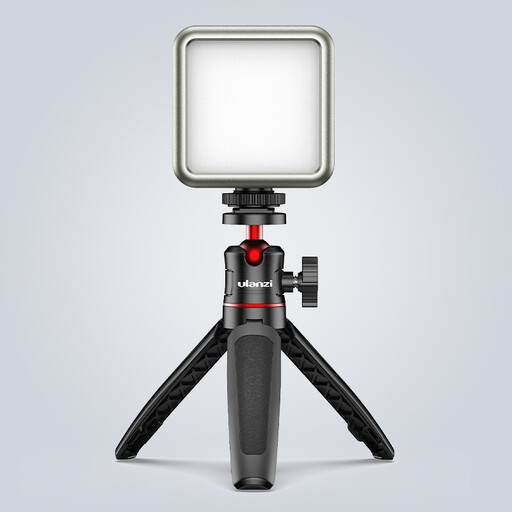
Ulanzi VL49 RGB video light
A compact, dimmable camera light for a small portable setup; test whether its beam covers your sheet of paper well enough.
RGB; 2500–9500 K; 2000 mAh battery; rear magnet.
View at Joybuy
 No image available
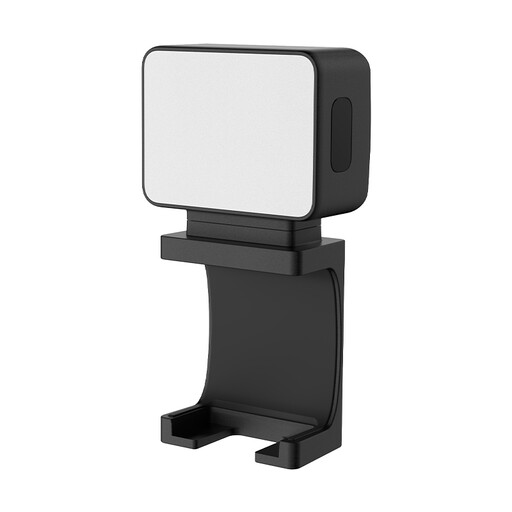
Ulanzi LM001 portable mini fill light
A portable mini fill light for a small filming setup; check that its position doesn’t cast a shadow over your writing hand.
Magnetic LED light; 500 mAh battery.
View at Joybuy
 No image available
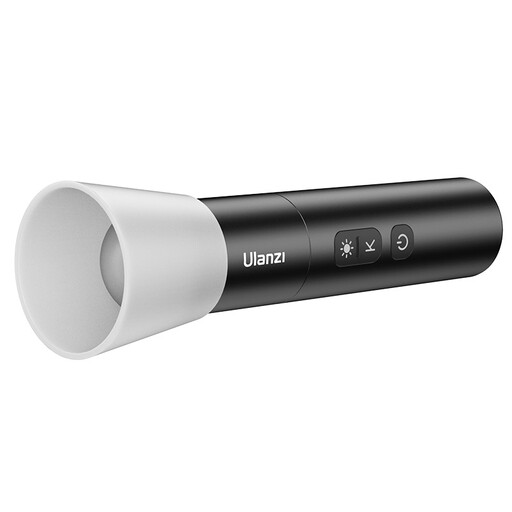
Ulanzi LM07 portable zoomable LED video light
A portable light with a zoom function for adjusting the beam at your filming location.
Bi-colour; 2000–5500 K; four brightness levels; 2000 mAh battery; 187 g.
View at Joybuy
Frequently asked questions
Should the light hang directly above your paper?
No. Start with the light at an angle beside the writing area. Record a test shot and check where hand shadows and reflections fall. If the shadows are harsh, try diffusion or softer fill light on the other side.
How can you keep white paper and coloured ink consistent between lessons?
Keep the lighting setup and light colour as consistent as possible, and match your camera’s white balance to them. A stated CRI for a light doesn’t guarantee that automatic white balance or mixed room lighting will produce the same colours.
What can you do if stripes appear in your video?
First, test using the brightness and recording settings you actually plan to use. Canon explains that adjusting the shutter speed can help with flickering artificial light. Check the results with your camera and light before recording a full lesson.
Are the battery, adapter and stand always included?
No, what’s included varies by model. The NEEWER NL660 kit reviewed here is listed as including stands and adapters, but not NP-F batteries, so check the contents list for the kit you choose. ACM ConsuWijzer also distinguishes between statutory guarantees and any manufacturer’s warranty.
Which product regulations should you check for a light in the Netherlands?
According to Your Europe, the European Union’s portal, CE marking is only required for products covered by applicable harmonised EU rules. Check the documentation for the exact model. Godox has published a manufacturer’s declaration for the P260C Pro, but this doesn’t say anything about other models.


