What should you look for in a video light?
First, decide which limitation matters most for your bookbinding lesson: seeing what you’re doing, showing material colours accurately, keeping the picture and sound clear, or managing the space and power around your table.
COB light with a light modifier
A good fit if: you have room at a permanent table for the light and a softbox or diffuser positioned out of shot.
Bear in mind: the extra space needed for the setup and what’s included in the kit; the output quoted with a reflector won’t necessarily apply when using a softbox.
Adjustable LED panel
A good fit if: you can clamp a panel next to or above the table, or place it somewhere suitable.
Bear in mind: the clamp size, mounting height and whether you’ll need to buy a stand separately; these vary by model.
Compact battery-powered light
A good fit if: you film in different places and can’t always plug the light in at a fixed spot by the table.
Bear in mind: the battery life at your chosen brightness setting and whether a compact model can light the whole work surface.
| What to consider |
What should you look for? |
Who is this important for? |
| Clear view of your work |
Check the space available for the light and diffuser; film a test while moving your hands over the book. |
When I film from above, I want viewers to follow the binding and what I’m doing without harsh shadows. Around 36% of consumers choosing a light for this type of lesson prioritise a clear view of the work surface; Adobe Stock Contributor describes larger light sources and reflected light as ways to soften lighting. |
| Material colours |
Compare the colour settings for the exact model and test paper, thread and covers using your own camera. |
I want customers to judge material colours accurately, not just see how they look on my table. Around 29% of consumers prioritise true-to-life material colours; Godox and Elgato publish model-specific colour information. |
| Picture and sound |
Record a test video using your intended camera settings and listen for any audible fan noise. |
For a lesson with spoken instructions, I want to avoid distracting banding in the picture and unwanted noise from the light. Around 21% of consumers prioritise a stable picture and clear sound; Sony Support explains that LED lights can cause banding or flicker in recordings. |
| Setup and power |
Measure the edge of the table and the available space, then compare the power supply and battery life with your expected recording time. |
If I have limited space or film on location, I want the light to fit without blocking the work surface. Around 14% of consumers prioritise mounting, power and space around the table; Elgato and SmallRig publish model-specific information about mounting and battery life. |
Joybuy products for a portable table setup
These product options focus mainly on compact, portable lighting for a table setup. Record a test to check whether the light reaches your whole work surface and whether your hands cast distracting shadows.
 No image available
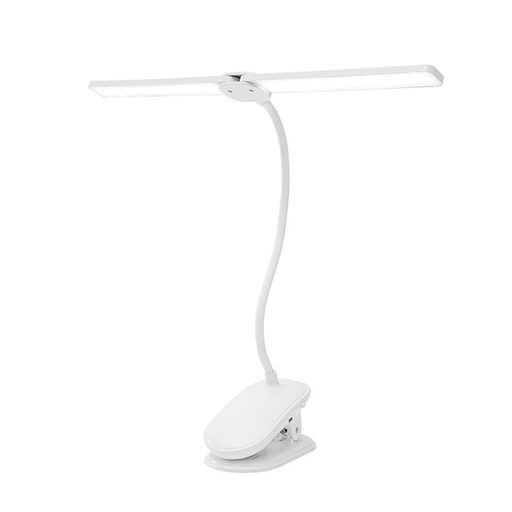
Dimmable LED clip-on light with two heads
A clip-on mount and adjustable light heads may suit a table setup where you want flexibility over where the light goes.
The product name specifies three colour modes, dimming, a flexible gooseneck and a rechargeable design.
Joybuy
 No image available
COLBOR 60 W RGBCW COB video light
This portable COB setup may be worth considering if you want to move your light around; check separately that its position will illuminate the whole book and your hands.
The product name specifies 60 W, a built-in 59 Wh battery, a colour temperature of 2700 K to 6500 K, and bi-colour and full-colour functions.
Joybuy
 No image available
Ulanzi VL49 RGB video light
This compact light may work as portable fill lighting; test whether it has enough reach for your bookbinding work surface.
The product name specifies a 2000 mAh battery, dimming, RGB and an adjustable range of 2500 K to 9500 K. It also mentions a magnet on the back.
Joybuy
 No image available
Ulanzi LM07 portable LED video light
A portable light may suit filming in different locations; record a test video to check that the beam reaches your work surface properly.
The product name specifies a bi-colour temperature range of 2000 K to 5500 K, four brightness levels and a 2000 mAh battery. It also mentions a zoom function for the beam.
Joybuy
 No image available
Ulanzi LM001 mini video light
This model is described as an additional light for indoor filming; don’t assume it will work as the main light for your whole work surface without first recording a test.
The product name specifies a 500 mAh battery and a magnetic design.
Joybuy
Frequently asked questions
Can I use a photographic flash instead of continuous light for a bookbinding lesson?
Continuous light is the right choice for ongoing video footage, as it stays on while you work. Adobe Stock Contributor distinguishes it from flash lighting for photography.
How can I stop my hands casting shadows on the book?
Try a larger, diffused light source or use reflected light to fill in the shadows. Move the light and camera while filming a test demonstration until you can see both your hands and the binding, with the mount kept clear of the work surface.
What can I do if my test video shows banding or flicker?
Assess the light and camera together, and test the settings as described in your camera’s manual. Sony Support explains that LED lighting can cause banding or flicker in video; check the recording again at your intended brightness setting.
What is the cooling-off period if I buy a light for my online shop?
According to ACM ConsuWijzer, consumers generally have a statutory cooling-off period of 14 days from delivery when buying online, although exceptions apply. Consumer rights don’t automatically apply to business purchases; the Chamber of Commerce notes that the agreement and circumstances also matter. Before buying, check who the purchaser is and which terms apply.
What should I consider when selling electric video lights in the Netherlands?
According to Business.gov.nl, anyone selling electrical or electronic equipment in the Netherlands must ensure that the relevant European rules are followed. For a specific model, check the product documentation and the information provided by the responsible seller.


