
Teacher demonstrating paint colours
You want viewers to be able to judge the differences between layers of paint, and you record several steps under consistent lighting.


For a painting lesson with a small model, a dimmable, diffused light that you can position beside or above the camera is usually a good starting point. A diffused LED panel works well for a tabletop setup, while a COB light with a softbox may suit you if you have room for a light stand and modifier. A compact light is mainly useful as fill light. Record some test footage to check paint colours, white balance and details on the model, and light the white background separately if needed.
You want viewers to be able to judge the differences between layers of paint, and you record several steps under consistent lighting.
You film against a white background and want to check that the model is well lit while keeping the background white.
Your hands move close to a small model. A light that is easy to position and produces soft shadows may matter more than a large studio setup.
Choose this if: you work at a table and want to adjust the light position around your hands and brush.
Bear in mind: a panel won't automatically light the white background independently of the model.
Choose this if: you have room for a light stand and want to shape a focused key light across your work surface.
Bear in mind: check that the softbox and stand are compatible with the light and included in the set.
Choose this if: space is limited and you mainly want to add light to a small area of your work surface.
Bear in mind: the stated light output at a particular distance doesn't necessarily tell you how well the light will cover the whole work surface and background.
| Consideration | What to look for | Who is it for? |
|---|---|---|
| Accurate paint colours | Check the colour rendering of the exact model, and keep the lighting and white balance consistent between recordings. | I want to compare paint colours accurately between lesson steps; around 31% of consumers put colour rendering first. |
| White background | Record a test shot of the model and background together, then decide whether the background needs its own light. | I want to keep the background white without losing light details on the model; around 31% of consumers say this is their top priority. |
| Shadows from your hands | Try positioning the light, diffuser and mount so that your hand and brush don't unnecessarily block the work surface. | I want to move my hand and brush freely while keeping the brushstrokes visible; around 23% of consumers prioritise shadow control. |
| Setup on a small table | Check the mounting, power supply and contents of the exact version, and keep cables away from the painting area. | I want a practical lighting setup for a small table; around 15% of consumers say space is their top priority. |
A lux figure depends on the measurement distance and reflector used, while diffusion changes the light on your work surface. Manufacturer figures for different setups are therefore not directly comparable.
Compare the measurement distance and light modifier, and assess a test shot using the diffuser you plan to use.
Lighting the model won't necessarily make the background evenly white. More key light can also make light-coloured details on the model harder to see.
Assess the model and background together in a test shot, and decide whether you need a separately adjustable background light.
A separate, adjustable light source and mount may take up extra space in your setup.
NEEWER offers NL660 versions with and without a stand, and says that NP-F batteries are not included. Elgato says that mounting accessories are not included with the Key Light Mini.
Check the contents of the exact version and whether it includes the mount and light modifier you need.
Depending on the set, you may need to buy a stand, diffuser, softbox, mount or battery separately.
Ulanzi specifies a colour temperature of 2500–9000 K for the VL49 RGB, while one product title lists 2500–9500 K. On that basis, the version can't automatically be considered identical.
Before buying, check the full model identity and the specifications of the version on offer.
The SL60IIBi is an example of an adjustable COB video light with a mount for a compatible light modifier.
The 100x S is a COB alternative with an adjustable colour temperature, designed for use with a separate light modifier.
The NL660 is an example of an adjustable, dimmable LED panel for a tabletop setup.
The VL49 RGB is a compact light for adding focused illumination when space is limited.
The Key Light Mini is a compact, adjustable panel for use with a suitable mount.
These products are suited to a COB setup, compact fill lighting or an adjustable desk lamp for filming painting work.
 No image available
A COB light with a Bowens mount is an option for focused key lighting over a worktable, when paired with a compatible light modifier.
The product information lists 2700–7000 K, dimming and a built-in power adapter. The product description states CRI/TLCI 96+; check which light modifier and mount are included with your chosen set.
 No image available
Its compact size and magnetic back may come in handy if you want to add light to a small area of your table.
The product title lists a 2000 mAh battery and a colour temperature of 2500–9500 K. Ulanzi specifies 2500–9000 K for the VL49 RGB, so check the exact version before using the colour setting as a selection criterion.
 No image available
The light wand may be a good option if you want to mount a compact light source on a holder rather than place a panel on the table.
The product information lists 10 W, a 120° beam angle, a 1/4-inch mounting point, dimming, 2500–9000 K and CRI 95. The stated battery life is at least 60 minutes at maximum brightness.
 No image available
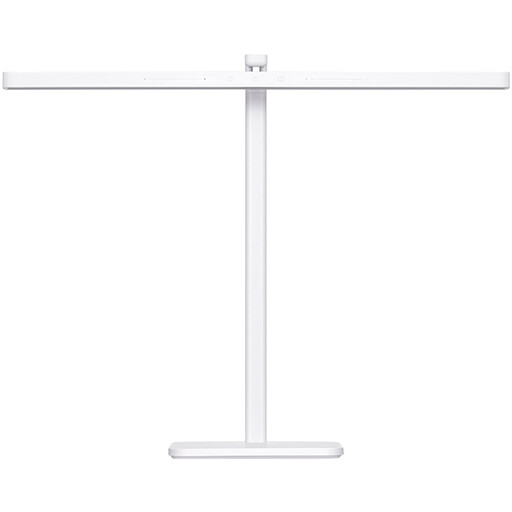
This adjustable desk lamp may suit a permanent tabletop setup, but it's described as a work or study light rather than specifically as a video light.
The product information lists Ra95, an adjustable colour temperature of 2700–5100 K, adjustable brightness and an adjustable arm.
Not necessarily. If the background looks grey in your test shot, separately adjustable background lighting can give you more control. Adjust the light on the model so that light-coloured paint details remain visible. Canon Europe discusses this principle using flash photography; apply the lighting approach, not the flash settings, to video.
Keep the lighting as consistent as possible, set the white balance for the light you're using and record a test shot. A light's stated CRI or TLCI rating doesn't replace checking the complete recording.
Check that the mount on the exact light is compatible with the modifier, what the set includes and whether the mount is stable. Follow the instructions for power and use. For the Godox SL60IIBi, the manufacturer specifies an earthed mains socket and warns against looking directly into the light source.
For electrical and electronic equipment covered by the relevant European rules, the manufacturer must apply a CE marking after assessing the product against the requirements and draw up an EU declaration of conformity. Check the information for the exact model and version on offer; a brand name alone doesn't show whether every version meets the applicable requirements.
Online consumer purchases generally come with a statutory cooling-off period of up to 14 days after delivery, subject to exceptions. The seller is also responsible for the statutory guarantee if a product doesn't meet what you could reasonably expect. In the Netherlands, this statutory guarantee doesn't have a fixed two-year term, according to the Netherlands Authority for Consumers and Markets.