Who is this buying guide for?

Knitters who want to show off wool colours

If you film different yarns, look out for colour differences caused by combining window light and artificial light. Canon Europe explains how natural light can change colour, so compare a test recording using your final lighting setup.

Craft makers explaining stitches

When filming close-ups of your hands and stitches, it’s important that your hands don’t cast shadows over your work. Canon Europe describes using fill light on the shadow side as a way to reduce shadows from the main light.

Knitters with a small filming space

If stands, panels or cables could get in the way, check how the light can be positioned beside or above your knitting. Elgato and Ulanzi describe different mounting options for the models mentioned here.

What should you look for?

Window light alone

Choose this if: a test recording already shows your hands, stitches and wool colours clearly.

Keep in mind: daylight changes, so check a longer clip and your white balance too.

Adjustable LED panel

Choose this if: the shadow side of your knitting needs extra light and you can position the panel by your table.

Keep in mind: height, mounting and power. The stated maximum light output of the Elgato Key Light Air MK.2 varies with the input power.

COB light with a light modifier

Choose this if: you have room to set up a separate light and modifier to control the direction of light across your work surface.

Keep in mind: the extra space and setup time. If you’re recording spoken instructions, check for fan noise too.

Small rechargeable video light

Choose this if: you need a portable setup and a test recording shows that your work surface gets enough light.

Keep in mind: whether the beam covers your whole project and whether the battery lasts long enough for your recording.

What to consider What to check before buying Consumers with this priority
Wool colours in mixed lighting Compare light and dark yarns in a test recording; check the colour settings and white balance. When I film different yarns, I want the colours to remain recognisable with window light and artificial light combined. Around 33% of consumers rank wool colour as their top priority.
Stitch visibility Film while you knit and check for shadows on the stitches, not just in a still image. When my hands obscure the stitches, I want to see whether extra light reduces shadows on my work. Around 27% of consumers rank stitch visibility as their top priority.
Space and positioning Measure the space available for a clamp or stand and check that the light reaches the whole work surface. If my filming space is small, I want to position the light without it getting in the way of knitting or filming. Around 20% of consumers rank positioning space as their top priority.
Power and recording time Compare your expected recording time with the battery life at the setting you’ll use, and do a quick sound test. For a longer explanation, I want enough power and no distracting noise during recording. Around 20% of consumers rank uninterrupted filming as their top priority.

Common mistakes when choosing

  • Choosing based only on the stated brightness

    A light can be bright and still cast shadows on your stitches if it’s poorly positioned. The stated maximum light output of the Elgato Key Light Air MK.2 also varies with the input power.

    Check the power supply and positioning, then make a test recording while moving your hands.

  • Assuming adjustable colour temperature will automatically show wool colours accurately

    Window light changes with the conditions, and white balance affects how the camera captures mixed light sources.

    Compare different yarns in a test recording using your final lighting setup.

  • Assuming a COB light is a complete tabletop setup

    A mount for a light modifier doesn’t mean the light is ready to provide soft illumination across your work surface.

    Check which light modifier, mount and power supply are suitable for the exact model and your table.

    Remember to allow space for a suitable light modifier and stable positioning.

Brands to compare

Elgato

The Key Light Air MK.2 is a desk panel designed for setups with a suitable table edge.

  • Elgato specifies an adjustable range of 2900–7000 K and supplies the panel with a desk clamp.
  • The stated light output varies with the input power; also check that the mounting height allows the light to reach your knitting.

Godox

The SL60IIBi is an adjustable COB light for those with room for a separate light and a suitable modifier.

  • Godox specifies a range of 2800–6500 K, dimming and a Bowens mount.
  • A light modifier and positioning take some preparation; test the fan noise with your own microphone.

amaran

The 60x S is a bi-colour COB light for a setup where you can control the direction of light separately.

  • Aputure specifies 2700–6500 K and CRI 97 for this model.
  • This model has active cooling. Check that you have a suitable light modifier and test the noise while recording spoken instructions; the product specifications aren’t an independent real-world test.

SmallRig

The RC 60B, variant 4376B, is a COB light with a built-in battery for a portable setup.

  • SmallRig states an adjustable range of 2700–6500 K.
  • SmallRig states a maximum battery life of 45 minutes at full power. Plan for a power source for longer sessions and test the stated fan noise with your microphone.

Ulanzi

The VL81 is a small rechargeable video light for a compact workspace.

  • Ulanzi states a range of 3200–5500 K, dimming, a battery and a 1/4-inch mount.
  • Check your footage to see whether the small light illuminates the whole work surface suitably; the stated features don’t prove that it offers coverage equivalent to a larger light.

Joybuy products for a compact filming setup

This selection includes compact video lights for a portable setup and a desk lamp for a permanent workspace. Make a test recording to check whether the lighting shows your hands, stitches and yarn colours clearly.

Ulanzi VL81 Rechargeable LED Video Light, black

Ulanzi VL81 Rechargeable LED Video Light, black

A rechargeable video light to consider if you need a small, portable setup. Make a test recording to check that the light reaches your whole project.

Joybuy

Ulanzi VL49 RGB video light, 2000 mAh, 2500–9500 K

Ulanzi VL49 RGB video light, 2000 mAh, 2500–9500 K

The product title specifies RGB, a 2000 mAh battery and a range of 2500–9500 K. Compare your wool colours in a test recording using your final window-light and artificial-light setup.

Joybuy

Ulanzi 4-inch phone ring light, 3000–7000 K

Ulanzi 4-inch phone ring light, 3000–7000 K

A compact ring light for filming on your phone. Check that the mount and light position work for you without getting in the way of your hands or camera.

The product title specifies three colour temperatures, a range of 3000–7000 K and five brightness levels.

Joybuy

Ulanzi LM07 LED video light, bi-colour, 2000–5500 K

Ulanzi LM07 LED video light, bi-colour, 2000–5500 K

The product title describes a portable light with a zoom beam. Make a test recording to check that the beam illuminates the part of your knitting you want to show.

The title specifies four brightness levels, a 2000 mAh battery and a weight of 187 g.

Joybuy
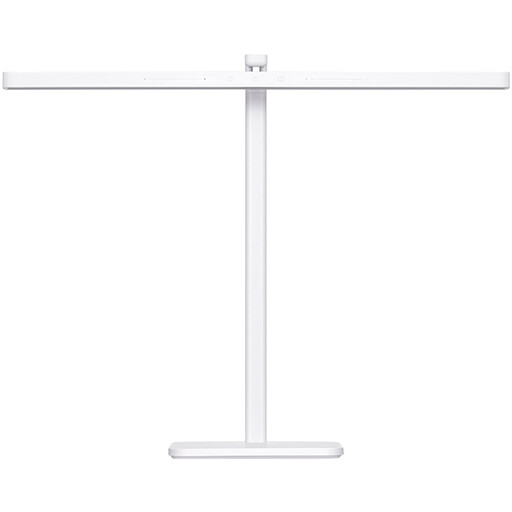
Xiaomi LED Desk Lamp 2, white, 60 cm

Xiaomi LED Desk Lamp 2, white, 60 cm

A desk lamp to consider for a permanent workspace. The product information states that it’s mains-powered, so position it near a socket and keep the cable out of the way.

Joybuy

Frequently asked questions

How should you set up extra lighting beside a window?

First, record a clip using window light alone. If your hands or stitches are in shadow, try softer fill light on the shadow side and check the footage while you knit.

Why does the same wool look different when you’re filming?

Window light changes with the conditions, and mixed light sources can look different on camera. Check the white balance and compare a test recording of your yarns using your final setup. Canon Europe explains how changes in natural light affect colour.

What can you do if there are stripes or flickering in your video?

Start by making a short recording with your chosen light and camera settings. Canon Europe notes that some LED light sources can cause banding when you use an electronic shutter. Check the shutter speed or anti-flicker settings for your camera.

How can you clean a video light safely?

Follow the manual for the exact model, keep connectors dry and position the light securely with enough room for ventilation. If it’s mains-powered, unplug it before cleaning. Godox specifies this for the SL60IIBi in its manual.

What are your rights when buying a video light online in the Netherlands?

When you buy from a business at a distance, you usually have a 14-day cooling-off period, according to the Dutch government. You’re also entitled to a product that works as it should. If there’s a problem, contact the seller about your statutory guarantee. This is separate from any manufacturer’s warranty.
