What should you look for when choosing?
Desk panel with clamp
Choose this if: you have a suitable, clear table edge and don’t want tripod legs beside the shared table.
Consider: check that the clamp, height and light angle suit your table; some models require a separate compatible power supply.
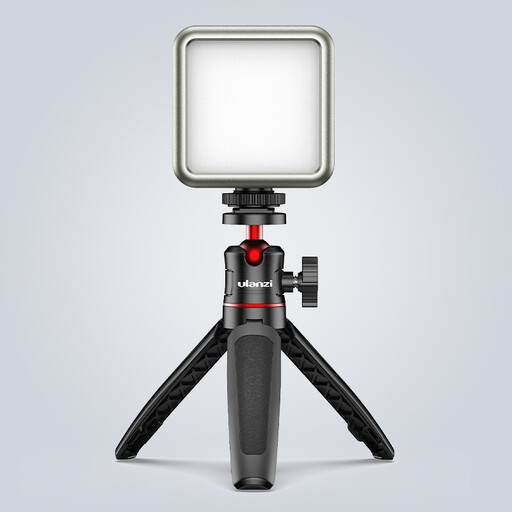
LED panel on a tripod
Choose this if: there’s space beside the table to move the light or point it from a different angle.
Consider: a tripod takes up floor space; also check which version and power supply you’re choosing.
COB light with softbox
Choose this if: you have room for a stable setup and want to choose the direction and size of the light modifier yourself.
Consider: check the softbox, mount, attachment and power supply separately; measurements taken with a reflector won’t directly predict the light on your collage with a softbox.
Small rechargeable video light
Choose this if: you often move between workspaces or mainly want to highlight a detail of the collage.
Consider: a small size doesn’t guarantee even lighting across the whole work area; check the spread, mount and runtime.
Take a test shot from the camera angle you plan to use while carrying out the steps you’ll demonstrate. This will show whether your hands block the light and whether the paper and materials remain easy to distinguish.
| What to consider |
What should you check? |
Who is this important for? |
| Clear view of hands and work area |
Check the light angle and coverage across the table; test diffusion with your hands in shot. |
When I film what I’m doing and the cutting, I don’t want my hands to obscure the step on the paper. Around 36% of consumers rank visibility of the work area as their top buying priority. |
| Positioning in a shared space |
Measure the clear table edge and available floor space; check the clamp size, height, holder and cable routing for the version you’re considering. |
I want to position the light without unnecessarily blocking other people’s workspace or room to move around. For around 29% of consumers, finding a suitable position comes first. |
| Paper and material colours |
Compare the colour temperature of the exact model and test the materials using your camera’s white balance. |
When I explain the differences between paper and collage colours, I want them to remain clear in the recording. Around 21% of consumers give colour accuracy top priority. |
| Power during recording |
Check what’s included in the version you’ve chosen, the power supply required and the runtime at your preferred light setting. |
I want to avoid the lighting going out during a longer class. For around 14% of consumers, uninterrupted lighting is their main buying concern. |
Joybuy products for portable video lighting
These Joybuy products are small, rechargeable lights for portable filming and highlighting details. One compact light won’t necessarily illuminate the entire collage work area evenly.
 No image available
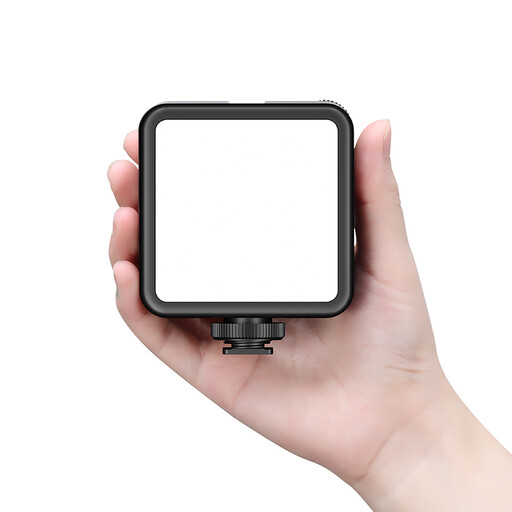
Ulanzi VL81 rechargeable LED video light, black
Suitable for portable close-ups; test whether the light spread is wide enough to cover the whole work area.
Adjustable colour temperature of 3200–5500 K and a built-in 3000 mAh battery, according to Ulanzi.
The product description mentions USB-C charging, adjustable brightness and a cold-shoe mount.
View at Joybuy
 No image available
Ulanzi VL49 RGB video light with battery
A compact, portable option for close-ups; check that the light spread suits the size of your collage.
The product title lists RGB, a colour temperature range of 2500–9500 K and a 2000 mAh battery.
The title also mentions dimmability and a magnet on the back.
View at Joybuy
 No image available
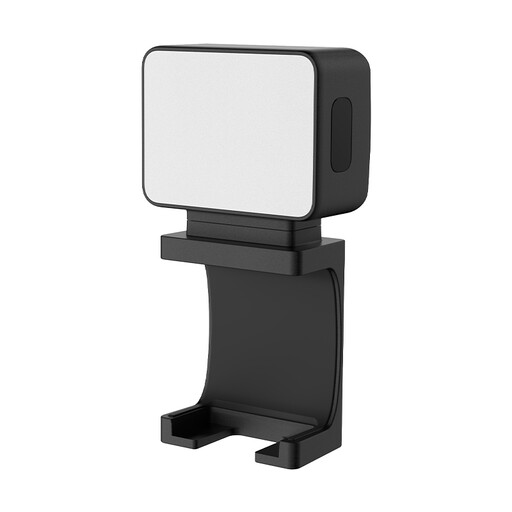
Ulanzi LM001 mini fill light
The magnetic mount and 1/4-inch thread can help you position the light for a close-up.
The product description lists a 500 mAh battery and up to 1.5 hours of continuous light.
Check that the runtime suits your recording and whether you need a compatible mount.
View at Joybuy
 No image available
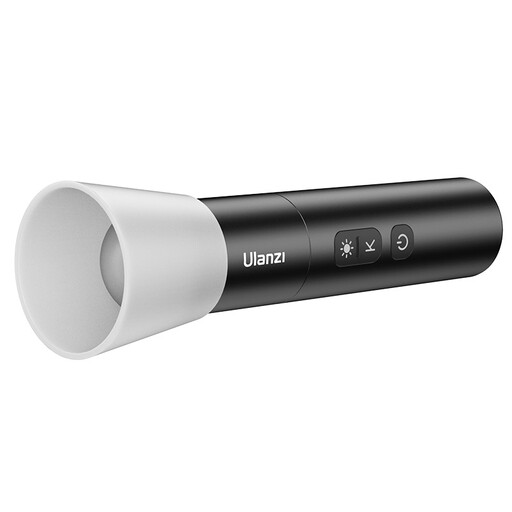
Ulanzi LM07 portable LED video light
The adjustable beam may be useful if you want to highlight a specific part of the collage; test the coverage across your work area.
The product title lists bi-colour lighting, four brightness levels and a 2000 mAh battery.
The product details list a range of 2000–5500 K, a weight of 187 g and USB-C charging. The description states a CRI of >90.
View at Joybuy
Frequently asked questions
How can you test whether your hands cast shadows on the collage?
Film from the camera angle you plan to use during the class while carrying out the steps. Move the light or try suitable diffusion if your hand obscures an important step; the result also depends on the size and position of the light source.
Do you need to buy anything apart from the light?
That depends on the exact model and version you choose. Elgato says the power adapter isn’t included with the Key Light Air MK.2; NEEWER offers the NL660 with or without a tripod and says an NP-F battery isn’t included. If you’re using a softbox, check the mount and attachment too.
How can you keep white paper and collage colours consistent?
Choose a fixed light setting, adjust your camera’s white balance to match the light falling on the collage, and take a test shot with the materials you’ll be using. Adjustable colour temperature doesn’t replace checking your camera settings.
Which product safety requirement should you check in the Netherlands?
The Netherlands Food and Consumer Product Safety Authority states that CE marking is compulsory for electrical consumer products. Check the marking and product information for the specific light and, where applicable, the electrical accessories supplied with it.
Can you film others so they are recognisable, or publish the collage class?
That depends on who is filming and how the footage will be used. According to the Dutch Data Protection Authority, identifiable people are personal data; the GDPR applies to business use or publication, and an appropriate legal basis is required. The exemption for personal or household use applies only in limited circumstances. Where possible, keep others out of shot and check which rules apply to your situation before filming or publishing.


