
Teacher with a permanent writing desk
Films paper from above and wants the writing hand and letterforms to remain visible without having to keep moving the light.


For a permanent brush lettering setup, an adjustable, dimmable light that you can angle towards the paper is a sensible starting point. Test it with an actual writing movement to check that hand shadows and reflections are acceptable. Match the light colour and camera white balance to the artificial light already in the room, then review a test clip for visible banding. If you film in different locations, a compact rechargeable light may be more practical, but check that it spreads light across the whole sheet of paper.
Films paper from above and wants the writing hand and letterforms to remain visible without having to keep moving the light.
Wants to show the differences between paper and ink colours, so adjustable light colour and a suitable white balance are useful.
Moves between filming locations and needs to set up the light, power supply and mount each time.
| What to consider | What should you check? | Who will find this most important? |
|---|---|---|
| Seeing the paper and brush strokes | Check the direction of the light, the diffuser and the mount. Make a test recording while you write. | When I film from above, I want to see the brush tip and the line as I write. Around 36% of consumers prioritise a clearly visible work surface and brush strokes. |
| Paper and ink colours | Check the adjustable light colour range and test with the same lights and camera settings you’ll use during the lesson. | I want the white of the paper and the different inks to look distinct on camera, even with the room’s artificial lighting. Around 29% of consumers prioritise colour differentiation. |
| Flicker or banding | Record a short clip at the brightness and camera settings you plan to use, then review it. | I don’t want distracting bands in a lesson video, so it’s important to test the light with my own camera. Around 21% of consumers put this first. |
| Mounting and power | Check what’s included with the exact version, how it mounts and which power supply comes with it. | If I move the light or record longer lessons, I want the mounting and power options to suit my setup. This is the top priority for around 14% of consumers. |
A stated colour-rendering value won’t tell you whether hand shadows, white balance and any flicker will work well in your recording.
Make a test recording with the camera, light settings and other room lighting you plan to use during the lesson.
The NEEWER NL660 is available in versions with and without a stand.
Check what’s included in the package and think about how to position the light safely, out of shot, beside or above the table.
The supplied mount for the Elgato Key Light Neo is designed for a monitor. That doesn’t mean you can angle the light properly down onto paper.
Before buying, check that its position and power supply will work with your camera angle and work surface.
These product ranges may help you explore options for different desk and filming setups. The features mentioned are product specifications or descriptions from the manufacturers, not test results from brush lettering recordings.
The NL660 range is worth considering for a permanent writing desk if you’re looking at an adjustable bi-colour panel.
The P260C Pro is a panel option to consider if you’re looking for adjustable light colour and different power options.
The VL81 is a compact rechargeable option to consider if you film in different locations.
The P60x may be worth considering if you have room for a panel with a softbox and a more extensive setup.
The Key Light Neo is especially worth considering if you also film yourself during lessons or have a suitable desk setup.
These Joybuy products are designed for desk and workspace lighting and may be worth considering for a brush lettering setup. Check whether each light’s direction, mounting and spread suit filming from above; the product names and descriptions don’t tell you how the light will fall on your paper.
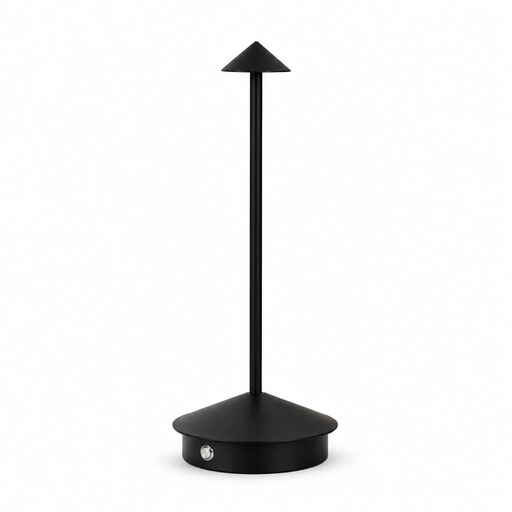 No image available
A rechargeable table lamp to consider if you’re looking for portable workspace lighting. Test whether its position is suitable for filming paper from above.
The product name mentions dimming and USB-C. The product description lists a diffuser. Not suitable for use in damp environments or near water; do not cover the light source.
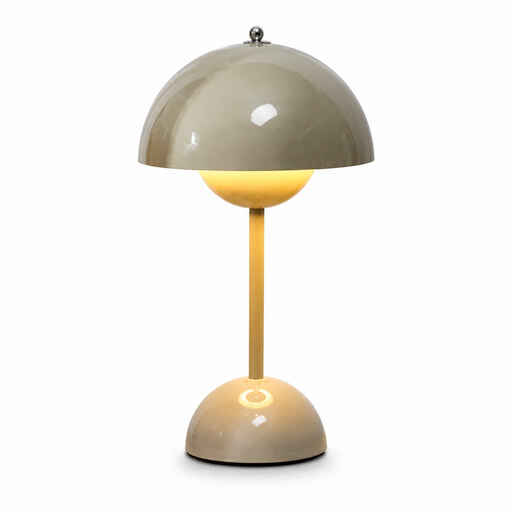 No image available
This LED desk lamp is an option to consider for workspace lighting. Check whether its position and light distribution work for an overhead view of your paper.
The product name describes it as an LED desk lamp. Make a test recording before using it for a lesson video.
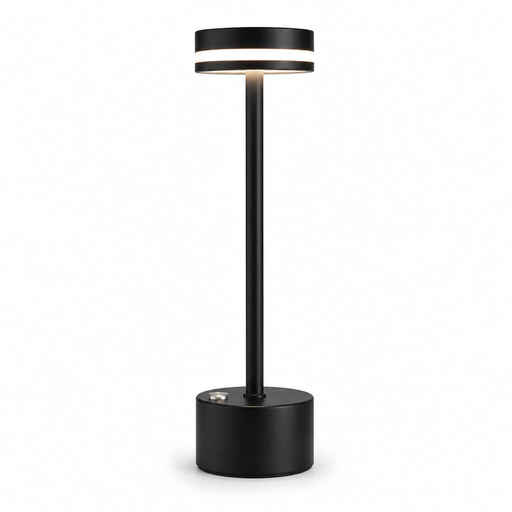 No image available
Its adjustable features may be useful if you want to tailor the light to your workspace. Test the final position on paper and on camera.
The product description lists a flexible gooseneck, touch controls, multiple brightness levels and colour temperatures.
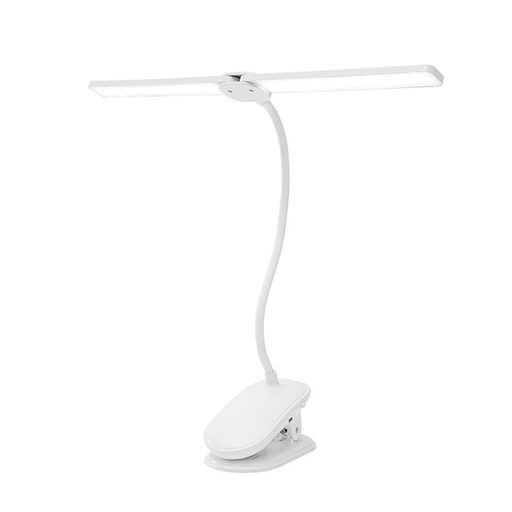 No image available
A clip-on light can be useful if you want to attach it to the edge of a desk. Check that you can position it to light the paper well without getting in the way of the camera.
The product description lists two adjustable lamp heads, dimming, three colour temperatures, a battery and use while charging. The clamp is described as suitable for surfaces up to 5 cm thick.
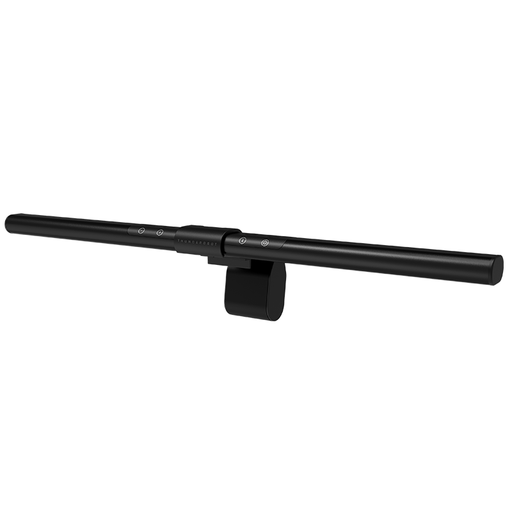 No image available
This light bar is designed to attach to a compatible monitor. Before choosing it for a writing desk, check whether you can direct it suitably for filming your paper.
The product name lists an asymmetric light source, Ra95 and ten dimming levels. The product information states that it needs to be mounted on a compatible monitor.
Place an adjustable light outside the camera’s frame and angle it towards the paper. Then test it while writing: the best angle depends on your writing hand, camera position and any reflections on the ink.
The camera’s white balance adjusts to the light in the room, so mixed artificial light sources can affect how colours appear. Test with the lights you’ll use during the lesson and adjust the white balance accordingly.
First, make a test video with your final lighting and camera settings. Sony Support explains that flickering light sources can cause banding. Depending on your camera and setup, using a suitable shutter speed or a flicker-reduction feature may help.
The Netherlands Food and Consumer Product Safety Authority states that CE marking is required for electrical consumer products covered by CE rules. Check the marking and product information for the exact light you’re buying; information about a different version doesn’t automatically apply to yours.
For consumer purchases in the Netherlands, you have a statutory guarantee in addition to any manufacturer’s warranty. According to ACM ConsuWijzer, the seller is responsible for providing an appropriate solution if the product doesn’t perform as you could reasonably expect during normal use. There is no single fixed statutory guarantee period for every product.