
Weaver who wants to explain stitches
With a fixed camera set-up, you’ll want to show your hands, yarns and small movements. The working distance and lens you choose both help determine the framing; Canon lists an RF mount for the EOS R50 V.


Choose a camera set-up that captures both the whole piece and the key techniques in focus from your working distance, then make a test recording under your own lights. A mirrorless camera lets you choose your lens, a camcorder lets you switch between different framing using built-in optical zoom, and a compact gimbal camera is designed for moving shots. Also check the audio, power supply and what’s included with the version you choose.
With a fixed camera set-up, you’ll want to show your hands, yarns and small movements. The working distance and lens you choose both help determine the framing; Canon lists an RF mount for the EOS R50 V.
You’ll want to switch between a wide shot and close-ups during a single demonstration. Panasonic lists 24× optical zoom for the HC-VX3; also check that the camera can focus from where you’ll be recording.
If you regularly change position, a compact camera with stabilisation could suit the way you film. DJI specifies a three-axis gimbal for the Osmo Pocket 3.
Set up the camera at the intended height and check that both the work area and the key technique are clearly in shot. Also make a test video under your own lights: Sony Support suggests shutter speeds of 1/50 or 1/100 second as possible ways to reduce flicker from a 50Hz light source, but the result depends on the light and recording settings.
| What to consider | What to look for | Who should pay extra attention? |
|---|---|---|
| Detail under artificial light | Test focus and framing at the planned camera height; check your test recording for flicker too. | If I want to show stitches and hand movements clearly, I need to capture the detail without cutting off parts of the work area. Around 36% of consumers prioritise visible detail and how the picture looks under their own lights. |
| Switching between different framing | Check that you can frame both wide shots and close-ups in focus from the same position; compare zoom with an interchangeable lens. | When I record a whole session, I want to switch between the entire loom and a close-up of a particular technique. Around 29% of consumers make flexible framing their top priority. |
| Spoken explanations | Test the sound while the loom is running; check the connections and any accessories included in the bundle. | If my explanation is part of the demonstration, I want to check in advance that my voice is clear from the chosen distance. Around 21% of consumers prioritise spoken instructions. |
| Filming from different positions | Consider whether you’ll be filming while moving, and check that the field of view, mounting and focusing distance suit your loom. | When I move around the loom while filming, I want to know whether the camera can handle that set-up and keep showing the relevant techniques. Around 14% of consumers make moving shots their top priority. |
Resolution and zoom range alone don’t tell you how large or sharp a technique will look from your working distance.
Test the framing and focus where you plan to position the camera before choosing a camera type or lens.
Sony says that flickering light sources can cause banding or changes in brightness in a recording.
Make a test video using your own lights and check the recorded file and available shutter speeds.
The Osmo Pocket 3 is available in different versions. A microphone input on another camera doesn’t mean an external microphone is included.
Check what comes with the version you choose and make a sound test before selecting accessories.
ACM ConsuWijzer explains that your legal guarantee is separate from any manufacturer’s or seller’s guarantee, and that the seller is responsible.
Keep your proof of purchase and report any fault to the seller. The appropriate solution depends on what you could reasonably expect from the product with normal use.
The EOS R50 V is an option for a fixed set-up if you want to choose a lens to suit your needs.
The HC-VX3 is a camcorder option if you want to switch between different framing with a built-in zoom lens during a demonstration.
The ZV-E10 II is a mirrorless camera option with an interchangeable lens, suited to a recording set-up you can prepare in advance.
The Osmo Pocket 3 is a compact gimbal camera for demonstrations where you also want to record moving shots.
This selection of Joybuy products includes compact gimbal cameras and a Sony ZV-E10 with a 16–50mm zoom lens. Check whether the field of view and focus suit your weaving set-up for each model.
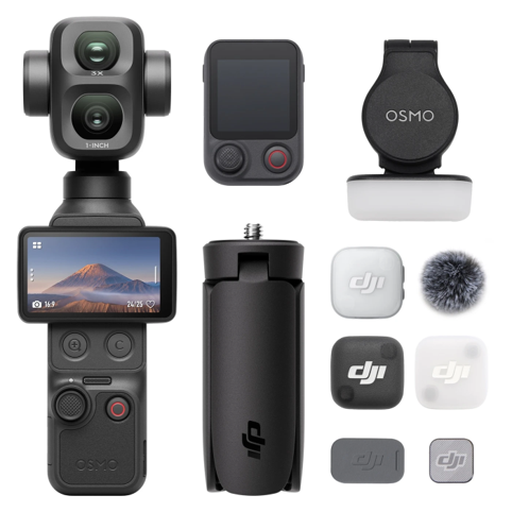 No image available
A compact camera option for demonstration videos; check that the framing from your recording position shows the detail you want.
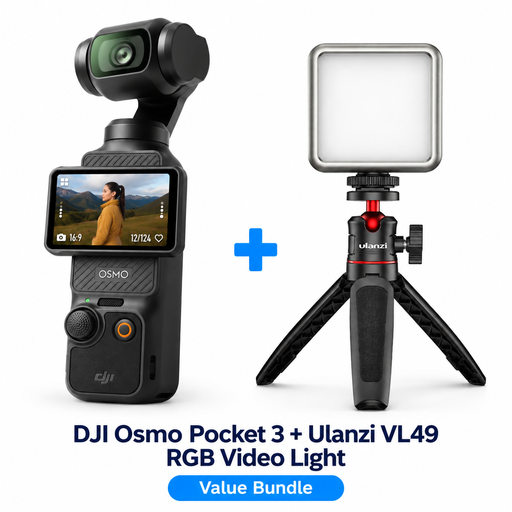 No image available
This bundle combines the Osmo Pocket 3 with a Ulanzi VL49 RGB LED video light. Check whether the camera captures enough detail from your intended position.
DJI specifies a three-axis gimbal for the Osmo Pocket 3; the bundle name lists the Ulanzi VL49 RGB LED video light.
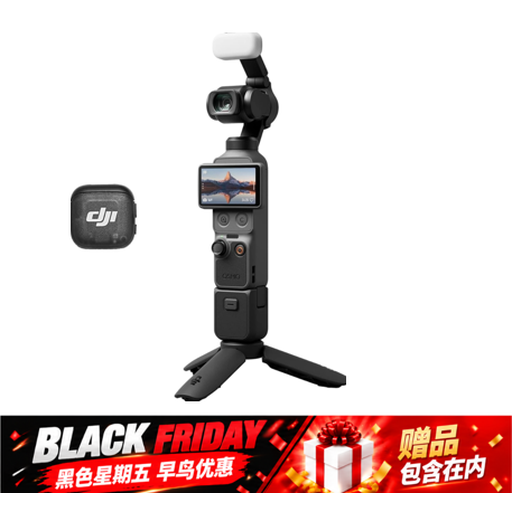 No image available
A compact camera option for demonstration videos; check the framing and focus at your working distance.
The product name lists a 1″ CMOS sensor, 4K/240fps, 2× lossless zoom and 107GB of built-in storage. According to the product information, 4K/240fps is only available in slow-motion mode.
 No image available
A compact option for recording video from a fixed position or while moving; check that the framing suits your loom.
The product name lists a 1″ CMOS sensor, 4K/120fps, three-axis stabilisation and a rotating 2″ touchscreen.
 No image available
The included zoom lens lets you adjust the framing of a demonstration; test in advance whether it captures the details you want from your recording distance.
The product information lists 4K video at 30 fps and a 16–50mm lens. According to this information, a memory card and adapter or charger are not included.
Make a test video using the lights you’ll have on while filming, then watch the recorded file. Sony suggests shutter speeds of 1/50 or 1/100 second as possible options for a 50Hz light source; the effect depends on the light and the camera settings available.
Position the camera where you intend to record and check that you can frame both the work area and the necessary technique in focus. Zoom or a different lens will change the framing, but won’t replace this practical test.
Not necessarily; first, test the sound while the loom is running. Canon lists a microphone input and headphone output for the EOS R50 V, while DJI specifies three built-in microphones for the Osmo Pocket 3. Check separately which accessories are included with the version you choose.
For consumer purchases in the Netherlands, legal guarantee applies alongside any manufacturer’s guarantee. If the product doesn’t perform as you could reasonably expect under normal use, the seller is responsible for an appropriate solution; there isn’t one fixed legal guarantee period that automatically applies to every camera. ACM ConsuWijzer explains these rights.
It depends on who is filming and how the footage is used. According to the Dutch Data Protection Authority, an exception applies to footage that someone keeps solely for private use or shares with only a very limited group. For business use or wider publication featuring identifiable people, you need a lawful basis under the GDPR; consent is one possible basis.