What should you look for when buying?
Mirrorless camera with a suitable lens
A good fit if: you want to frame both the whole table and smaller mixing details, and are happy to choose a lens to suit your working distance.
The trade-off: interchangeable lenses give you options, but a camera body or standard zoom lens is not automatically suitable for the smallest details. Canon Netherlands and Sony Netherlands list various video and connection features; these are not comparative colour tests.
Camcorder with a zoom lens
A good fit if: you want to switch from a wide view to a tighter shot in a fixed lesson setup without changing lenses.
The trade-off: Panasonic lists a built-in 24× optical zoom for the HC-VX3, but check the focusing distance, connections and settings from your tripod position too.
Compact gimbal camera
A good fit if: you regularly move the camera to show the mixing process from different angles.
The trade-off: DJI lists a fixed lens and focusing from 0.2 m for the Osmo Pocket 3. Test whether the wide view and details you want will fit from your camera position.
First, decide which filming requirement matters most for your lesson: colour control, framing details, filming solo or a complete setup for longer recordings.
| What to consider |
What to look for when buying |
Who is it most important for? |
| Colour under your own lighting |
Record a test clip and check the white balance and exposure using the lights you use for your lesson. |
I want to assess differences between mixing steps without the lighting unintentionally changing how the colours look. Around 33% of consumers prioritise consistent colour. |
| Table and mixing details |
Check the framing from your camera position and whether the lens or focusing distance can capture the smallest details you want to show. |
I want to show both my entire work surface and small colour changes; around 27% of consumers prioritise framing the table and close-up details. |
| Filming yourself and recording explanations |
Check the screen from your working position, focusing on the mixing area, and the options for connecting and monitoring audio. |
When I explain things myself, I want to check from my workspace that the picture and sound are recording properly. Around 20% of consumers prioritise filming solo with clear explanations. |
| A longer lesson recording |
Check the exact kit contents and what storage, power and connections you will need for the planned recording time. |
For a longer lesson, I want to know in advance whether my recording setup is complete. Around 20% of consumers prioritise a setup for recording an uninterrupted lesson. |
Cameras on Joybuy
This selection includes compact gimbal, mirrorless and action cameras for recording lessons. For each model, check that the camera position, framing for close-up details and audio options suit your tabletop setup.
 Image unavailable
DJI Osmo Pocket 4 Standard Combo
A pocket-sized gimbal camera for anyone looking for a compact, portable filming setup.
The product title lists 4K/240fps video, 3-axis stabilisation, 2× zoom, 107 GB of built-in storage and a 2-inch rotating screen. Record a test clip to check whether the framing works for your table and small mixing details.
View on Joybuy
 Image unavailable
DJI Osmo Pocket 3 Creator Combo
A good fit if you want a compact gimbal camera with a microphone included in the Creator Combo.
The product title lists 4K/120fps video, 3-axis stabilisation and an included microphone. DJI specifies a fixed lens and focusing from 0.2 m for the Osmo Pocket 3; test whether your table and the details you want to show fit in the frame from your camera position.
View on Joybuy
 Image unavailable
Sony ZV-E10 with 16–50 mm zoom lens, black
This mirrorless camera kit is a good fit if you want to use a zoom lens to adjust the framing of your table.
The product information lists an E PZ 16–50 mm lens, a vari-angle screen and 4K/30fps video. An SD card and adapter/charger are not included, according to the product information.
View on Joybuy
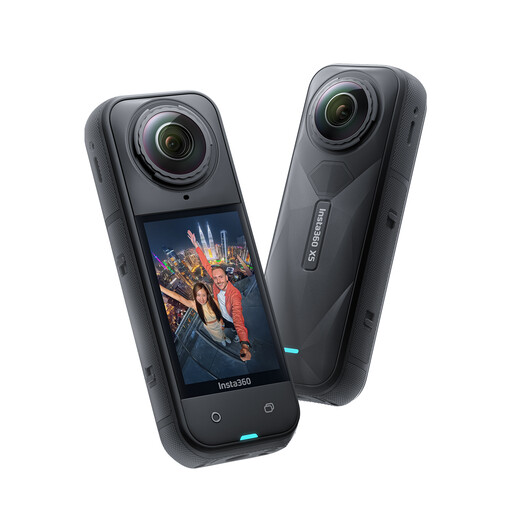 Image unavailable
Insta360 X5 8K 360° action camera
A possible option if you want to choose a crop from 360° footage after filming.
The product information lists 8K 30fps 360° video and InstaFrame for a fixed or automatically tracked crop. Check in advance whether that crop works for a steady tabletop view and small mixing details.
View on Joybuy
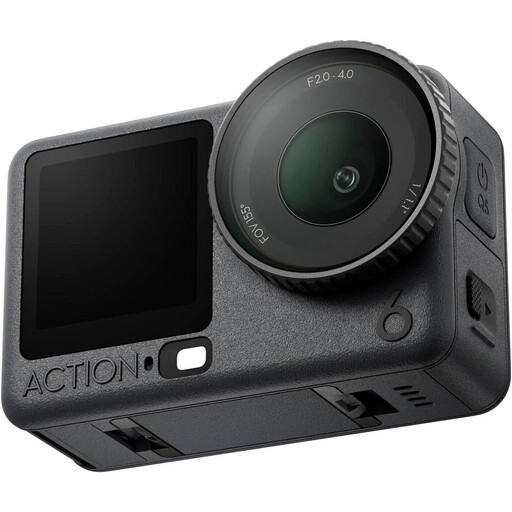 Image unavailable
DJI Osmo Action 6 Adventure Combo
An action camera option for anyone who wants to consider their audio setup as part of their filming kit.
The product information lists a 1/1.1-inch sensor, a variable aperture and video recording up to 8K. It also mentions a connection for two DJI microphone transmitters; check that your chosen camera position frames the mixing area and details clearly.
View on Joybuy
Frequently asked questions
Do I automatically need to choose the highest video resolution to capture mixing colours accurately?
No. First, record a test clip under your own lighting and check whether the white balance and exposure show the mixing steps consistently. Resolution alone will not correct a colour cast.
What can I do if my lights cause banding or flicker in the footage?
Try a different shutter speed if your camera offers that setting. Sony Netherlands suggests 1/50 or 1/100 of a second as possible values in areas with a 50 Hz frequency; the result depends on the lighting and camera model.
What should I check before recording a full lesson?
Record a test clip from the planned camera height and check the framing of the table and details, focus, clarity of the audio, storage and power. Also check the contents of the exact kit: having a connection or recording feature does not mean a microphone, memory card or suitable lens is included.
What are the rules on guarantees and cooling-off periods for online purchases in the Netherlands?
ACM ConsuWijzer distinguishes between a manufacturer’s guarantee and the statutory guarantee; if a product is faulty, the seller is responsible for providing a solution under the applicable terms. For an online consumer purchase, you will generally have up to 14 days after delivery to change your mind; ACM ConsuWijzer also lists some exceptions.
Can I include identifiable participants in a video for a public portfolio?
Bear the GDPR in mind when filming identifiable people for professional or commercial use, or when sharing a video beyond a limited personal circle. The Dutch Data Protection Authority says that a lawful basis under the GDPR is then required; consent is one possible example, but it is not the only lawful basis. This information does not automatically answer every copyright or privacy question about the rest of the recording.


