
Manager of a growing video archive
You want your current library, new recordings and any saved versions to fit within your chosen capacity. Compare the space you need with the model you’re considering.


For a large library that’s copied periodically at a fixed workstation, a desktop HDD is an obvious choice. Choose an external SSD when fast transfers and recovery are important and its capacity is sufficient. A two-drive solution set up as RAID 1 can help if one drive fails, but it doesn’t replace a separate copy stored elsewhere. Make a plan to test your recovery process, too.
You want your current library, new recordings and any saved versions to fit within your chosen capacity. Compare the space you need with the model you’re considering.
You want to be able to restore recordings after an incident, and for staff to know who is allowed to use the copy. The Digital Trust Center advises against relying on a single location; you should also agree recovery and access procedures.
You move large projects between workstations and need to weigh transfer speed and portability against the space required for a full backup.
First decide how much data and how many versions you want to keep. Then consider how important fast transfers, recoverability and managing shared access are.
| What to consider | What should you check? | Who is this important for? |
|---|---|---|
| Capacity and growth | Allow for your current library and the versions you want to keep. Check the capacity of the exact model and, for RAID 1, the usable space. | If I need to keep a growing archive with project versions, I want space for both current and future files. Around 33% of consumers prioritise capacity. |
| Recoverability | Check that there’s a separate copy stored elsewhere and plan a test restore. Don’t mistake RAID for a separate backup. | I don’t just want a drive in case something goes wrong; I also want to be able to restore files and test that the process works. Around 27% of consumers prioritise confidence in recovery. |
| Transfer and recovery | Check the connections on the drive, computer port and cable. A quoted maximum speed doesn’t guarantee the same speed at every workstation. | When I move large projects between workstations, transfer and recovery times matter as well as archive space. Around 20% of consumers prioritise shorter copying and recovery times. |
| Access and sharing | Check compatibility with all workstations and whether the file system provides the access features you need. Agree who is allowed to connect, edit and restore files. | In a shared studio, I want to agree in advance who can use the drive, especially if recordings include identifiable people. Around 20% of consumers start with controlled access and file sharing. |
RAID 0 doesn’t duplicate files across both drives; if one drive fails, the whole array can be affected. Western Digital lists RAID 0 as the factory setting for the My Book Duo.
Check which RAID mode is set before use. Seagate says RAID 1 can provide protection if one drive fails, but it doesn’t replace a separate copy that you test as well.
Manufacturer figures apply to specific products and conditions. They don’t automatically tell you how quickly files will transfer at every studio workstation.
Check the exact model, port and cable. Also make sure the capacity you choose is large enough for the full backup.
A drive that staff can connect doesn’t automatically control who can view, edit or restore files. Identifiable people in recordings may be considered personal data.
Decide who needs access and assess security in line with the content and how you work. Before formatting, also check that the file system supports the access features you need.
You may need to configure access permissions separately or adjust your backup process.
The Expansion desktop drive is an option for fixed, high-capacity storage. Seagate Netherlands lists models with capacities of up to 28 TB.
According to manufacturer Seagate, the d2 Professional range is designed for creative work and large media archives.
The Portable SSD T9 is a portable option to consider when project transfers matter as well as the capacity you need for backups.
The My Book Duo is an external two-drive solution. The RAID mode and usable capacity are important factors when choosing one.
This selection includes desktop HDDs for backups stored in one place and portable My Passport drives for keeping or moving files. For each model, check that its capacity and connection suit your entire studio library.
 No image available
A desktop model to consider for a backup drive that stays in one place.
The product name specifies 6 TB and USB 3.0. Check that the capacity is enough for the library and versions you want to keep.
The product information says the drive is pre-formatted for Windows. Check whether using it with a Mac requires reformatting.
 No image available
A portable option to consider for project files you move between workstations.
The product name specifies 2 TB and USB-C. Check that the capacity is enough for the files and versions you want to take with you.
If you need access protection or scheduled backups, check that the features of the exact model suit the way your studio works.
 No image available
A portable model to include in your comparison of backup and project transfer options.
The product name specifies 5 TB and USB-C. Compare the capacity with your library and check that the connection suits your workstations.
If you need access protection, check the support offered by the exact model and make sure the way you use it suits a shared studio.
 No image available
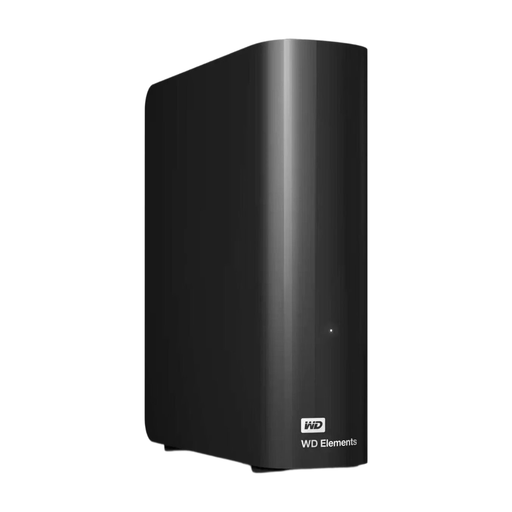
A desktop model to consider if a fixed backup drive suits your studio setup.
The product name specifies 16 TB and USB 3.0. Check that the capacity meets the needs of your library, expected growth and saved versions.
The product information says the drive is pre-formatted for Windows. Check whether using it with a Mac requires reformatting.
 No image available
A portable model to consider for selected project files or a limited set of backup data.
The product name specifies 1 TB and USB-C. Check in advance that there’s enough space for what you want to keep.
If you need compatibility with multiple operating systems or access protection, check the compatibility and features of the exact model.
No, RAID doesn’t replace a separate backup. Seagate describes RAID 1 as protection if one drive fails, but even RAID 1 doesn’t protect against every hardware problem or data corruption. Keep a separate copy and test that you can restore it. Also check that a two-drive device isn’t set to RAID 0.
Decide which folders and versions to copy, choose an interval based on how much work you can afford to lose, and keep a copy in another location too. The Digital Trust Center also recommends periodically restoring test files.
That depends on support from the systems involved and the features your backup process needs. Microsoft notes that exFAT doesn’t have file-level access control lists, so check the user permissions you need before formatting.
If people can be identified in recordings, those recordings may contain personal data. The Autoriteit Persoonsgegevens says organisations must protect personal data appropriately; the measures needed depend on the content and how it is processed.
Check whether you’re buying as a consumer or as a business. The Autoriteit Consument & Markt describes statutory guarantees for products sold to consumers and notes that anyone using a contract mainly or exclusively for business purposes doesn’t automatically have consumer protection.