
Vandaag of morgen in huis

Kwaliteit gegarandeerd

Welkomstaanbiedingen ontgrendelen: GRATIS bezorging | Tot 80% korting | Gratis 30 dagen JoyPlus-proefperiode
Download de app
A video baby monitor lets you keep an eye on your child when you’re in another room. However, it’s not a good idea to focus only on screen size or high resolution. A camera may deliver a sharp picture, but struggle on a busy Wi-Fi network. What’s more, the long range stated on the packaging may apply mainly to open spaces, rather than a home with concrete walls.
This buying guide will help you choose a baby monitor with camera based on verifiable product specifications and practical use in a Dutch nursery.
Manufacturers often state the range in open spaces. Walls, ceilings, metal structures and other wireless devices can weaken the signal. So a model with a stated range of 300 metres won’t necessarily be suitable for every home.
When choosing a wireless baby monitor, consider the difference between:
A Wi-Fi baby monitor can be useful if you want to check in when you’re away from home. However, check whether cloud storage is paid, whether local storage is available and how you can secure your account. Some cameras include a trial period for cloud storage; the terms after that may vary.
Use a strong password, keep the app up to date and don’t place a Wi-Fi camera in a room where it could compromise someone else’s privacy.
A baby monitor with a temperature sensor gives you an indication of the temperature near the camera. This may differ from the temperature where your child is sleeping. According to the product information for the YOTON YB03, the temperature sensor is intended for reference only and is not a medical device.
Motion detection, sound alerts and cry detection are also aids. They don’t replace responsible supervision by an adult.
Three things matter for everyday use:
A baby monitor with night vision can help you check in at night without turning on extra lights. Make sure the camera is out of your child’s reach.
A baby monitor with a parent unit usually works directly and remains useful when your phone is busy. Models such as the Philips Avent SCD882/26 and VAVA VA-IH006 PRO come with a separate monitor.
A Wi-Fi baby monitor offers more flexibility. Depending on the model, you can use an app to check in remotely and receive alerts. However, this means relying on your router, internet connection, app and account.
A baby monitor with two-way talk is handy for speaking from another room or briefly reassuring your child. A temperature sensor is most useful as extra information alongside your usual checks of the nursery.
For motion detection, check whether you can customise the alerts. A camera that alerts you to every little movement may send too many notifications. Person detection or adjustable motion zones can help, but always check exactly what the manufacturer specifies.
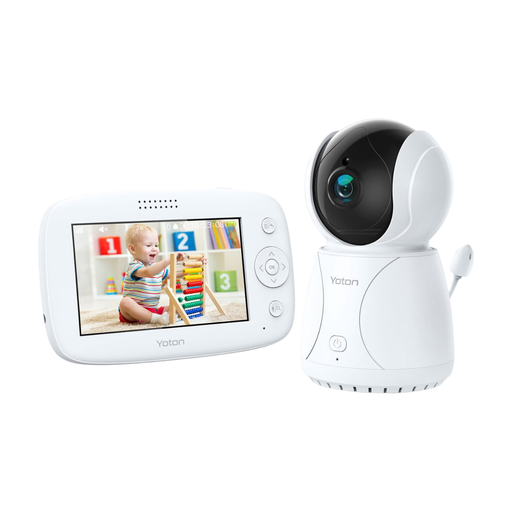
Why it suits this profile: The 4.3-inch parent unit gives you a direct way to check the nursery. The camera can swivel and features night vision, two-way audio and a temperature sensor.
You don’t have to rely on a smartphone app or cloud storage. The temperature sensor is for reference only.
4.3-inch LCD screen, night vision, swivelling camera and two-way audio.
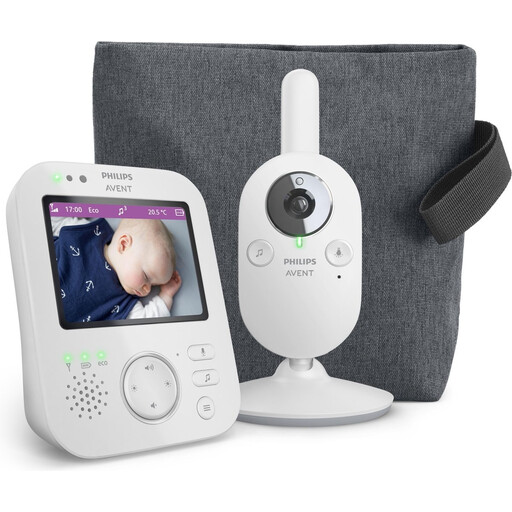
Why it suits this profile: This model combines a parent unit with a direct wireless connection, VOX voice activation, zoom, night vision and ECO mode.
The stated connection lets you view the live feed without relying on a Wi-Fi app. The stated range is up to 50 metres indoors and up to 300 metres outdoors.
3.5-inch screen, 2x digital zoom, VOX mode and ECO mode.
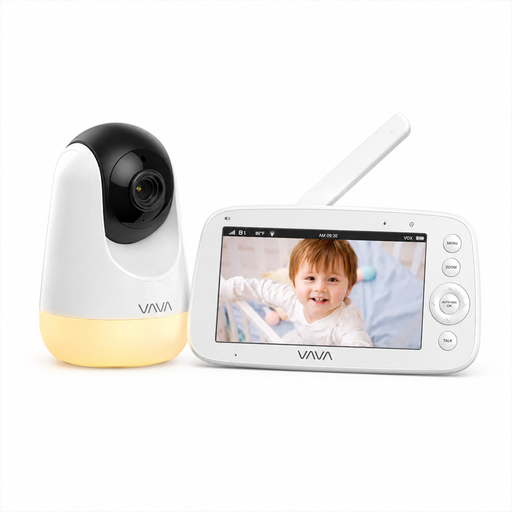
Why it suits this profile: Ideal for parents who don’t want to use Wi-Fi, an account or a cloud service, but still want a large screen with multiple viewing features.
The direct 2.4GHz connection works without a router. The stated range of 300 metres applies in open spaces; it may be shorter indoors.
5-inch 720p screen, night vision, two-way talk, temperature information and up to 24 hours in audio mode.
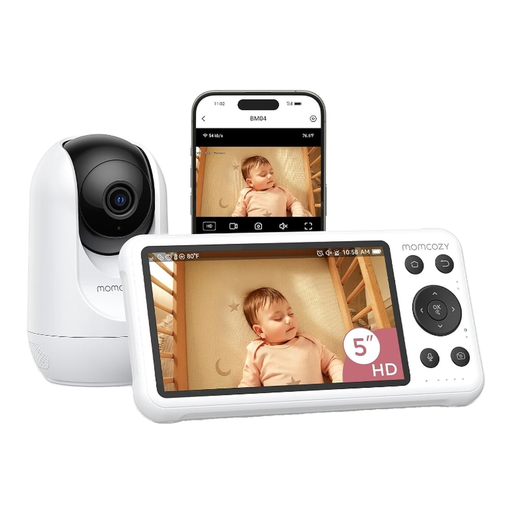
Why it suits this profile: This dual-mode model combines a 5-inch parent unit with Wi-Fi app controls, motion and cry detection, night vision and local recording.
You can use either the parent unit or the app. When using Wi-Fi, secure your network with a strong password and check the local storage settings.
1080p screen, Wi-Fi app, motion and cry detection, two-way audio and local recording.
We’ve put together a complete, up-to-date list of products that meet these strict selection criteria and the applicable European safety regulations.
Not necessarily. Wi-Fi gives you remote access, but requires extra care with passwords, software and cloud storage. A model with a direct connection and parent unit is simpler if you only want to monitor your child indoors.
Its lifespan depends on battery use, cables, charging cycles and daily care. A camera with a mains power supply may remain useful for a long time, while a parent unit with a rechargeable battery may not last as long between charges over time. Check the cables, adapters and casing regularly.
It varies by model and how you use it. A screen that stays on continuously generally uses more power than VOX or ECO mode. For some models, the long battery life only applies to audio mode, with the screen off. So always check the operating time for each mode.
