
Vandaag of morgen in huis

Kwaliteit gegarandeerd

Welkomstaanbiedingen ontgrendelen: GRATIS bezorging | Tot 80% korting | Gratis 30 dagen JoyPlus-proefperiode
Download de app
A video baby monitor may seem straightforward at first glance: position the camera, open the screen or app and you’re ready to go. In practice, models vary considerably in terms of connection, storage, range and alerts. A budget purchase may therefore prove less suitable once the nursery is further from the living room, the Wi-Fi signal drops out or the night-time images disappoint.
Pay particular attention to these three common pitfalls:
A Wi-Fi baby monitor works through your router and often also functions as a baby camera with an app. This is useful if you want to check in while you’re away from home or give multiple users access. However, it also means relying on Wi-Fi, securing your account and potentially paying for cloud services.
A camera without Wi-Fi generally uses a direct connection between the camera and parent unit. This can be simpler for use indoors and limits the number of online services involved. According to the product information, the VAVA VA-IH006 PRO uses a direct 2.4GHz connection and does not require an app, account or cloud service. Its stated range of 300 metres was measured in an open space; indoors, it may be lower.
For a Wi-Fi model, check:
An HD camera with 1080p or 2K can show more detail, but resolution alone does not tell you everything. The distance to the cot, the lens angle and the lighting conditions all affect what you can see. A baby monitor with night vision usually uses infrared images. Some models also offer colour or smart night-vision modes.
Pay attention to the stated night-vision distance. For example, product information for different models may quote 6, 10 or approximately 10 metres. This is generally sufficient in a small nursery, but a long range does not automatically mean a clear image at every distance.
A rotating 360-degree camera or pan-and-tilt model is practical if you want to monitor a larger room, pets or several areas. However, check whether the camera only rotates manually or also supports automatic tracking. Tracking can follow a moving subject, but it may also turn the view away from the original sleeping area.
A baby monitor with two-way communication allows you to speak back through the parent unit or app. This is useful for reassuring a child or communicating with an older family member. A built-in microphone and speaker are required for this.
A baby monitor with a temperature sensor displays the temperature near the camera. Treat this as an indication of the room temperature, not as a medical measurement. The sensor may be affected by its position, ventilation or heat sources.
Also check whether the model sends alerts for:
Alerts should be adjustable. Otherwise, you may receive a large number of notifications that add little value.
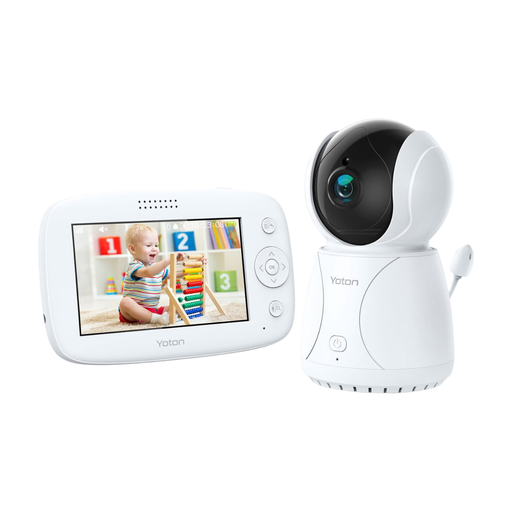
Why it suits this profile: The 4.3-inch parent unit displays live images without requiring you to use a phone constantly. According to the product information, the camera offers night vision, rotation, two-way communication and a temperature indicator.
The key features are available directly on the parent unit. You therefore do not first need to assess an app, account or cloud subscription.
4.3-inch LCD screen, temperature sensor, rotation function, night vision and two-way audio.
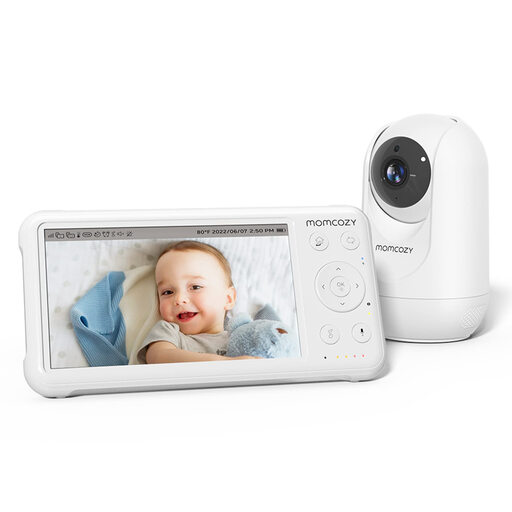
Why it suits this profile: This system combines a 5-inch 1080p screen with pan-tilt-zoom, infrared night vision, a temperature sensor and a parent unit with a built-in battery.
The product information states that up to four cameras are supported. This can be more convenient when monitoring several rooms, but check current compatibility before buying.
1080p image, 5-inch screen, temperature display, two-way audio and up to four cameras according to the product description.
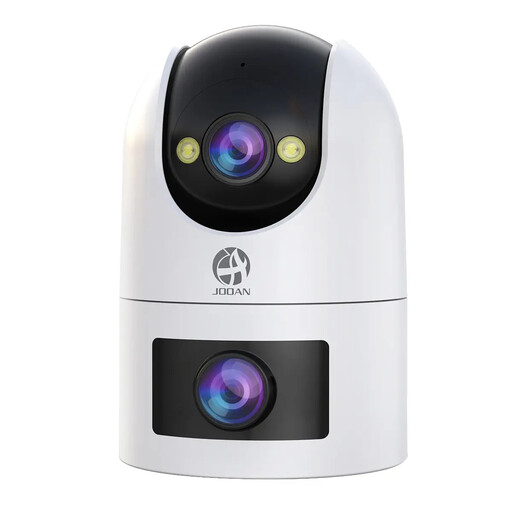
Why it suits this profile: According to the product information, this camera is designed for broader monitoring of children, pets and the home. The dual lens, 360° rotation and app control offer more options than a basic baby monitor.
According to the product information, local recording via microSD up to 256 GB is possible. Cloud storage is available but not free, allowing you to decide in advance how to store your footage.
Dual lens, support for 2.4GHz and 5GHz Wi-Fi, two-way audio, motion and sound alerts, and various night-vision modes.
We’ve put together a complete, up-to-date list of products that fully meet these strict selection criteria and the applicable European safety regulations.
Place the camera out of the child’s reach and keep cables away from the cot. Securely mount a wall-mounted model and check that it cannot fall. Do not point a camera at private areas such as a bathroom. Inform household members or visitors when indoor recordings are being made, and use privacy zones if the app supports them.
A baby monitor is a helpful tool and does not replace supervision by an adult. Regularly check the cable, adapter, battery and mounting. With a Wi-Fi baby monitor, using a unique password is important; change the default password and install any available security updates.
Yes. Models with a direct connection between the camera and parent unit, such as the VAVA VA-IH006 PRO, do not require home Wi-Fi. They are particularly suitable for indoor use. To check in remotely via a phone, you will generally need Wi-Fi or mobile internet access.
Its lifespan depends on usage, power supply, battery and software support. A camera that is switched on continuously may become warmer and fill its storage more quickly. Therefore, check the maximum recording duration, replaceable storage and warranty conditions. With a rechargeable battery, usage time also depends on brightness, sound mode and the battery’s age.
In addition to the purchase price, you may incur costs for a microSD card, cloud storage or a subscription. Local storage is often a one-off purchase, while cloud storage is paid for on some models, according to the product information. So do not compare just the price of the device; also consider which features remain available without a subscription.
