What should you look for when choosing?
Wall charger with USB-A and USB-C
Suitable if: you’re sharing one socket and want to use cables with both types of connector. Belkin lists one USB-A and one USB-C output for the WCB009.
Keep in mind: the charger still needs a socket; also check the output power when both ports are in use.
Wall charger with two USB-C ports
Suitable if: the cables for both devices have USB-C at the charger end. According to IKEA, the IKEA SJÖSS 805.744.38 has two USB-C ports.
Keep in mind: this model has no USB-A output; IKEA says the USB-C cable isn’t included.
Pre-charged power bank
Suitable if: there’s no free socket and the power bank has an output compatible with your torch’s charging cable.
Keep in mind: the power bank needs to be charged in advance and recharged itself later. Anker lists two USB-A outputs for the 325 A1268; its USB-C port is input only.
First, compare your torch’s cable and charging input with the available ports. Then check the power available from each port if you’re connecting several devices at once.
| What to consider |
What to look for |
Who it matters most to |
| Charging several devices at once |
Count the devices you need to charge at the same time and check the specifications for multi-port use. |
If I only have one free socket, I want to be able to charge my torch and a second device at the same time. Around 36% of consumers say sharing one socket is their main purchasing concern. |
| Torch connector |
Check the cable and charging input for the exact torch model, then compare them with the charger’s port. |
I want to use my torch’s existing charging cable, so I check the connector on my specific torch. Around 29% of consumers give the torch’s connector and charging requirements top priority. |
| Charging without a socket |
Check that the power bank is charged and that the required port is an output. |
If there’s no socket where I need to charge, I look for a suitable, charged power bank. Around 21% of consumers say charging without a free socket is their main purchasing concern. |
| Charger safety |
Check the CE marking and product information for a mains-powered charger; don’t use a damaged cable or adapter. |
I want to know whether a mains charger meets the relevant product requirements and use charging components that are in good condition. Around 14% of consumers name product safety as their main purchasing concern. |
Brands compared
The port combinations and limitations below apply to the specific models mentioned, not automatically to every product from each brand.
Belkin
According to Belkin’s product specifications, the BoostCharge WCB009 is a wall charger with one USB-A and one USB-C output.
- Belkin lists up to 30 W via USB-C and 12 W via USB-A.
- These are stated maximums, not measured charging speeds for a torch; the charger needs a socket.
UGREEN
According to UGREEN, the Nexode 35W version with product number 15539 has USB-A and USB-C outputs.
- UGREEN specifies an input of 100–240 V, 50/60 Hz for this model.
- Check the power available from each output when using both ports at once; don’t confuse this version with another Nexode model.
IKEA
The SJÖSS 805.744.38 is designed for anyone who wants to connect two USB-C cables to one wall charger.
- IKEA lists up to 45 W when using one port and 22 W per port when using both.
- This model has no USB-A output, and IKEA says the USB-C cable isn’t included.
Anker
The Anker 325 Power Bank A1268 is an alternative when you don’t have access to a socket for a while.
- Anker lists two USB-A outputs for this model.
- According to Anker, the USB-C port is input only; charge the power bank in advance and check that its output suits your torch cable.
Products at Joybuy
This product selection includes multi-port wall chargers, a travel adapter and an extension lead for anyone who wants to connect several devices to one socket. Check that the USB output on your chosen product is compatible with your torch’s charging cable.
 No image available
7-in-1 Cube Power Strip with cable
May suit you if you want to connect several devices and need extra sockets too.
The product name lists USB-A and USB-C charging ports, a 1.5 m cable and a maximum of 2500 W. Don’t exceed the stated maximum power, and don’t connect extension leads to each other.
View at Joybuy
 No image available
65 W wall charger with 2 USB-C ports and 1 USB-A port
May suit you if you want to connect a USB-A torch cable and a USB-C cable to one wall charger.
The product name lists 65 W, two USB-C ports and one USB-A port. According to the product information, cables aren’t included.
View at Joybuy
 No image available
Fairphone Dual USB-C + USB Fast Charger 65W Black
May suit you if you want to charge several devices from one socket; check that your torch cable’s connector matches an output.
The product name lists 65 W and Dual USB-C + USB. According to the product information, cables aren’t included.
View at Joybuy
 No image available
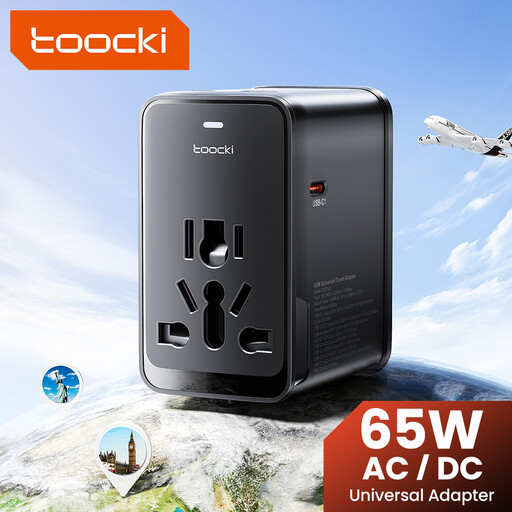
toocki Universal Travel Adapter 65 W PD
May suit you if you want to connect several devices and are looking for an adapter with both USB-A and USB-C.
The product name lists 65 W PD, one USB-A port and three USB-C ports.
View at Joybuy
 No image available
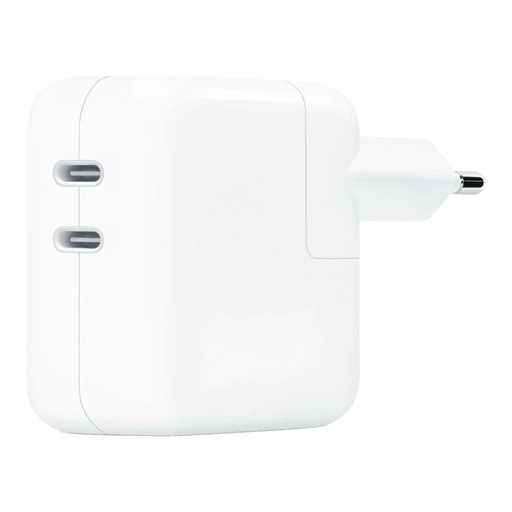
Apple 35W Dual Power Adapter, 2 USB-C ports
May suit you if the cables for both devices have USB-C at the charger end.
The product name lists 35 W and two USB-C ports. According to the product information, no cable is included.
View at Joybuy
Frequently asked questions
Can I charge any torch with any USB-C fast charger?
No, you can’t tell from the word USB alone. Check the cable and charging input for the exact torch model. For example, the Olight Javelot Mini manual specifies a magnetic cable with USB-A at the power-source end and DC 5 V, 1 A; these details don’t automatically apply to other torches.
Why might charging change when I connect a second device?
With a multi-port charger, the power available from each port can change when you connect a second device. IKEA lists up to 45 W for the SJÖSS 805.744.38 when using one port and 22 W per port when using both. So check the specifications for the number of ports you’ll be using at once.
How can I use the charger and cable safely?
Follow the torch and charger manuals, and don’t use a damaged charger or USB cable. IKEA recommends using the SJÖSS charger indoors, unplugging it before cleaning and wiping it with a dry cloth. The Fire Service advises charging batteries on a stable, non-flammable surface and preferably during the day; this is advice, not a separate legal charging requirement.
Does a USB wall charger need a CE marking in the Netherlands, and does the USB-C rule apply to torches too?
The Netherlands Food and Consumer Product Safety Authority states that the mains-powered electrical products referred to here, when placed on the Dutch market, must carry a CE marking. The marking is not, by itself, an independent safety test. The European Commission’s common charger rules, which have applied since 28 December 2024, cover specific device categories but not torches; they therefore don’t require torches to have a USB-C connector.
Do I have rights beyond the manufacturer’s warranty if a charger breaks too soon?
Yes. ACM ConsuWijzer says that your statutory guarantee applies alongside any seller’s or manufacturer’s warranty. If a product breaks sooner than you could reasonably expect under normal use, the seller must offer an appropriate solution at no extra cost. There isn’t automatically one fixed statutory guarantee period for every charger.


