
Traveller with an existing USB charging base
You want to check that your toothbrush, charging base and cable work with the power source. Philips warns that not all Sonicare chargers are compatible with one another.


Start by checking the exact toothbrush model, then make sure its charging base or charging travel case and cable are compatible with the USB connection. A USB wall adapter is enough if you’re charging one device; a multi-port charger can share a socket, while a power bank is an option if there’s no usable socket. None of these power sources, on its own, confirms compatibility with every toothbrush. Keep the charging area dry and leave the adapter uncovered.
You want to check that your toothbrush, charging base and cable work with the power source. Philips warns that not all Sonicare chargers are compatible with one another.
You want to charge your toothbrush and a second device from one wall charger, as long as its ports match the cables you’ve brought. Belkin describes a charger with USB-A and USB-C ports.
There’s no socket at your chosen dry charging spot, so you’re looking for a pre-charged power bank with an output that matches your cable. Xtorm describes a power bank with USB-A and USB-C connections.
Choose this option: if there’s a socket and your toothbrush charges using its existing charging components.
Bear in mind: the adapter doesn’t automatically replace the charging base and won’t provide backup power.
Choose this option: if you want to share one socket with a second device and both cables fit the available ports.
Bear in mind: the port combination or a charging speed quoted for phones doesn’t prove that your toothbrush will charge faster. Belkin lists one USB-A port and one USB-C port for the WCB009vfWH.
Choose this option: if there’s no usable socket at the dry spot where you want to charge your toothbrush, and your cable fits the power bank.
Bear in mind: you’ll need to charge the power bank in advance; its capacity doesn’t tell you how many times you can charge your toothbrush.
| What to consider | What should you check? | Who is this important for? |
|---|---|---|
| Compatibility | Check your toothbrush model, charging base or travel case, and whether the cable uses USB-A or USB-C. Philips states that not all Sonicare chargers are compatible. | I want to make sure my toothbrush handle, charging component and cable work together before I pack anything. Around 40% of consumers give top priority to compatibility between their toothbrush and charging components. |
| Charging location | Follow the instructions for your charging components, choose a dry spot and don’t use a damaged cable or adapter. Brandweer Nederland advises leaving chargers uncovered so heat can escape. | If the most convenient spot is close to water, I want to choose a dry place where the adapter can be left uncovered. Around 30% of consumers prioritise finding a suitable place to charge. |
| Sharing ports | Compare the number and type of ports with the cables you want to use at the same time. Belkin lists one USB-A port and one USB-C port for the WCB009vfWH. | I want to plug in my toothbrush and, for example, a phone at the same socket without having to swap cables. Around 20% of consumers prioritise sharing one socket. |
| Power without a socket | Check that the power bank has a suitable output and is charged before you leave. The capacity in mAh doesn’t tell you how many charges you’ll get without information about the toothbrush. | In a place without a usable socket, I want to be able to charge using a pre-charged backup power source. Around 10% of consumers give charging without a socket top priority. |
The USB power source supplies power to a compatible cable or charging base, but it may not charge the toothbrush handle directly. Philips also states that the charging cable is not included with the Sonicare charging travel case CP2171/02.
Before buying, check the full connection from the toothbrush handle to the USB plug, and see which components come with the travel case.
You may need to buy a compatible cable or charging base separately; the Philips charging travel case CP2171/02 does not include a charging cable.
Moisture and damaged charging equipment are things to watch out for. Brandweer Nederland also advises leaving chargers uncovered so heat can escape.
Follow the instructions for your charging components, choose a dry spot and don’t use a damaged cable or adapter.
A power bank’s stated capacity doesn’t tell you how many times you can charge your toothbrush. A charging speed quoted for other devices also doesn’t confirm that a toothbrush will charge faster.
First, choose the right connection and charging components. Consider extra ports or capacity if you have a specific second use in mind.
Worth considering if you already own a Philips Sonicare and want to identify the charging components for your model.
Worth considering if you want to share one socket with cables that fit different types of USB port.
Worth considering if you’re looking for a portable power source for a place without a usable socket.
These Joybuy products are wall and travel adapters with USB-A and/or USB-C ports. They can act as a power source if your toothbrush cable fits an available port. Check separately that you have the right charging base and that it’s compatible with your model.
 No image available
If your toothbrush cable fits one of the ports, this adapter can act as a power source; this doesn’t confirm compatibility with your specific model.
The product name lists USB-A and USB-C.
The product description states that two devices can be charged at the same time.
 No image available
This wall charger may suit a toothbrush cable with a matching USB connection; check the charging components for your model.
The product name lists two USB-C ports and one USB-A port.
The product description states that three devices can be charged at the same time and that the charger can be used indoors. Avoid damp environments.
 No image available
If your toothbrush cable fits one of the ports, this wall charger can act as a power source; check that your charging components are compatible.
The product name lists USB-A and USB-C.
The product description states that two devices can be charged at the same time and that the charger can be used indoors in a dry place.
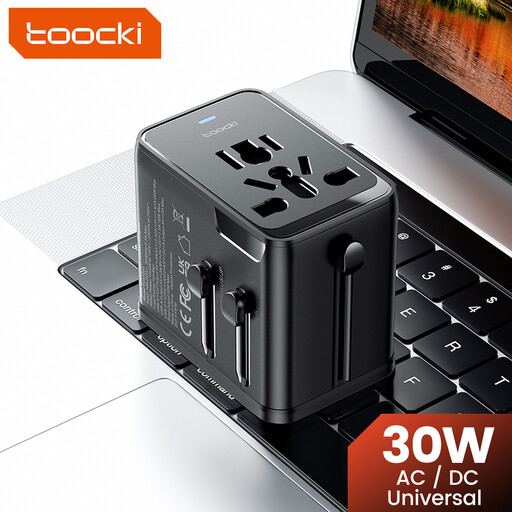 No image available
This travel adapter may be an option if your toothbrush cable fits an available USB port; also check that the adapter is suitable for the socket at your destination.
The product name lists one USB-A port and two USB-C ports.
The product description lists interchangeable plugs and connections for EU sockets.
Not unless compatibility is confirmed for your toothbrush model. A USB wall charger supplies power to a suitable cable or charging base; Philips states that not all Sonicare chargers are compatible with one another. Check your toothbrush handle model and the charging components designed for it.
Use the charging components and instructions for your model, connect the right cable to a suitable power source and keep the charging area dry. For the Sonicare charging travel case method, Philips describes using a mini-USB cable with a 5 V IPX-4 USB adapter. This instruction doesn’t automatically apply to other toothbrushes.
In the Netherlands, you have a legal guarantee in addition to any manufacturer’s warranty. According to ACM ConsuWijzer, the seller must repair, replace or refund a faulty product free of charge under the applicable conditions. There is no single fixed legal guarantee period for all products.
That depends on the product category and the applicable rules. The Netherlands Food and Consumer Product Safety Authority explains which electrical products are subject to CE requirements and outlines the voltage limits under the Low Voltage Directive rules. A CE mark on its own doesn’t confirm that a charger is suitable for your toothbrush or charging location.