
USB toothbrush owner
You’re looking for a charging solution that suits your brush handle and cable. The fact that it’s the same brand doesn’t prove compatibility: Philips warns that not all Sonicare chargers are interchangeable.


Start by checking your toothbrush’s full model number and the charging method specified in its instructions: a USB port alone doesn’t prove that just any charging base will fit. Then choose between a model-specific charging base and a multi-port charging station, depending on your other devices, the available power source and somewhere suitable for your brush to dry.
You’re looking for a charging solution that suits your brush handle and cable. The fact that it’s the same brand doesn’t prove compatibility: Philips warns that not all Sonicare chargers are interchangeable.
You want to connect several devices without using up the USB-A or USB-C port your brush or charging cable needs. So, check the connectors on all the devices you plan to charge at the same time.
You’d rather take your brush with you than leave it at a shared desk. The American Dental Association advises letting a toothbrush air-dry upright and storing it separately from other toothbrushes.
First, check whether your toothbrush charges directly via USB or needs a compatible charging base. Then choose a shared charging solution based on the available power supply and the connectors used by your other devices.
Choose this when: your brush’s instructions specify charging via a base.
Bear in mind: the base must fit your exact handle model and won’t provide extra ports for other devices.
Choose this when: several people or devices need power at the same time, and your brush can charge via the USB port you’ve chosen, as specified in its instructions.
Bear in mind: the connector types must match; the total power output doesn’t prove that a toothbrush will charge faster.
Choose this when: a suitable, spare USB-C power port is already available and you need extra connections.
Bear in mind: a splitter isn’t a mains charger in its own right; the existing power port must be available and suitable.
| Concern | What to look for | Who is this important to? |
|---|---|---|
| Brush compatibility | Check the full model number, charging method and compatibility list for any charging base you’re considering. | If I want to avoid choosing a charging base or cable that doesn’t fit my handle, compatibility comes first. Around 36% of consumers prioritise this. |
| Ports for shared use | Count the devices and connectors; distinguish a mains charger from a splitter that needs an existing USB-C power supply. | If several people want to charge at the same time, I need connections that fit the plugs they use. Around 29% of consumers prioritise shared port capacity. |
| Somewhere to dry the brush | Plan a spot where the brush can air-dry upright and separately from other toothbrushes. | If I use my brush in a shared workspace, I want somewhere to let it dry separately after rinsing. Around 21% of consumers prioritise hygienic storage. |
| Taking accessories with you | Check what’s already included with the brush and whether there’s a suitable power source at each workplace. | If I move between workspaces, I want to take only the charging accessories I need. Around 14% of consumers prioritise taking as few suitable accessories as possible. |
A USB connection on the power supply doesn’t tell you whether it connects correctly to the brush handle. Philips states that not all Sonicare chargers are compatible with other models.
Check the full handle model and the specified accessories before replacing a charging base.
The Belkin splitter reviewed connects to an existing USB-C port, so it doesn’t replace a mains charger on its own.
Choose this solution only if the required USB-C power source is available and suitable at the shared desk.
A charging station doesn’t automatically provide a suitable place to dry your brush after use. The American Dental Association advises letting a toothbrush air-dry upright and storing it separately from other toothbrushes.
Use a case for carrying your brush, and let it dry separately after use before storing it in a closed case.
Worth considering if you’re looking for a charging base for an existing Sonicare handle. Philips lists the CP1977/01 as a USB charging base.
Belkin offers options reviewed for shared use: a mains-powered desktop charger, a USB-C-powered splitter and a USB-A charging station.
The Nexode Desktop reviewed is an option for a desk where USB-C devices are the main priority, alongside one USB-A device.
These Joybuy products are multi-port USB charging stations and power strips for devices at a shared desk; they don’t confirm that a specific toothbrush can charge without its own charging base. Before buying, check that the charging method is suitable and that the electrical product carries the required CE marking. According to the NVWA, this marking is not proof of an independent assessment.
 No image available
Could suit a shared area where you need to plug in several mains-powered devices as well as USB devices; check that your brush supports the USB connection provided.
The product description lists 4 AC outlets, 3 USB-A ports, 2 Type-C ports and a 3-metre cable. Keep the device away from water and moisture.
 No image available
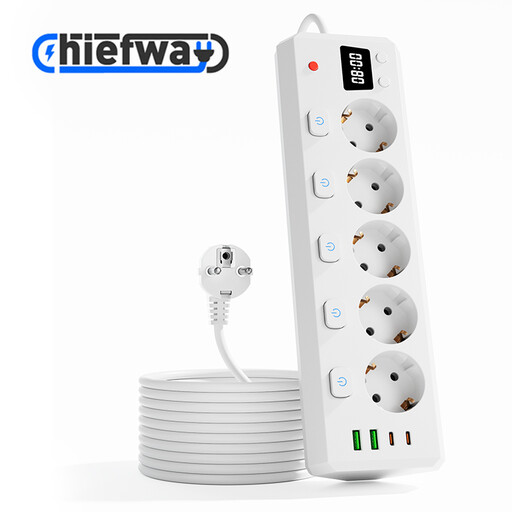
Could suit a shared desk where devices use both USB-A and Type-C; check that the available ports match the plug on your toothbrush charger.
The product description lists 5 AC outlets, 2 USB-A ports, 2 Type-C ports and a 3-metre cable. Keep the device away from water and moisture.
 No image available
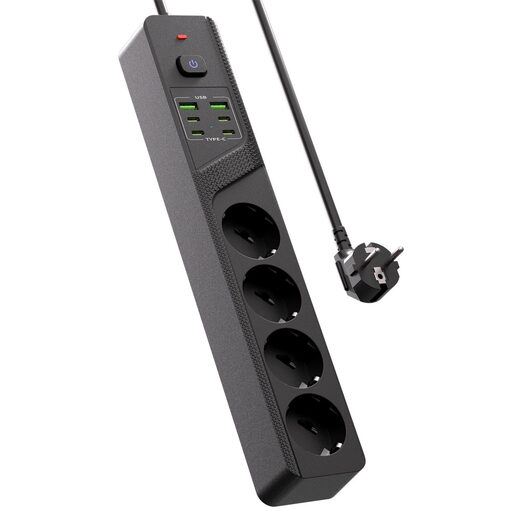
Could suit your desk if you want to connect several USB devices and mains plugs; check in advance whether your toothbrush charger can use one of the USB connections.
The product name lists 4 Schuko sockets, 4 USB-C ports, 2 USB-A ports and an on/off switch.
 No image available
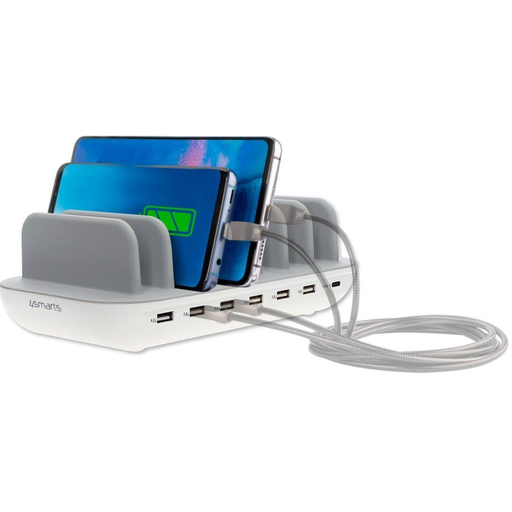
Could suit a desk where several devices need USB connections; check that the port layout works with your brush or its charging base.
The product description lists up to 60 W, six USB-A ports, one USB-C port and a 1.5-metre mains cable. Don’t cover the charging station, and keep it away from water and moisture.
 No image available
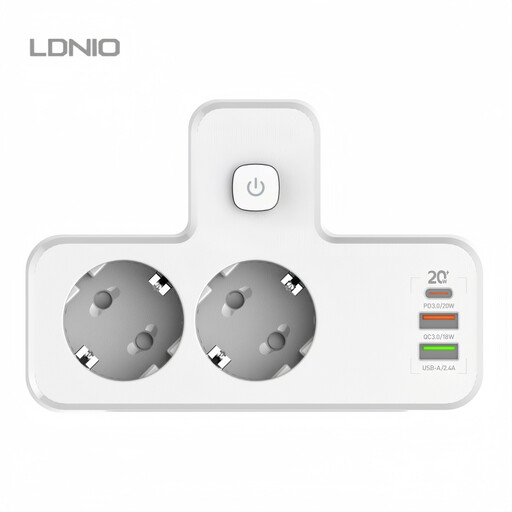
Could suit you if you’re looking for a portable option for your workspace; check whether your brush can charge directly from one of the USB connections or needs its own charging base.
The product description lists several USB-A ports and a 20 W USB-C PD port. The mention of PD alone says nothing about compatibility with a toothbrush.
Only if the instructions for your exact model say you can. Philips describes charging methods that vary by model and warns that chargers aren’t all compatible with one another; some handles need their own charging base or case first.
Rinse the brush, let it air-dry upright and keep it separate from other toothbrushes. The American Dental Association advises against routinely storing a damp toothbrush in a closed container.
For a consumer purchase in the Netherlands, the seller is responsible for providing an appropriate solution if the product doesn’t meet what you could reasonably expect. This isn’t the same as having one fixed statutory warranty period for every charger; any manufacturer’s warranty is separate.
The EU common charger rules described here don’t list toothbrushes as a device category. The European Commission lists devices including phones and tablets, and laptops from 28 April 2026; so check the charging method for your specific toothbrush.
Check that the electrical product carries the required CE marking. The Netherlands Food and Consumer Product Safety Authority (NVWA) states that an independent assessment isn’t compulsory for this product group, so CE isn’t proof of an independent assessment.