
Traveller with a USB charging cable
You’re taking your toothbrush’s existing charging equipment with you and need an adapter with a compatible connection.


Choose an adapter with a port that matches your toothbrush cable: USB-A for a USB-A cable and USB-C for a USB-C cable. A separate wall adapter won’t replace a missing, model-specific charging base or charging case; Philips also warns that Sonicare chargers are not all interchangeable. Follow the instructions for your model and charging set-up.
You’re taking your toothbrush’s existing charging equipment with you and need an adapter with a compatible connection.
First, you need to find out which part charges your toothbrush. An extra wall adapter won’t replace a missing charging base or a compatible charging case.
You want to plug in your toothbrush and another device at the same socket, so you’ll need to consider the number of ports and the cables required.
Start with the toothbrush’s charging equipment and cable. Then choose the right port configuration and a suitable place to charge.
| What you need | What to look for | Who should pay particular attention |
|---|---|---|
| Port and cable | Check both ends of the cable. The adapter port must match the cable, but that alone doesn’t confirm that the complete charging set-up is suitable. | If I’m taking my existing charging cable, I want to be able to plug it straight in. Around 33% of consumers focus mainly on the connection. |
| Compatible charging component | Check the full toothbrush model and the compatibility information for the charging base or case. Also check whether a required cable is included. | If my charging base or case is missing, I first want to find a component that fits my toothbrush. Around 27% of consumers prioritise a compatible charging component. |
| Sharing ports | Count how many USB-A and USB-C ports you need to use at the same time. Also check which cables are included. | If I also want to plug in another device, I need enough compatible ports. Around 20% of consumers focus mainly on sharing a socket. |
| Charging location and safety | Follow the model instructions for the charging location and adapter. The NVWA outlines CE requirements for electrical appliances; a required CE mark doesn’t prove that an adapter is compatible with a specific toothbrush. | If I’m charging in a hotel room, I want to be able to use the set-up in a suitable place and follow the instructions. Around 20% of consumers focus mainly on the charging location and safe use. |
An adapter supplies power, but it isn’t necessarily the component the toothbrush needs to sit on. Philips says that Sonicare chargers are not all interchangeable.
Before buying, check which component charges your complete toothbrush model.
If the charging base or case is missing, you may also need that model-specific component.
The port type or wattage alone doesn’t prove that an adapter is compatible with your toothbrush or will reduce charging time.
Check the toothbrush, charging component, cable and adapter against the instructions for your exact model.
A charging spot by the sink may be exposed to moisture. Damaged cables and chargers can also pose risks.
Follow your model’s instructions on moisture and adapters, and don’t use damaged charging equipment.
Worth considering if you already own a Sonicare and are looking for a compatible USB charging option. Check compatibility with your exact toothbrush model.
Makes wall chargers with USB-A, USB-C or both types of port. The right configuration depends on the cables you want to connect.
According to UGREEN, model 90496 has two USB-C ports and one USB-A port, making it an option if you want to connect several compatible cables.
These Joybuy products are wall and travel adapters with USB-A and USB-C ports. They’ll only work with a toothbrush if the connection matches its existing charging equipment; an adapter won’t replace a missing, model-specific charging base or case.
 Image unavailable
An option to consider if your charging cable uses USB-A or USB-C and the adapter has the matching port. This doesn’t confirm compatibility with a specific toothbrush.
The product name lists one USB-A port and one USB-C port. According to the product description, the adapter is intended for indoor use in dry conditions; avoid contact with water.
 Image unavailable
This port configuration may suit you if you want to connect USB-C devices as well as a USB-A charging cable. Check your toothbrush’s instructions.
The product name lists one USB-A port, two USB-C ports and 65 W. According to the product description, the adapter is intended for indoor use; avoid moisture and contact with water.
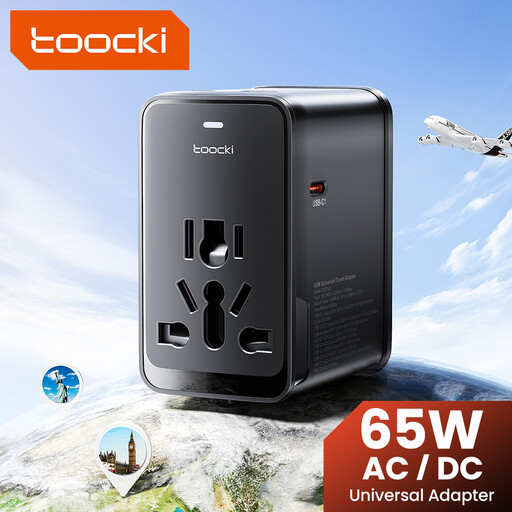 Image unavailable
The port configuration may be useful if you want to connect several compatible USB cables. The product title lists plug types for EU, UK, US and AUS; check which type is suitable for your destination and hotel socket.
The product name lists 65 W PD, one USB-A port and three USB-C ports. This information doesn’t confirm compatibility with a specific toothbrush.
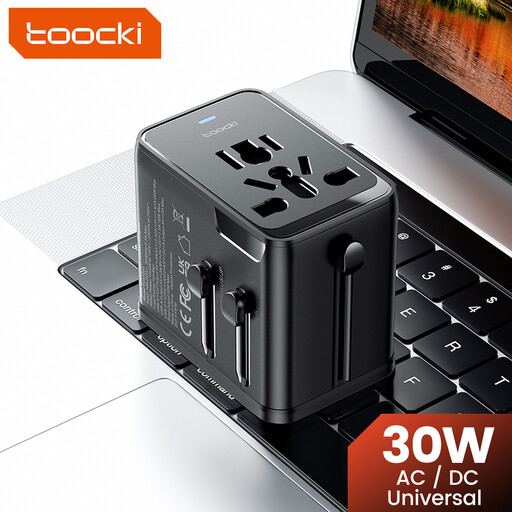 Image unavailable
This adapter is an option if you need a USB-A port for a compatible charging cable as well as USB-C ports. Check that the plug is suitable for the hotel socket.
The product name lists 30 W PD, one USB-A port, two USB-C ports and plug types for EU, UK, US and AUS. The listed ports don’t confirm compatibility with a specific toothbrush.
Only if you have the right cable and charging component for your toothbrush, and your model’s instructions allow that power source. Philips describes charging case CP2171/01 as connecting via USB-A to a laptop or compatible power adapter. Check the instructions for your own model.
Follow the cleaning and charging instructions for your exact model, and keep the power supply away from moisture. Don’t use a damaged cable or charger; Brandweer Nederland warns of risks from moisture and damaged charging equipment.
It depends on the version. UGREEN says that model 90496 includes only the wall adapter, while Philips says the charging cable isn’t included with DiamondClean charging case CRP247/01. Check what’s included with the specific version before buying.
In the Netherlands, you’re entitled to a legal guarantee if a product doesn’t perform as you could reasonably expect under normal use. ACM ConsuWijzer says the seller must then offer an appropriate solution. Online purchases generally also come with a 14-day cooling-off period after delivery, subject to applicable exceptions.
According to the European Commission, the new EU ecodesign requirements for external power supplies will apply from 14 December 2028, with an exception for certain power supplies for electric toothbrushes. These future rules don’t mean that every toothbrush charger must use USB-C now; check which requirements apply to the relevant adapter and date.