What should you look for when buying?
Start by making sure there’s enough space for the complete project folder, then check that the connector and file system will work with your devices. Assess speed by looking at both write performance and your own transfers, and include a second archive copy in your plan.
| What to consider |
What to look for |
Who is this important for? |
| Project folder capacity |
Measure the complete folder and allow for expected growth. Compare its size with the usable capacity of the exact model. |
I want to keep source material, project files and exports together, so the total folder size determines my choice. Around 29% of consumers say that space for the complete project folder is their top priority. |
| Copy time |
Compare the stated write speed for the exact model with your USB port. Test it with representative files and folders. |
For regular transfers, I want to reduce the time spent writing files. Around 23% of consumers prioritise the time it takes to copy large folders. |
| Storage and checking |
Plan a second copy on a different medium and in a different location. Check that the files still open later. |
I want to be able to find and check valuable projects in the future, even if one storage device is unavailable. Around 18% of consumers prioritise preserving their archive and being able to check it. |
| Connector and file system |
Check whether you need USB-A or USB-C, the size of your largest individual file, and support on all your devices. Microsoft states that FAT32 has a maximum file size of 4 GiB. |
I transfer projects between specific devices and want to be able to open large individual files too. Around 18% of consumers prioritise compatibility with their devices and files. |
| Confidentiality |
Find out what security your organisation requires, and check the model, storage capacity and access method. The Dutch Data Protection Authority says organisations must protect personal data properly. |
If my project folder contains sensitive or personal data, I want to know in advance what level of protection and access method is appropriate. Around 12% of consumers prioritise keeping project material confidential. |
USB sticks at Joybuy
This selection focuses on USB-A sticks in a range of capacities. Choose a model only if the complete project folder will fit, and keep valuable projects on a second medium and in a different location too.
 No image available
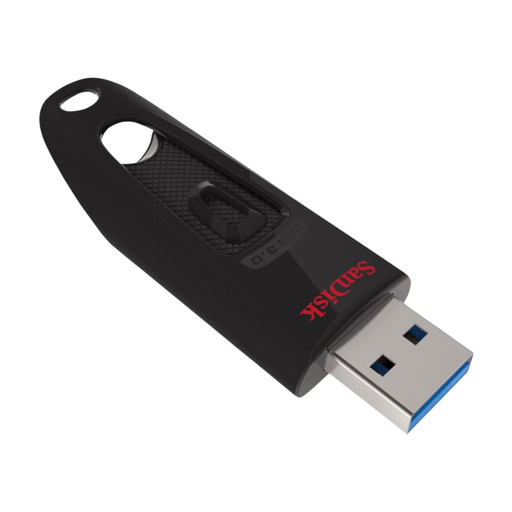
SanDisk Ultra USB flash drive 128GB USB 3.0
A USB-A option if your project folder fits within 128 GB. Check the write speed with your own files before estimating copy times.
Product information lists 128 GB, USB-A and USB 3.0.
View at Joybuy
 No image available
Kingston DataTraveler 512GB 220MB/s Metal USB 3.2 Gen 1 SE9 G3
This USB-A model may be suitable if the complete project folder fits within 512 GB. Its stated read speed isn’t a write specification for your archive copy.
Product information lists USB 3.2 Gen 1 and read speeds of up to 220 MB/s.
View at Joybuy
 No image available
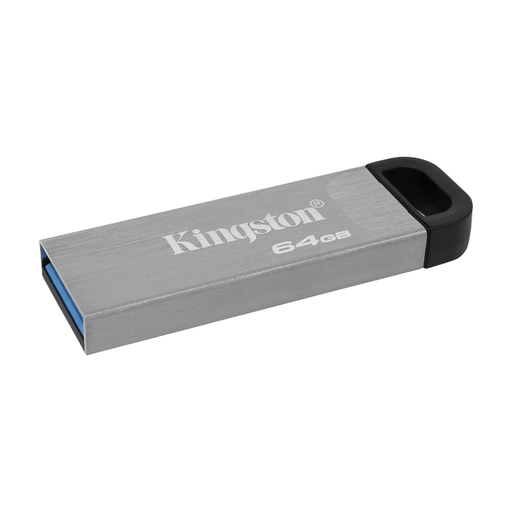
Kingston DataTraveler Kyson 64GB USB flash drive
Consider this USB-A model only if the complete folder fits within 64 GB. The stated write speed is a maximum.
Product information lists USB 3.2 Gen 1, read speeds of up to 200 MB/s and write speeds of up to 60 MB/s.
View at Joybuy
 No image available
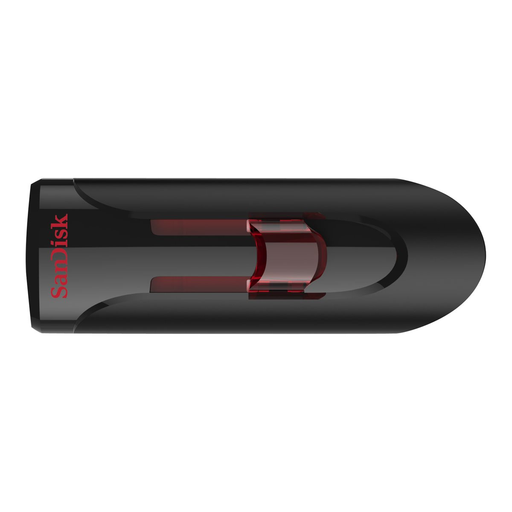
SanDisk USB 3.0 flash drive 32 GB
This capacity is suitable only if the complete project folder fits within 32 GB. Check the write time you’ll need before buying too.
Product information lists USB 3.0 and read speeds of up to 80 MB/s.
View at Joybuy
Frequently asked questions
Can I keep a video project archive on just one USB stick?
That’s not a sensible archive plan for valuable projects. The Library of Congress recommends keeping multiple copies on separate media and in different locations, and checking periodically that files are still readable. This is archiving advice, not a Dutch legal requirement to buy a particular product.
Why won’t a large video file fit when there’s still space on the stick?
Check the file system. Microsoft states that FAT32 has a maximum file size of 4 GiB, while exFAT allows much larger files. Before reformatting, also check that all the devices you use support your chosen file system.
Is the speed on the packaging also my copy speed?
No. Manufacturers quote maximum speeds under specific conditions. Actual speeds vary depending on factors including the connection, host, software, number of files and folder structure.
Does a video project containing personal data need to be stored on a specific encrypted USB stick?
The Dutch Data Protection Authority states that organisations processing personal data must protect it properly. Its general guidance doesn’t require every video project to be stored on one specific USB stick model. Assess the data and your organisation’s security requirements.
How long is the statutory warranty on a USB stick in the Netherlands?
There’s no fixed statutory period in the Netherlands that applies to every USB stick. ACM ConsuWijzer says that if a product breaks too soon under normal use and doesn’t meet the expectations you’re entitled to have, the seller must repair, replace or refund it free of charge under the applicable terms.


