What should you look for when buying?
First, decide which files and versions you’re transferring. Then check your client’s connection and workflow. For large folders, also consider the stated write speed; for confidential material, assess the access controls.
| What to consider |
What should you check? |
Who is this most relevant to? |
| Keeping a restorable copy |
Keep a copy on another storage medium and check that important files open. |
If you want to keep a restorable copy of the project after handing it over, make this your priority; around 25% of consumers rank recoverability as their top buying priority. |
| Fitting the complete project folder |
Check the size of the files and versions you need, then compare the total with the capacity of the exact model. |
If you need to include the source footage, exports and project files, having enough space is essential; around 20% of consumers give capacity their top priority. |
| Writing large files in time |
Compare the model’s stated write speed and check your computer, port and any hub. |
If you often copy large projects to the stick, write time should be a key consideration; around 20% of consumers rank it first. |
| Protecting confidential material |
Assess what personal data is included and whether the client can use the security features and receive the password securely. |
If you want to limit access if the stick is lost or delivered to the wrong person, access controls matter; around 20% of consumers name confidentiality as their top buying priority. |
| Opening files on the client’s equipment |
Ask about the USB port, operating system, file system and editing software. |
If you need to transfer files between different computers, check in advance that they can be connected and opened; around 15% of consumers put device compatibility first. |
A dual USB-A and USB-C connector can make it easier to connect to different devices, but it doesn’t guarantee that the files or editing software will be compatible. Apple describes ExFAT as an option for use with Mac and Windows, and recommends APFS for external storage used with Final Cut Pro. Formatting deletes existing files, so check the file system before preparing the stick.
If the transfer contains personal data, assess security in light of the specific risks. The Dutch Data Protection Authority says the GDPR requires appropriate technical and organisational measures. Losing a USB stick containing unencrypted personal data could constitute a data breach.
USB sticks at Joybuy
This selection mainly features USB-A sticks for transferring files, as well as one model with USB-A and USB-C. Compare the capacity and stated write speed with the project folder and your client’s equipment.
 No image available
Kingston DataTraveler Exodia 128 GB
A USB-A option if the files fit on the stick and your client has a compatible port.
128 GB; USB 3.2 Gen 1 Type-A.
View at Joybuy
 No image available
SanDisk Ultra Flair 64 GB
A USB-A option for files you want to protect with a password; check that your client can use the software-based security.
64 GB; USB 3.0. The product description lists software-based password protection with 128-bit AES encryption.
View at Joybuy
 No image available
Kingston DataTraveler SE9 G3 64 GB
A USB-A option if 64 GB is enough and the stated write speed suits your transfer.
USB 3.2 Gen 1 Type-A; up to 220 MB/s read and 100 MB/s write, according to the product description.
View at Joybuy
 No image available
Kingston DataTraveler SE9 G3 512 GB
A USB-A option for a larger project folder, if 512 GB is suitable for the files you want to transfer.
USB 3.2 Gen 1 Type-A; up to 220 MB/s read and 100 MB/s write, according to the product description.
View at Joybuy
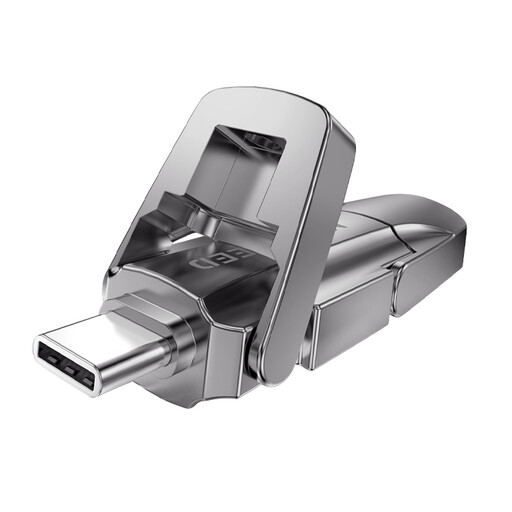 No image available
MOVESPEED YSUYVP10-256GSR 256 GB
A model with USB-A and USB-C for transferring files between devices with different connections.
256 GB; the product description lists speeds of up to 1.090 MB/s read and 1.030 MB/s write. These are product specifications, not transfer speeds measured in your setup.
View at Joybuy
Frequently asked questions
Can I use the stick as my only archive after handing it over to the client?
No. Keep a separate copy as well, and check that it can be restored. The Library of Congress recommends keeping copies on at least two different storage media and in separate physical locations; the National Cyber Security Centre advises testing whether backups can be restored.
Which file system should I choose if my client uses Windows and I use a Mac?
Apple describes ExFAT as an option for a drive used with Mac and Windows. Check your client’s software too: for external storage used with Final Cut Pro, Apple recommends APFS. Formatting deletes existing files.
Is encryption required for every video transfer in the Netherlands?
No, there isn’t one standard requirement for every video transfer. If personal data is processed, the GDPR requires appropriate technical and organisational measures based on the risks, according to the Dutch Data Protection Authority. Losing a stick containing unencrypted personal data could constitute a data breach; the appropriate measures depend on the material and the transfer.
Am I always entitled to exactly two years of legal guarantee on a USB stick in the Netherlands?
No. ACM ConsuWijzer explains that there is no fixed period for the legal guarantee: what matters is what you can reasonably expect from the product with normal use. A manufacturer’s guarantee and the legal guarantee are separate rights; if you’re buying for business use, check the applicable terms and conditions of sale too.


