
Creator with a growing video archive
You want to keep completed projects offline. First, work out how much space all the files you want to keep will take up.


A USB stick is a good choice for a compact, removable offline archive if all your project files fit within its capacity. For large transfers, pay particular attention to the stated write speed and the connections on your devices. Keep important projects on a second, separate storage device too, and test that you can restore your files from it. If your archive is too large for the stick you’ve chosen, consider external storage such as an SSD or hard drive.
You want to keep completed projects offline. First, work out how much space all the files you want to keep will take up.
You regularly move large project folders and need enough capacity, as well as a suitable stated write speed and connection.
You want to be able to restore projects if a storage device is lost or fails. Keep a separate copy and test that you can retrieve your files from it. If people are recognisable in the footage, privacy protection may also be a consideration.
Choose this option: if you want a compact, removable copy and your project files fit within the capacity.
Keep in mind: a stick can be lost; one stick is no substitute for a separate second copy.
Choose this option: if several projects won’t realistically fit on the stick you’re considering.
Keep in mind: switching to another storage device doesn’t solve the risk of having only one archive copy. The Digital Trust Center recommends keeping backups in different locations and testing recovery regularly.
| What to consider | What should you check? | Who is this important for? |
|---|---|---|
| Recoverable copy | Keep a separate copy and try restoring files from it. | If I lose my only project copy, I want to be able to restore my files. Around 25% of consumers prioritise recoverability. |
| Space for complete projects | Add up the project files you want to keep and compare the total with the capacity of the exact model. | I want to keep my complete project folders, not just the finished video. Around 25% of consumers prioritise archive capacity. |
| Write speed | For large, regular copies, compare the stated write speed of the exact model; read speed doesn’t tell you how quickly files will be written. | If I often copy large project folders, I pay attention to how long it takes to write them. Around 20% of consumers say copying time is their main concern. |
| Connection and file system | Check the USB connection, support for external storage, and whether your devices can handle the file system you’ve chosen. Microsoft Learn describes exFAT as being designed for very large files. | I want to use files across devices and check in advance that the connection and file system will work. Around 15% of consumers prioritise device compatibility. |
| Access to footage | Decide who needs access and whether encryption or access restrictions are suitable for your footage. | For sensitive footage, I want to control who can open it. Around 15% of consumers prioritise footage privacy. |
If your only stick is lost or damaged, you could lose your only copy of a project too.
Keep a separate copy and try restoring files from it. The Digital Trust Center recommends keeping backups in different locations and testing recovery regularly.
A second storage device and time for recovery checks are part of this approach.
When you fill an archive, you’re writing data to the stick. Read speed doesn’t indicate how quickly that write task will take.
For large, frequent copies, compare the stated write speed of the exact model and check your computer’s connection. Manufacturers’ maximum speeds don’t predict how long it will take to transfer your entire project.
A stick with USB-A and USB-C won’t automatically work with every mobile device. For mobile use of the JetFlash 930C, Transcend requires USB-OTG support.
Check both the physical port and the device’s support for external storage before using it to access your files.
The Kingston and Joybuy pages give different manufacturer’s warranty periods for the DataTraveler SE9 G3 512 GB discussed here. According to the Dutch government, there is no fixed statutory warranty period that applies to all products in the Netherlands; if a product is faulty, you should contact the seller.
Check the warranty terms for the exact model and seller. A manufacturer’s warranty is separate from your statutory rights.
The Extreme PRO USB-C range could suit you if you want to store large projects on a USB-C stick. Check that your device has the right connection.
The JetFlash 930C is an option if you need both USB-A and USB-C for transferring projects.
The 512 GB MUF-512DA/APC is a USB-C option if that capacity suits your archive.
The 1 TB JumpDrive P30 is a USB-A option if you’re looking for capacity and a stated write speed.
The DataTraveler SE9 G3 is a USB-A range with capacities of up to 512 GB, suitable for a defined archive.
This selection includes USB sticks for a defined offline video archive, with models ranging from 32 GB to 512 GB. Check that the total size of the project files you want to keep fits within the capacity.
 No image available
Suitable for an archive of up to 512 GB that needs to transfer files between compatible USB-C and USB-A devices.
512 GB storage; USB-C and USB-A; stated read speed of up to 150 MB/s.
 No image available
An option for an archive of up to 512 GB if you’re looking for a portable USB stick.
512 GB storage; USB 3.2 Gen 1; stated read speed of up to 220 MB/s; metal design with a keyring loop.
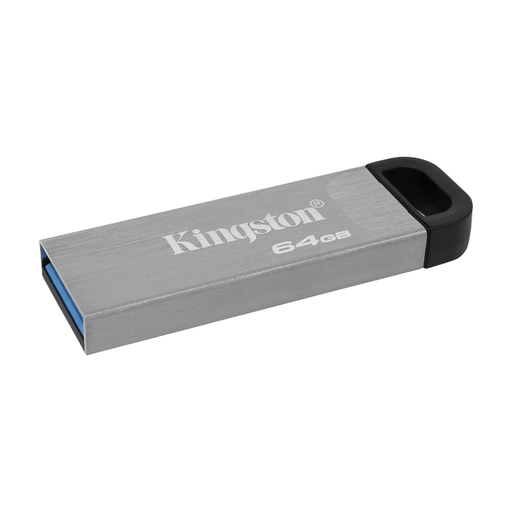 No image available
Suitable for a smaller archive of up to 64 GB where the stated write speed matters.
64 GB storage; stated read speed of up to 200 MB/s and write speed of up to 60 MB/s.
 No image available
A USB-C option for an archive of up to 512 GB if you use devices with this connection.
512 GB storage; USB Type-C 3.2 Gen 1 (3.1 Gen 1); stated read speed of up to 400 MB/s. Samsung Netherlands lists a maximum sequential read speed for the 512GB model; this doesn’t indicate the write speed for your project.
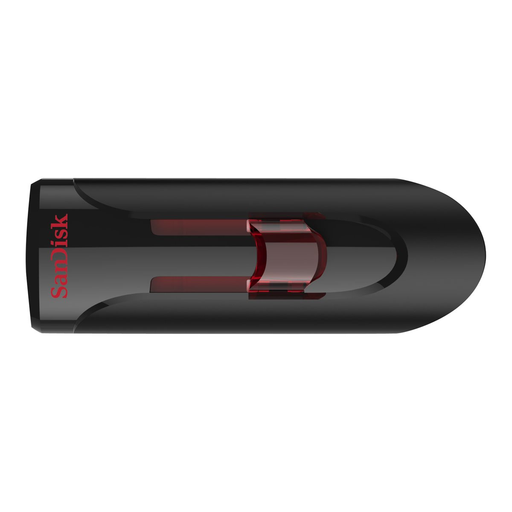 No image available
An option for a smaller archive of up to 32 GB.
32 GB storage; stated read speed of up to 80 MB/s. The product description mentions password protection with 128-bit AES encryption.
For irreplaceable projects, a single copy isn’t a complete recovery strategy. Keep a separate copy and test that you can restore your files from it; the Digital Trust Center recommends using multiple storage locations and testing recovery regularly.
Microsoft Learn describes exFAT as being designed for very large files. Before formatting, check that all the devices you want to use the stick with support exFAT, and back up any existing files first.
No. Write speed matters too when filling the archive. Compare the manufacturer’s specifications for the exact model, and don’t treat stated maximum speeds as a prediction of how long it will take to transfer your entire project.
According to the Dutch government, you’re entitled to a product that works properly. If a product is faulty, you should contact the seller. There is no fixed statutory warranty period that applies to all products in the Netherlands; a manufacturer’s warranty is in addition to your statutory rights.
No, not necessarily. The Dutch Data Protection Authority states that recognisable people in footage count as personal data. However, data protection law doesn’t apply to photos and videos made solely for personal or household use and kept privately or shared within a very limited circle. Outside this exception, whether the rules apply depends on what you do with the footage; using a USB stick doesn’t in itself create an exception to privacy rules.