
Script archive manager
Wants to be able to find previous versions and avoid making the USB stick that gets passed around the only copy. VeiligInternetten describes a backup as a copy of files that remains available alongside the files on a device.


Don’t use a USB stick as your only archive copy: keep a separate, up-to-date backup too, and check it regularly. Then choose a stick based on the ports available on the studio’s devices. A USB-A stick may be enough if all the devices have that connection, while a USB-A and USB-C stick can be useful if they have different ports. If scripts contain personal data or access needs to be restricted, consider what security is appropriate and who will manage the stick. Choose the capacity and transfer method to suit your files.
Wants to be able to find previous versions and avoid making the USB stick that gets passed around the only copy. VeiligInternetten describes a backup as a copy of files that remains available alongside the files on a device.
Needs to transfer scripts between devices that may have different USB ports. So check which connections are available on the computers the team uses to open the files.
Wants to decide who can open files when scripts contain personal data or must not be shared freely. The Dutch Data Protection Authority emphasises the need for appropriate security when processing personal data.
The percentages refer to consumers choosing a stick in this situation to store and share scripts; the top priority determines which check comes first.
| What to consider | What should you check? | Who is this important for? |
|---|---|---|
| Keeping a usable archive | Agree on a primary storage location and version naming system; keep and check a separate, up-to-date copy. | If I manage an archive for several people, I want a separate copy and clear rules for versions; around 36% of consumers put archive security first. |
| Connecting to studio devices | Check which USB-A and USB-C ports are available on the computers the team uses to open the scripts. | When I need to open scripts on computers with different ports, I want to be able to connect the stick directly; around 29% of consumers put port compatibility first. |
| Managing access to files | Find out whether the scripts contain personal data, who needs access and whether the computers meet the requirements of the secure stick you choose. | If scripts contain names or contact details, I want to decide who can open them and how access is managed; around 21% of consumers put access security first. |
| Capacity and transfer | Check the size of the script folder and, if you copy files frequently, compare the stated write speed and the conditions attached to it. | If I have a large collection or copy files often, I want enough space and suitable transfer speeds; around 14% of consumers prioritise storage space or copying time. |
Extra capacity won’t keep your scripts available if the only stick is lost or damaged.
Decide where the master version and the separate, up-to-date copy will be kept, and check that copy regularly.
Keeping a separate backup and agreeing on file versions require extra management.
A maximum read speed doesn’t automatically tell you the write speed or how fast the stick will work with studio devices.
If you copy files frequently, compare the write-speed specification for the exact model and the conditions under which the manufacturer quotes it.
With a secure stick that has administrator and user passwords, it needs to be clear who grants access and how users keep that access.
Before buying, decide who will be the administrator, how access will be managed and what separate backup will be available.
Managing access and agreeing on recovery arrangements require the administrator’s attention.
The DataTraveler Exodia range mentioned is a USB-A option; the IronKey Locker+ 50 G2 is a separate secure range.
The Ultra Dual Drive Luxe and Extreme PRO Dual Drive are ranges with two connectors.
The BAR Plus is a USB-A range with a metal casing and a loop for carrying it.
The Dual USB Drive USB-C/USB-A range is designed for sharing files between devices with different ports.
These product choices are intended for storing and sharing scripts, with a range of connections and storage capacities, as well as options for software-based password protection.
 No image available
An option for sharing files between devices with different connections.
32 GB storage; the product name lists compatibility with USB 3.0, Lightning, USB-C and Micro-USB.
 No image available
A USB-A option for scripts and other files when the studio devices have a suitable port.
64 GB storage and USB-A. The product description mentions software-based password protection with 128-bit AES encryption.
 No image available
An option if you want to store a large collection of documents.
512 GB storage, metal casing and a loop for carrying it. The product name states 220 MB/s; check which speed specification this refers to before treating it as the write speed.
 No image available
A USB Type-C option for storing a larger script collection on devices with a suitable connection.
512 GB storage. The product description states a maximum read speed of 400 MB/s; this is not a write speed.
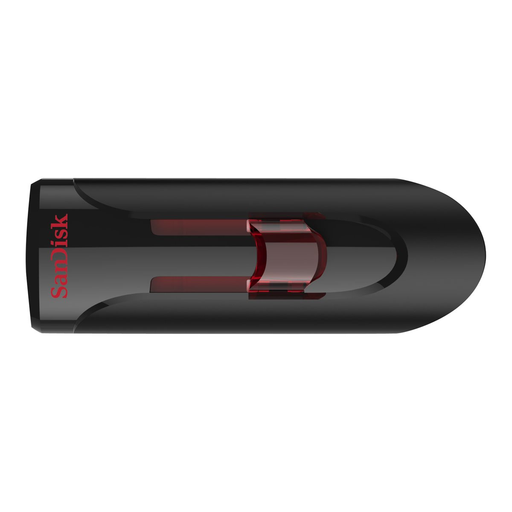 No image available
An option for storing a collection of scripts and other documents.
32 GB storage. The product description mentions software-based password protection with 128-bit AES encryption.
Don’t use the stick as the only copy of files you want to keep. VeiligInternetten describes a backup as a copy that remains available if files on a device are lost. So agree where the separate copy will be kept and check it regularly.
First check that the stick can be connected to and read by both devices. Apple Support describes exFAT as an option for a drive larger than 32 GB. Formatting erases existing files, so make another copy first. Afterwards, check that both studio devices can open the files.
If Dutch consumer law applies to your purchase, your statutory rights apply alongside any manufacturer’s warranty. According to the Government of the Netherlands, there is no fixed statutory warranty period in the Netherlands, and the seller is your point of contact if a product is faulty. A replacement stick won’t recover missing files, so keep a separate backup.
The Dutch Data Protection Authority says organisations that process personal data must apply appropriate security based on the risks; its guidance does not prescribe one specific USB stick model. So consider what information is on the stick, who needs access and what security is appropriate.
Don’t assume so. According to the Government of the Netherlands, permission is generally needed to use copyright-protected works; a copy for personal use cannot simply be distributed or made public. Check which rights or licence apply to the specific script: buying a USB stick doesn’t grant that permission.