
Student with growing project folders
You want to carry your notes and several versions of a large project folder with you. The size of individual files and room for future versions will influence your choice.


Choose a USB stick that works with the devices you want to copy files between and has enough space for your current project folders and future versions. If you often copy large folders, compare the stated write speed and check whether your computer’s USB port can support it. The file system also matters for large individual files.
You want to carry your notes and several versions of a large project folder with you. The size of individual files and room for future versions will influence your choice.
You regularly transfer project materials and want to keep waiting time to a minimum. Check the stated write speed and your computer’s USB port.
For example, you switch between a USB-C laptop and a computer with USB-A. A stick with both connector types can be a practical choice.
First check your devices’ ports and the size of your folders. Then look at write speed and how you want to protect your files.
| What to consider | What to look for | Who is this important for? |
|---|---|---|
| Space for project folders | Check the total folder size and allow room for future versions. Also check your largest individual files: Microsoft Learn states that FAT32 has a maximum file size of 4 GiB. Before formatting, check that your devices support exFAT. | I want to carry my folders and future versions together without having to worry about space; around 31% of consumers prioritise storage capacity. |
| Write speed | Compare the stated write speed for the exact model and check the ports on your computers and any hub you use. Manufacturer figures are maximums, not measured copy times for your folders. | If I often copy large project folders to the stick, I want to keep waiting time to a minimum; around 25% of consumers prioritise copy speed. |
| Connection | Check whether your devices have USB-A, USB-C or both. The USB-IF describes different transfer speeds for USB 3.2, so the connector shape alone does not tell you what speed to expect. | I want to transfer files between devices with different ports without switching sticks; around 25% of consumers prioritise port compatibility. |
| File protection | Keep a recent copy in another storage location too. If you carry personal data, check what protection you actually use. | I want to be able to recover my coursework and prevent unwanted access; around 19% of consumers prioritise file protection. |
Write speed matters too when copying files to the stick. The stated maximum may also be limited by your computer’s port or a hub.
Compare the stated write speed for the exact model and check the USB port you’ll be using.
The FAT32 limit applies to the size of a single file, not the combined size of all the files in a folder. Microsoft Learn states that FAT32 has a maximum file size of 4 GiB.
Check your largest individual files and whether your devices support the file system you choose. Before formatting, make a copy of any files you want to keep.
The connector shape and the supported transfer speed are different things. The USB-IF lists several transfer speeds within USB 3.2.
Check both the connection and the USB version of the stick, computer and any hub.
If you lose the stick or can no longer access it, you risk losing the only copy of your project folder too.
Keep a recent backup in another storage location, as VeiligInternetten recommends.
The DataTraveler Exodia is a USB-A option for documents, while the DataTraveler Max is designed for large files and has a USB-C connection.
The JetFlash 930C has USB-A and USB-C connections and is available in 128 GB, 256 GB and 512 GB versions.
The Dual QuickStick has USB-A and USB-C, making it an option for moving files between devices with different ports.
The Ultra Dual Drive Luxe range combines USB-A and USB-C for devices with different ports.
These USB sticks are designed for carrying study notes and project folders. The selection includes USB-A models and one model with both USB-A and USB-C.
 Image unavailable
A USB-A option for carrying project folders and future versions.
Capacity: 512 GB. The product description states read speeds of up to around 150 MB/s and password protection with 128-bit AES encryption.
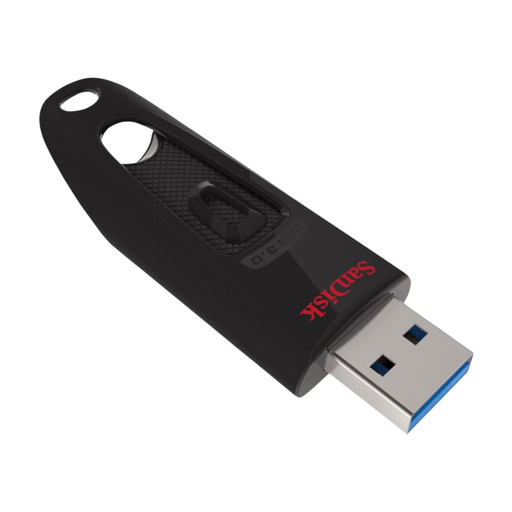 Image unavailable
A USB-A model for notes and project files on computers with a compatible port.
Capacity: 128 GB. The product description specifies USB-A and use with Windows and macOS computers.
 Image unavailable
An option for transferring project files between devices with USB-A and USB-C.
Capacity: 512 GB. The product description lists both connectors and read speeds of up to 150 MB/s.
 Image unavailable
A USB-A option for carrying study notes and project files.
Capacity: 256 GB. The product description states read speeds of up to 150 MB/s and password protection with 128-bit AES encryption.
 Image unavailable
A USB stick for large project folders and regular file transfers.
Capacity: 512 GB. The product description lists USB 3.2 Gen 1, read speeds of up to 220 MB/s and write speeds of up to 60 MB/s.
Not if the stick is formatted as FAT32: Microsoft Learn states that the maximum file size is 4 GiB. exFAT doesn’t have this limitation, but check that the devices you use with the stick support exFAT.
exFAT may be a suitable option for use with both systems. Apple Support explains how to format an external drive for Windows computers and recommends exFAT for drives larger than 32 GB. Formatting erases existing files, so first save a copy somewhere else and check that both devices support the file system.
Keep a recent backup somewhere other than the stick you carry with you, as VeiligInternetten recommends. If your files contain personal data, also consider whether encryption is needed: the Dutch Data Protection Authority cites the loss of a USB stick containing unencrypted personal data as an example of a data breach.
Contact the seller. According to the Dutch government, you’re entitled to a legal guarantee, but there’s no fixed statutory guarantee period in the Netherlands. What you could reasonably expect from the product and the cause of the problem are among the factors taken into account.