
Pattern maker with an upcoming handover
Wants to check before the appointment that the right pattern files open from a separate copy. The NCSC describes opening files as a way to test a backup.


Choose a USB stick that connects to both the maker’s and the customer’s devices. Keep the original separate, and open a few files from the copy before handing it over. A stick with both USB-A and USB-C can help when the devices have different ports; write speed matters most for large folders or frequent copying. If the transfer contains personal data, assess separately which information should be included and what security measures are appropriate.
Wants to check before the appointment that the right pattern files open from a separate copy. The NCSC describes opening files as a way to test a backup.
Need to exchange files between USB-A and USB-C ports, and check that both devices can read the stick and the pattern files.
Needs to check whether the folder contains identifiable customer data as well as patterns, and what security measures are appropriate for the transfer. The Dutch Data Protection Authority links security measures to the risks of processing the data.
First check that the stick connects to both devices and that the files you need open from the copy. Then compare other features, such as capacity or write speed.
| What to consider | What should you check? | Who should pay particular attention? |
|---|---|---|
| Copy you can check | Open a few of the files you need from the stick and keep the original separate. | I want to be sure the right pattern versions open from the copy before the appointment. Around 36% of consumers say being able to check the copy is their main reason for buying. |
| Connection and readability | Check the ports on both devices and try opening the actual pattern file on the receiving device. | If the maker and customer use different devices, I want to know in advance that the stick connects and the file can be read. Around 29% of consumers prioritise this compatibility. |
| Customer data | Check which personal data is being transferred, and separately assess the disclosure and appropriate security measures. | If my folder contains identifiable customer data, I want to know what information the customer needs and how to protect it. Around 21% of consumers prioritise customer data protection. |
| Copying time | Compare the stated write speed for the exact model and test a representative folder on your own computer. | Anyone who often copies large folders will want to know how long writing takes on their own equipment. Around 14% of consumers rank copying time above other reasons for buying. |
A copy is only useful if the files you need are on it and open successfully. Moving files without keeping a separate original leaves little room to put things right if something goes wrong.
Keep the original separate and open a few files from the stick before handing it over.
If the right version is missing or will not open, you may need to spend extra time selecting and transferring the files again.
A maximum read speed does not tell you how quickly files are written to the stick. Samsung lists sequential read speeds of up to 400 MB/s for certain BAR Plus models; this is not a write speed.
For time-critical copying, compare the write specification for the exact model and test it with your own files. Treat manufacturers’ maximum figures as estimates, not guaranteed copying times.
The port, file format and ability to open the pattern file are separate things to check. Two plugs do not guarantee that the customer can read the file.
Check both devices and, if possible, open an actual pattern file on the customer’s device.
Security does not remove the need to assess which personal data you share with the recipient and which files they need.
Select the files you intend to share, then assess the data disclosure and security risks separately.
These product ranges differ in features such as connectivity and security. Always check the exact model and the devices you plan to use the stick with.
DataTraveler Exodia is a USB-A range; IronKey Vault Privacy 50 is designed for situations where hardware encryption is appropriate for the risks involved.
According to SanDisk, Ultra Dual Drive Go has USB-A and USB-C connectors for transferring files between devices with different ports.
The JetFlash 930C is worth comparing if you need USB-A and USB-C and a stated maximum write speed.
According to Verbatim, model #49966 of the Dual USB Drive has USB-C and USB-A connectors.
BAR Plus is a USB-A option if you are considering a metal design.
These USB sticks are designed for transferring files, including sewing patterns. Choose one with the connection and capacity you need, and check the copy on the receiving device.
 No image available
An option for transferring files between devices with USB-A and USB-C connectors; test the pattern files on the receiving device.
The product name lists 512 GB and USB 3.1/USB-C.
 No image available
An option if both devices have a suitable USB-A connection; check that the customer can open the files.
The product name lists 64 GB, USB 3.2 Gen 1, a metal design and 220 MB/s. Check whether that speed refers to reading or writing for the exact model.
 No image available
An option for storing and transferring pattern files and other documents; check that the stick connects to both devices.
The product name lists 64 GB and USB 3.2 Gen 1.
 No image available
An option if a dual interface and access security matter; check in advance that the recipient can unlock it.
The product name lists USB 3.2 Gen 1 and Type-C, read speeds of up to 550 MB/s, write speeds of up to 500 MB/s, and AES-256 encryption with fingerprint access.
 No image available
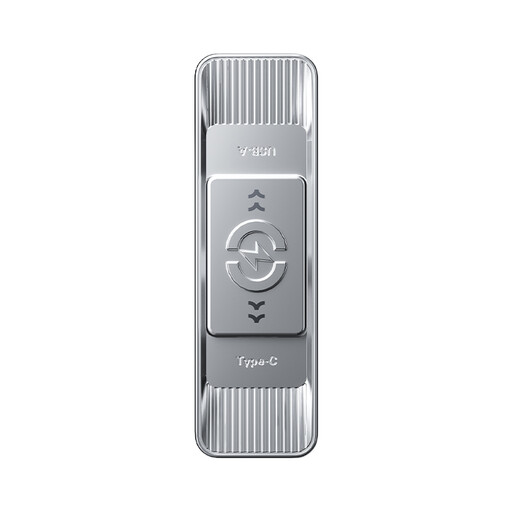
An option if you need a dual interface and plenty of storage; test a representative folder on your own devices.
The product name lists USB 3.2 Gen 1 and Type-C, and read speeds of up to 570 MB/s.
Open a few files from the stick, including the pattern versions the customer needs. The NCSC recommends opening files as a way to test a backup; then safely eject the stick using your operating system.
Dual connectors can help if one device uses USB-A and the other USB-C, but they do not guarantee that the files will be readable. Check the exact model and open a pattern file on the customer’s device.
Apple describes FAT and exFAT as formats that are compatible with Windows computers. Apple recommends FAT for drives up to and including 32 GB, and exFAT for larger drives; formatting erases existing files. Also check that your pattern software can open the file.
Not necessarily. If the transfer contains personal data, the security measures should match the risks. The Dutch Data Protection Authority recommends appropriate security measures and emphasises that you should separately assess whether sharing the data with the recipient is permitted.