
A team handling sensitive scans
If shared receipt scans contain information that not every user should see, the Dutch Data Protection Authority advises tailoring security measures to the risks.


First decide where the master copy will be stored and who will have access. The Dutch Data Protection Authority advises keeping sensitive documents on a work server or, if that is not possible, carrying them on an encrypted USB stick. Then choose a connector that suits the studio’s equipment. Encryption also requires clear arrangements for passwords and recovery, while a compatible connector alone does not provide security.
If shared receipt scans contain information that not every user should see, the Dutch Data Protection Authority advises tailoring security measures to the risks.
The Dutch Tax and Customs Administration allows scanned receipts to be stored digitally if the scan accurately and completely reproduces the original. Keeping a separate copy helps ensure the archive remains available if a USB stick goes missing.
If receipts are opened on several workstations, the available USB-A or USB-C ports and the system requirements for the model you choose will determine which USB stick is practical.
First decide how you’ll find and store your scans. Then consider access, connections and day-to-day management.
| Consideration | What to look for | Who is this important for? |
|---|---|---|
| Access and confidentiality | Decide who can open the scans and how passwords and recovery will be managed. | If receipts contain sensitive information and the USB stick is shared or taken off-site, I want to record who can access it and how access can be restored; around 29% of consumers prioritise confidentiality. |
| Storage and retrieval | Agree on a folder structure and a separate copy; check that scans can be read from another workstation. | If the scans form part of business records, I want to be able to find them and keep them available if a USB stick goes missing; around 29% of consumers prioritise preserving the archive. |
| Connections | Check which workstations have USB-A or USB-C ports and review the system requirements for the exact model. | When we open receipts on computers with different USB ports, I want the USB stick to work with those workstations; around 24% of consumers prioritise compatibility. |
| Simplicity and running costs | Factor in password management, a separate copy and archive maintenance. | If I mainly want to transfer scans easily, I don’t want to choose security or management features that don’t suit the way we work; around 18% of consumers prioritise simplicity. |
A USB stick can go missing or become inaccessible. For sensitive documents, the Dutch Data Protection Authority advises storing them on a work server or, if that isn’t possible, on an encrypted USB stick.
Agree where the master copy will be kept and check that you can still find the scans without the USB stick.
Keeping a separate copy means agreeing where copies are stored and who updates them.
For the IronKey Locker+ 50 G2, Kingston describes a lockout after repeated incorrect entries and the erasure of encrypted content after repeated incorrect administrator attempts.
Appoint administrators and users before you start using it, and document recovery and backup procedures.
Managing passwords and a recovery copy takes time from the team.
A USB stick with USB-A and USB-C connectors may fit different ports, but the connector doesn’t determine who can open the scans.
Check connections and access security as separate considerations.
Kingston’s DataTraveler Exodia range is designed for everyday document storage, while the IronKey Locker+ 50 G2 offers encrypted storage.
The Ultra Dual Drive Luxe is worth considering for transferring files between workstations with USB-A and USB-C ports.
The Store 'n' Go Secure Pro is a USB-A model with hardware encryption specified by Verbatim.
This selection includes USB sticks for storing and transferring scans, with USB-A and USB-C models available. Choose based on the ports you have, the storage capacity you need and any additional security requirements. Don’t use a separate USB stick as your only storage location.
 Image unavailable
Suitable for transferring documents between computers with USB Type-A.
128 GB; USB 3.2 Gen 1; the product description also mentions backward compatibility with USB 2.0.
 Image unavailable
A USB-A model for storing and transferring files on compatible computers.
The product description mentions password protection and 128-bit AES encryption via SanDisk software; check the system requirements before you buy.
 Image unavailable
Worth considering for transfers between computers with USB Type-A.
64 GB; USB 3.2 Gen 1. The product description lists support for Windows, macOS, Linux and Chrome OS.
 Image unavailable
A USB Type-C model for transferring files to compatible USB-C devices.
512 GB; USB Type-C; USB 3.2 Gen 1 (3.1 Gen 1).
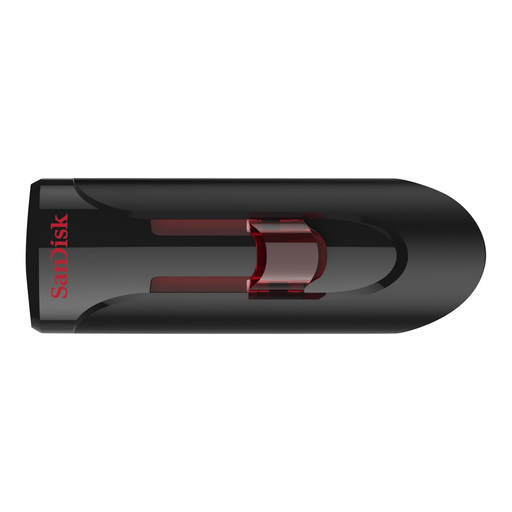 Image unavailable
For anyone looking to store and transfer files and considering software-based security.
64 GB; USB 3.0. The product description mentions password protection and 128-bit AES file encryption via SanDisk SecureAccess; according to the description, a download is required for macOS.
Not automatically. The Dutch Tax and Customs Administration allows scanned invoices and receipts to be stored digitally if the scan accurately and completely reproduces the original and the features that prove its authenticity are preserved. Check that these conditions are met before disposing of the originals.
The Dutch Tax and Customs Administration generally specifies 7 years for invoices and 10 years for invoices relating to immovable property and certain supplies and services under the Union scheme or Import scheme. Establish which category applies to your records; storing them on a USB stick doesn’t change the retention period.
That depends on the information and the risks. The Dutch Data Protection Authority says security measures should be tailored accordingly. Where possible, it advises storing sensitive documents on a work server and, if that isn’t possible, carrying them on an encrypted USB stick.
Check the connector, supported operating system versions and file system for the exact model. Kingston describes exFAT as an option for use between macOS and Windows and warns that formatting erases existing data.
According to the Dutch government, if you make a claim under the statutory guarantee, the retailer—not the manufacturer—must provide a solution. A manufacturer’s warranty may also apply. Keep important scans in a separate location too.