What to prioritise when buying
For an archive without cloud storage, compatible connections and enough space matter. But no USB stick can replace a separate second copy.
| What to consider |
What to look for |
Who it matters to |
| Preserving and finding files |
Keep a second copy on a different storage medium and organise files using descriptive names. |
If I want to find letters easily later, I use consistent file names and keep a second local copy. Around 33% of consumers put preservation and easy retrieval first. |
| Confidentiality |
Compare encryption options and check the unlocking process and what happens if you forget your password. |
If letters contain sensitive information and the USB stick could go missing, I want to know how the files are protected and how I can still access them. Around 27% of consumers give confidentiality top priority. |
| Connection |
Check the ports on the devices you use to scan, copy and open files. |
If I want to transfer scans between devices with different ports, I check that the same USB stick will work with them. Around 20% of consumers prioritise device compatibility. |
| Storage space and copying time |
Add up the file sizes of your scans. For large copying jobs, check the write specifications or test results for the exact variant. |
As my collection grows, I want enough space and a reasonable copying time. Around 20% of consumers prioritise storage space and copying time. |
Joybuy products for local storage
These Joybuy products are designed for local storage of documents and scanned letters. Keep a separate copy on a different storage medium as well.
 No image available
Kingston DataTraveler Exodia 64GB
Can be used as a local copy of your documents; don’t use the USB stick as your only archive copy.
Capacity: 64 GB.
Joybuy
 No image available
Kingston DataTraveler Exodia 128 GB USB 3.2 Gen 1 Type A
An option for local document storage. Check that the connection is compatible with the device you want to use to open your files.
Capacity: 128 GB. Connection: Type A.
Joybuy
 No image available
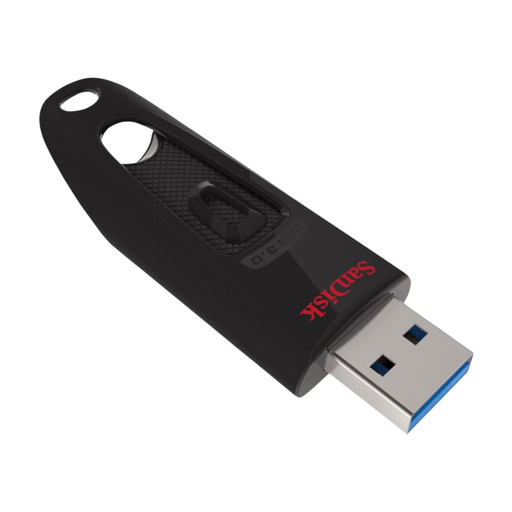
SanDisk Ultra USB Flash Drive 128GB USB 3.0
Could be considered for a local copy of your documents. Check that the connection and storage capacity suit your needs.
Capacity: 128 GB. USB 3.0.
Joybuy
 No image available
SanDisk Ultra Dual Drive Go USB 3.1 USB-C 512GB
An option for local storage and transfer. Check that the connections are compatible with the devices you use.
Capacity: 512 GB. The product name lists USB 3.1 and USB-C.
The stated maximum read speed isn’t a measure of write speed.
Joybuy
 No image available
Kingston DataTraveler 512GB 220MB/s Metal USB 3.2 Gen 1 SE9 G3
Could be considered if you need 512 GB of capacity for your local files; don’t use it as your only archive copy.
Capacity: 512 GB. The product name lists USB 3.2 Gen 1 and a metal casing.
Joybuy
Frequently asked questions
Is one USB stick enough to keep scanned letters for a long time?
No, not if it’s your only copy. The Library of Congress recommends keeping copies on at least two different storage media and in separate physical locations. Check your files and transfer copies when storage media get old; you can do this without cloud storage.
How can I create an archive that makes it easy to find letters after scanning?
Organise files using consistent, descriptive names and check that important scans open. The National Archives of the Netherlands describes selecting, organising and making files accessible as part of digital archiving; the Library of Congress recommends opening a sample of files after copying.
Can I set up BitLocker To Go on any Windows computer?
No. Microsoft says that BitLocker is available to set up on Windows Pro, Enterprise and Education, but not Windows Home; removable USB drives are covered by BitLocker To Go. Check which edition of Windows you have before relying on it.
What does the warranty cover if a USB stick stops working?
If you buy as a consumer in the Netherlands, you’re entitled to a product that works properly. The Government of the Netherlands says the seller must provide a solution if there’s a problem; any manufacturer’s warranty is in addition to this. A warranty on the USB stick doesn’t replace a separate copy of your letters.
Does the GDPR apply if I keep family letters privately and locally?
According to the Dutch Data Protection Authority, processing personal data purely for personal or household use falls outside the GDPR. This doesn’t necessarily apply if the archive is used for business or by an organisation.


