Choose a USB stick with enough space for your measured project folders and a connector that works with your devices. If you copy files frequently, write speed matters too. Don’t use the stick as your only archive copy: the National Archives of the Netherlands emphasises organisation and making records easy to find, while the Library of Congress recommends keeping copies on different storage media and in separate locations. Access protection may also be important for confidential letters.
Who is this buying guide for?
Keeper of a letters archive
You want to be able to open and find your scans later. An organised folder structure and copies on different storage media matter more than simply having a large stick. The National Archives of the Netherlands describes organisation and accessibility as part of digital archiving; the Library of Congress recommends using multiple storage media and separate locations.
Manager of large scanning projects
You copy large project folders, so you’ll want to assess both the capacity you need and the stated write speed. Kingston lists separate maximum read and write speeds for the DataTraveler Max range; these aren’t measured transfer times for your scan folders.
Keeper of confidential letters
You store or share files containing sensitive information and want to consider who could access them if a stick goes missing. The Dutch Data Protection Authority highlights the risk of losing documents you carry with you; Kingston describes hardware encryption for the IronKey Keypad 200 range.
What should you look for when buying?
First, measure your project folders and check the ports on your devices. Then compare write speed claims and any security features with the way you archive your files.
| What to consider |
What should you check? |
Who is this important for? |
| Storage and retrieval |
Make a second copy on another storage medium and organise folders using recognisable names. The National Archives of the Netherlands emphasises organisation and description; the Library of Congress recommends using different storage media and separate locations. |
I want to find my letters again later and not rely on a single copy. Preservation is the top priority for around 31% of consumers. |
| Space for project folders |
Measure your current files and allow for expected growth. Compare the stated capacity with the space you need. |
If I want to keep complete project folders, the capacity needs to suit my files and future work. Space is the top priority for around 25% of consumers. |
| Writing large folders |
Compare the stated write speed for the exact model; read speed doesn’t tell you how quickly files are written to the stick. Kingston lists a maximum write speed of 900 MB/s for the DataTraveler Max range, but this isn’t a guaranteed real-world speed. |
If I often write large folders to the stick, I want to be able to assess its write performance. Write speed is the top priority for around 19% of consumers. |
| Connections and formatting |
Check for USB-A or USB-C ports on all your devices. Apple lists ExFAT as compatible with Windows; check that your devices support it and make a copy before formatting, as formatting erases files. |
I want to be able to open my archive directly on different devices. Compatibility is the top priority for around 13% of consumers. |
| Confidential content |
Consider whether access protection is appropriate for the content and how you’ll manage PINs. Kingston warns that repeatedly entering the wrong administrator PIN on the IronKey Keypad 200 can destroy the data. |
If my letters contain sensitive information, I want to take the risk of someone accessing them if the stick is lost into account. Confidentiality is the top priority for around 12% of consumers. |
Common buying mistakes
-
Assuming a large USB stick is a complete archive
Capacity alone won’t give you a second copy or make it easy to find your letters later. The Library of Congress recommends storing files on different media and in separate locations; the National Archives of the Netherlands emphasises organisation and description.
Plan to use the stick as one copy, keep a second copy on another storage medium and give project folders recognisable names.
A second storage medium requires extra storage space and means you’ll need to keep copies up to date.
-
Confusing read speed with the speed at which scans are saved
Samsung lists a maximum read speed for the BAR Plus model reviewed and states that write speeds are slower. This doesn’t tell you how quickly your project folders will copy.
If you do a lot of writing, look for the write speed specification for the exact model you’re considering, and treat manufacturers’ maximum figures as claims rather than guaranteed real-world performance.
-
Choosing an unsuitable connection or file system
A stick needs to work with the ports and file systems on the devices you want to use to open your archive. Formatting erases existing data.
Check the connections and file system you need in advance. Make a separate copy before reformatting a stick.
You may need an adapter. Reformatting also takes time, and you’ll need to make sure the files are safely stored elsewhere first.
-
Relying on a PIN alone for confidential letters
Kingston states that the IronKey Keypad 200 can destroy data if the administrator PIN is entered incorrectly too many times. Encryption also doesn’t replace a second archive copy.
Choose security features that suit the way you use the stick, manage the access code carefully and keep important files on another storage medium too.
Managing a PIN takes care, and you’ll also need to keep a separate copy of the files.
Brands and product ranges for reference
SanDisk
The Ultra Dual Drive Go is designed for transferring files between devices with USB-A and USB-C. The manufacturer page reviewed is for a 256 GB model.
- SanDisk lists both connector types for this product range.
- Having two connectors doesn’t determine how much capacity your archive needs or give you a second archive copy.
Kingston
The DataTraveler Max range is worth considering when comparing stated transfer speeds; the IronKey Keypad 200 range focuses on access protection.
- Kingston lists maximum read and write speeds for DataTraveler Max and describes hardware encryption for IronKey Keypad 200.
- The DataTraveler Max speeds listed are manufacturer maximums, not measured times for scan folders. Kingston warns that repeatedly entering the wrong administrator PIN on the IronKey Keypad 200 can destroy the data.
Samsung
The BAR Plus is an example of a USB-A stick. Samsung Electronics America describes a specific US model, MUF-256BE4/AM.
- For this model, Samsung Electronics America lists a maximum read speed of 400 MB/s.
- Samsung states that write speeds are slower than read speeds. Without further evidence, the US model shouldn’t be assumed to be identical to a product listed in the Netherlands.
USB sticks at Joybuy
These Joybuy options are USB sticks for storing and transferring scan and project files, with a range of capacities and connections. Check that the stated capacity and connection work with your devices.
 No image available
Kingston DataTraveler Exodia DTX 256 GB
An option if you want to store project files and compare the stated write speed.
256 GB; USB 3.2 Gen 1. The product listing states a write speed of up to 625 MB/s; this is a product claim, not a measured transfer speed.
View at Joybuy
 No image available
SanDisk Ultra Flair 512 GB USB 3.0
A USB-A option for storing and transferring work files and large files.
512 GB; USB 3.0; USB-A. The product description states a read speed of up to 150 MB/s; this is not an independent measurement.
View at Joybuy
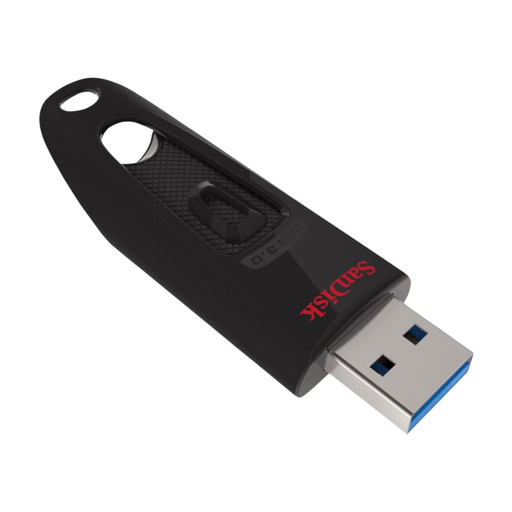 No image available
SanDisk Ultra 128 GB USB 3.0
An option for documents and project files if 128 GB is enough for the folder size you’ve measured.
128 GB; USB 3.0. The product description mentions password protection.
View at Joybuy
 No image available
SanDisk Ultra Dual Drive Go 512 GB
An option for transferring files between devices with USB-A and USB-C.
512 GB; USB-A and USB-C. The product description states a read speed of up to 150 MB/s; this is a product claim.
View at Joybuy
 No image available
Kingston DataTraveler Exodia M 64 GB (Black + Blue)
A USB-A option for documents and files if 64 GB is enough for your project folders.
64 GB; USB 3.2 Gen 1; USB Type-A.
View at Joybuy
Frequently asked questions
Can I use the stick as the only archive for my scanned letters?
It’s best not to use a USB stick as your only copy. The Library of Congress recommends keeping copies on at least two different storage media and in separate locations; the National Archives of the Netherlands emphasises organising and describing files so you can find them later.
How do I make the stick work with both Mac and Windows?
First, check that the connection works with both devices. Apple lists ExFAT as compatible with Windows; check that it’s supported by the devices you use. Make another copy before formatting, as formatting erases the files on the stick.
Do I need anything else for an archive besides the USB stick?
A careful storage strategy also requires a copy on another storage medium. The Library of Congress recommends keeping copies on different media and in separate locations; a product warranty is no substitute for a copy of your files.
Can I store letters containing personal data on a USB stick in the Netherlands?
According to the Dutch Data Protection Authority, an exemption from the GDPR applies to processing carried out solely for personal or household use. Use on behalf of an organisation or for professional purposes doesn’t automatically fall under this exemption; in that case, check which rules apply and protect confidential documents, especially if you carry the stick with you. This is not general permission to share personal data publicly.


