
Cook using multiple devices
You want to take recipes with you locally between devices with USB-A and USB-C. Check whether any phone you plan to use can also read external storage. SanDisk and Verbatim describe models with both connector types.


Start by checking the ports on the devices you want to use to open your recipes. USB-A is enough if those devices have a USB-A port; if you want to use the stick with both USB-A and USB-C, one with both connectors is more practical. Choose the capacity to suit your files, and keep important recipes in a second, separate location too, because a single stick cannot back itself up.
You want to take recipes with you locally between devices with USB-A and USB-C. Check whether any phone you plan to use can also read external storage. SanDisk and Verbatim describe models with both connector types.
You want to keep hard-to-replace recipes locally without cloud storage, while also keeping a separate backup. VeiligInternetten and Microsoft Support describe external storage as a way to store or back up files locally.
As well as text documents, you store scans or photos and want to choose a capacity that suits the size of your own folder. Kingston, Samsung and Transcend offer USB sticks in several capacities.
First check that the stick works with your devices and can open your files. Then work out how much storage you need and whether you want to keep a separate backup.
| What to consider | What should you check? | Who is this important for? |
|---|---|---|
| Connector and access | Check the port on each device. For a phone or tablet, also check support for external storage and the file format. | I want to open recipes on multiple devices without finding that the connector does not fit. Around 36% of consumers prioritise access across devices. |
| Backup | Decide where the working file will be stored, where the second copy will go, and whether you can open that copy. | I want to be able to restore family recipes if the file on my computer is lost. Around 29% of consumers prioritise keeping a separate copy. |
| Capacity | Compare the size of your current folder with the usable space, and allow for new scans or photos. | I keep adding recipes, scans and photos, and don’t want to rely only on the figure on the packaging. Around 21% of consumers prioritise choosing a suitable capacity. |
| Confidentiality | Check what data is on the stick and whether you want to encrypt sensitive files. Make sure you can still access the encrypted copy. | I want to stop sensitive data from being easily read if I lose the stick. Around 14% of consumers prioritise protecting these kinds of files. |
If the stick is the only place where your recipes are stored, you have no separate copy to restore your files from. VeiligInternetten and Microsoft Support describe keeping a separate copy as part of backing up your files.
Keep important recipes somewhere else too, and check from time to time that you can open the copy.
A USB-A or USB-C connector needs to fit the port, but that alone does not tell you whether a phone or tablet supports external storage or the file format you use.
Check both the connector and the support available on every device you want to use to read your recipes.
Transcend states that usable capacity and transfer speeds may vary. So a speed rating alone does not tell you how quickly your recipes will copy.
Compare the available space with the size of your own folder, and don’t choose based only on the maximum speed rating.
According to Consumentenbond, a connected external drive can also be affected by ransomware.
Disconnect the stick after updating your backup and store it separately.
The FIT Plus is a compact USB-A range. Samsung Netherlands also describes the 128GB MUF-128AB/APC variant.
The DataTraveler Exodia is a USB-A range designed for uses such as document storage, available in several capacities.
The Ultra Dual Drive Go, including model SDDDC3-128G-G46, is designed for transferring files between USB-C and USB-A devices.
The JetFlash 790 has USB-A and a retractable connector. Transcend lists, among others, a 128GB version, model TS128GJF790K.
The Dual USB Drive USB-C/USB-A #49966 is a 32GB example for transferring files between devices with both types of port.
These Joybuy product picks are designed for storing recipe files locally, with options for USB-A, USB-C or both connector types.
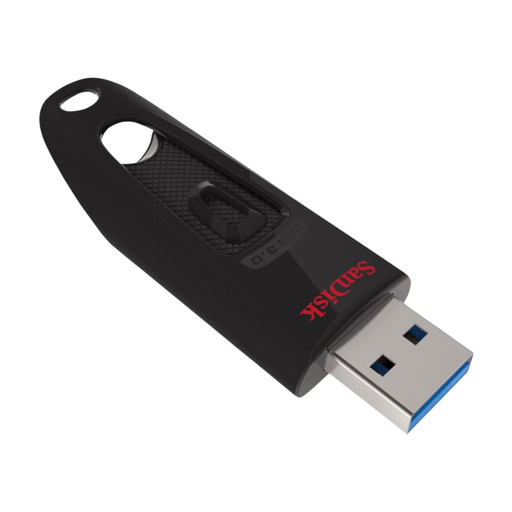 No image available
A USB-A option for anyone who wants to store recipes locally on a device with a USB-A port.
128GB; USB 3.0.
Will not plug directly into a device with only USB-C.
 No image available
For anyone who wants to transfer recipes between devices with USB-A and USB-C. If you’re using a phone or tablet, also check that it supports external storage.
512GB; USB 3.1; USB-A and USB-C.
 No image available
A USB stick for anyone looking for more local storage for recipe files.
512GB; USB 3.2 Gen 1; metal design. The product name states 220MB/s.
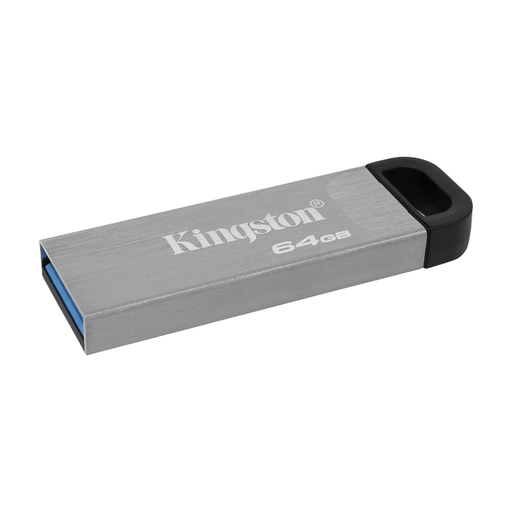 No image available
A 64GB USB stick for anyone who wants to store recipe files locally.
64GB.
The connector will not plug directly into a device with only USB-C.
 No image available
For anyone who wants to store recipe files locally on a device with USB-C. For phones and tablets, also check that they support external storage.
512GB; USB Type-C; USB 3.2 Gen 1 (3.1 Gen 1).
Yes. You can copy recipes to a USB stick for local storage. A backup is a separate copy of files that is also kept somewhere else. VeiligInternetten describes external storage as an option for a local backup. Check from time to time that you can open the copy.
No. A USB-C connector that fits is not enough to tell you whether your phone supports external storage or the file format. Check that your device supports both before choosing a stick.
In Windows, use the safely remove hardware function before disconnecting the USB stick. Microsoft Support recommends this to help prevent data loss.
According to the Autoriteit Persoonsgegevens, the GDPR does not apply to the processing of personal data solely for personal or household use. This does not automatically apply outside that private setting; review the situation again if, for example, you process data for an organisation.