What should you look for?
Start by considering the size of your recordings and the devices you use. Then decide whether you need an extra local copy and whether you’ll often be writing large files to the stick.
| Concern |
What should you check? |
Who is this important for? |
| Space for recordings |
Add up the size of the folders you want to keep and allow for space that isn’t available for files. Kingston Technology explains that some of the stated flash capacity isn’t available for storage. |
If I want to keep my current projects and recordings on one stick, usable space comes first. Around 25% of consumers say having enough storage is their main concern. |
| Connection and playback |
Check the USB ports on your devices. For playback, consult your player’s manual for supported file systems and audio formats; Sony Netherlands warns that support for a file system doesn’t always mean every file will play. |
If you want to share recordings between devices or play them directly, check both the ports and whether the files can be read. Compatibility is the top priority for around 25% of consumers. |
| Keeping files safe |
Keep irreplaceable recordings on a separate storage device too, and check that the copied files open. The Consumers’ Association recommends keeping backups separate from your computer. |
If I can’t recreate my recordings, I don’t want to rely on a single stick. Around 33% of consumers give keeping recordings safe their highest priority. |
| Copying time |
Compare the stated write speed of the exact model and check whether your computer supports the USB standard listed. Read speed doesn’t tell you how quickly files can be written to the stick. |
If you regularly save large projects, transfer times may be worth considering. Around 17% of consumers prioritise copying time. |
USB sticks at Joybuy
These Joybuy products are USB sticks for storing and transferring files locally. Before use, check that the connector and file format are right for your devices.
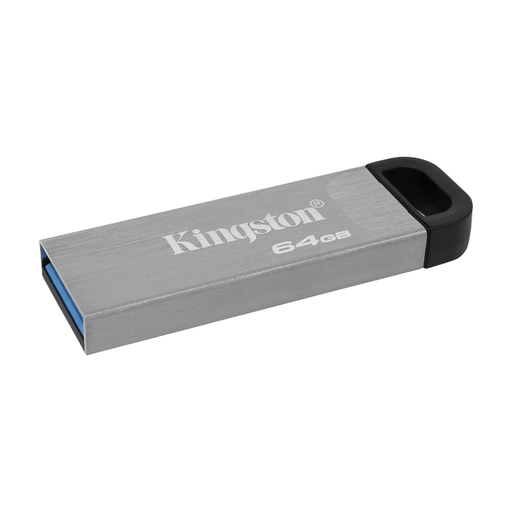 Image unavailable
Kingston Technology DataTraveler 64GB Kyson USB flash drive
A good option if 64 GB suits the amount of recordings you want to keep locally.
The product name specifies 64 GB. Check that the connector works with the devices you’ll use to transfer or play your files.
View at Joybuy
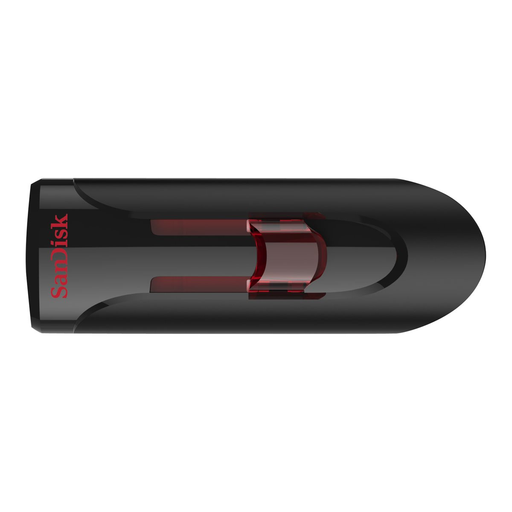 Image unavailable
SanDisk 32 GB USB 3.0 flash drive
An option to consider if 32 GB suits the size of the recordings you want to keep on this stick.
The product name specifies 32 GB and USB 3.0. Check your devices’ ports and the file format required for direct playback.
View at Joybuy
Frequently asked questions
Can I use a standard USB stick to record music directly?
A standard USB stick is storage, not a standalone audio recorder. Whether a recorder can save projects directly to a stick depends on the recorder; the Zoom R20 manual describes this feature for the R20, not for all recorders.
Why does my recording play on my computer but not on my car stereo?
Check your car stereo’s manual for USB support, file systems and audio formats. Sony Netherlands says some files won’t play even when the file system is supported.
How can I remove a USB stick without interrupting a file transfer?
Wait until writing is complete, then use your operating system’s eject function. Kingston Technology warns that interrupting a write operation can make files inaccessible.
What can I do if a stick fails too soon during normal use?
Contact the seller if the product doesn’t do what you could reasonably expect of it during normal use. ACM ConsuWijzer explains that the seller must resolve the problem; there isn’t one fixed statutory warranty period for all USB sticks. A manufacturer’s warranty doesn’t replace your statutory rights.
Can I put other people’s music on a USB stick for my own use?
According to the Dutch government, you can make a private copy of copyright-protected music for your own use, but you mustn’t distribute it or make it available to the public. For recordings involving other people’s rights, also consider which rights apply in your situation.


