Who is this buying guide for?

Music maker with a growing recording archive

You want to take several large project folders with you. First, check how much space your current collection takes up, and allow for it to grow. Kingston lists DataTraveler Max models in 256 GB, 512 GB and 1 TB capacities; the right capacity depends on your own files.

Music maker who regularly transfers sessions

If you often copy large folders to a stick, check the stated write speed and your computer’s connection. Manufacturers quote maximum speeds, but these don’t tell you exactly how quickly your files will transfer.

Collaborator using USB-A and USB-C devices

If you share projects between devices with different ports, check both the connections and the file system. Microsoft gives FAT32 a limit of 4 GiB per individual file; Apple describes exFAT as a formatting option for use with Mac and Windows on drives larger than 32 GB.

What should you look for when buying?

What to consider What should you check? Who is this important for?
Space for project folders Check the combined size of the folders you want to take with you and confirm the capacity of the exact model. Usable capacity may be lower than the stated capacity. I want to take my recording and project folders together, so I’ll choose a capacity based on their current size and allow for growth. Around 33% of consumers with this buying need prioritise having enough archive space.
Write speed Check the stated write speed for the exact model; a read speed doesn’t tell you how quickly you can write files to the stick. Manufacturers’ maximum figures aren’t measured speeds for your files and computer. If I regularly transfer large session folders, I want to know the stated write speed and which connection it applies to. Around 27% of consumers with this buying need give transfer time top priority.
Connection and file system Check whether the stick and your devices use USB-A or USB-C. Microsoft gives FAT32 a maximum file size of 4 GiB; formatting erases existing files. I transfer files between devices with different ports and want large individual recordings to be accessible too. Around 20% of consumers with this buying need prioritise device and file compatibility.
Back-up and protection Decide where you’ll keep a separate copy and whether your project files need protection. The National Cyber Security Centre advises keeping multiple versions of business data across different media and locations. If recordings must not be lost or contain confidential information, I want to keep another copy as well as the stick and arrange appropriate protection. Around 20% of consumers with this buying need give preservation and protection top priority.

Common buying mistakes

  • Confusing read speed with write speed

    A stated read speed doesn’t tell you how quickly you can copy recordings to the stick. For example, Samsung lists a maximum read speed of 400 MB/s for the USB Type-C MUF-256DA/APC model reviewed; that isn’t its write speed.

    Compare the stated write speed for the exact model, and bear in mind that a manufacturer’s maximum figure isn’t a real-world test using your files.

  • Assuming a large folder will automatically fit on FAT32

    The FAT32 limit applies to each individual file: Microsoft gives a maximum of 4 GiB per file. The total free space on the stick doesn’t change that limit.

    Check your largest files and the file system before transferring them. First, make a copy of any existing files elsewhere, as formatting erases the data on the stick.

  • Using the stick as the only copy of a recording session

    A portable stick can be lost or become unusable. The National Cyber Security Centre advises keeping multiple versions of business data on different media and in different locations.

    Keep a separate, up-to-date copy and check that you can restore your files from it.

Brands to compare

Kingston

The DataTraveler Max is a USB-C range worth comparing if you need plenty of space and a high stated write speed.

  • Kingston lists models in 256 GB, 512 GB and 1 TB capacities, with USB 3.2 Gen 2 and maximum speeds of 1,000 MB/s read and 900 MB/s write.
  • These are manufacturers’ maximum speeds. The USB-C stick won’t plug directly into a USB-A port.

SanDisk

The Extreme PRO USB-C and Extreme PRO Dual Drive have different connections; compare the model with the ports on your devices.

  • SanDisk lists models up to 2 TB in the ranges reviewed, with maximum speeds of 1,000 MB/s read and 900 MB/s write.
  • Connections vary between ranges. The stated maximum speeds aren’t independently measured real-world speeds.

Transcend

The JetFlash 930C is designed for transferring files via USB-A and USB-C, if a model up to 512 GB suits your files.

  • Transcend lists maximum speeds of 420 MB/s read and 400 MB/s write for the range, with capacities of 128 GB, 256 GB and 512 GB.
  • For use with mobile devices, Transcend states that USB OTG support is required.

Samsung

The USB Type-C MUF-256DA/APC is worth comparing if, after measuring your folders, you find that 256 GB is enough.

  • Samsung lists a maximum sequential read speed of 400 MB/s for this model.
  • That’s a read speed, not a write speed. Available capacity may be lower than the stated capacity.

USB sticks at Joybuy

This selection at Joybuy includes USB sticks for carrying music files and project folders, including models with USB-A and USB-C connections.

SanDisk Ultra Dual Drive Go USB 3.1 USB-C 512GB

SanDisk Ultra Dual Drive Go USB 3.1 USB-C 512GB

An option to compare if you want to transfer files between devices with USB-A and USB-C, and your folders fit within 512 GB.

The product name lists 512 GB and USB 3.1/USB-C.

View at Joybuy

Kingston DataTraveler Exodia USB 3.2 flash drive

Kingston DataTraveler Exodia USB 3.2

A USB stick to compare for carrying music files and other files.

The product name lists USB 3.2. Before choosing, check that this model has enough capacity for your project folders.

View at Joybuy

Kingston DataTraveler 512GB USB 3.2 Gen 1 SE9 G3

Kingston DataTraveler 512GB USB 3.2 Gen 1 SE9 G3

A model to compare if your project folders fit within 512 GB.

The product name lists 512 GB and USB 3.2 Gen 1.

View at Joybuy
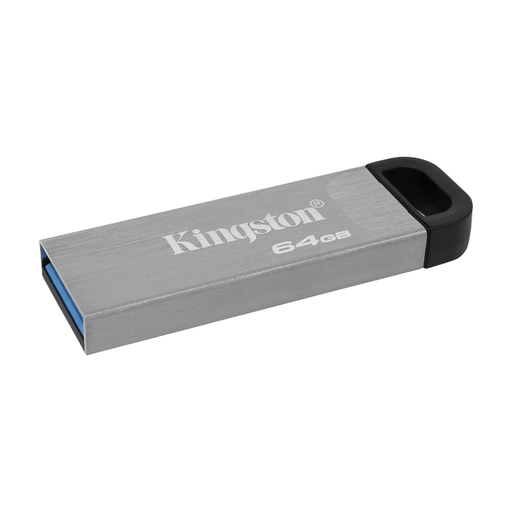
Kingston DataTraveler Kyson 64GB USB stick

Kingston DataTraveler Kyson 64GB

An option for a selection of music files that fits within 64 GB.

The product name lists 64 GB.

View at Joybuy

Kingston DataTraveler Exodia M 64GB USB 3.2 Gen 1, Black + Blue

Kingston DataTraveler Exodia M 64GB USB 3.2 Gen 1, Black + Blue

An option for files that fit within 64 GB.

The product name lists 64 GB and USB 3.2 Gen 1.

View at Joybuy

Frequently asked questions

Does the whole project folder need to fit on the stick, or does only the largest file matter?

Check both the total space taken up by the folders you want to carry and the size of the largest individual file. Microsoft gives FAT32 a maximum file size of 4 GiB; this is separate from the total free space on the stick.

Which file system can I use to transfer files between Mac and Windows?

Apple describes exFAT as a formatting option for a drive larger than 32 GB that you want to use with Mac and Windows. Check other devices separately, and copy existing files elsewhere first, as formatting erases the drive.

Can a USB stick be my only archive of music recordings?

Keep a separate, up-to-date copy as well. For business data, the National Cyber Security Centre advises keeping multiple versions on different media and storing a copy in another location. This is security advice, not a legal buying requirement for every shopper.

What happens in the Netherlands if the stick becomes faulty?

Your statutory rights are separate from any manufacturer’s warranty. According to ACM ConsuWijzer, if a product becomes faulty sooner than expected under normal use, the seller must repair or replace it free of charge, or, where appropriate, refund the purchase price. There isn’t one fixed statutory warranty period for every USB stick.

What if the project files contain personal data?

The Dutch Data Protection Authority gives the loss of a USB stick containing unencrypted personal data as an example of a data breach. So consider what protection is appropriate. An organisation may have to report a data breach, depending on the assessment; this doesn’t mean every shopper needs to buy a specific encrypted stick model.
