
Writers with a growing project archive
If you keep substantial attachments and earlier versions as well as your manuscript, check that there’s enough space for the complete folder and that you can open your files from the USB stick.


Choose a USB stick with enough space for your complete project folder and the versions you want to keep, and a connector that works with the computer you use to make your backup. If you regularly copy large amounts of data, compare the stated write speed, not just the read speed. Manufacturers’ speeds are maximums, not guaranteed copy times for your files. The National Cyber Security Centre advises keeping multiple copies on different media and in different locations, and recommends testing that you can restore your files.
If you keep substantial attachments and earlier versions as well as your manuscript, check that there’s enough space for the complete folder and that you can open your files from the USB stick.
For repeated copying, the stated write speed is particularly relevant. Compare the figure for the exact model and bear in mind the USB port on your computer.
If you work across different devices, check that the connector fits and that the file system works on those computers. Backup software may also be tied to a particular operating system.
Start by checking the size of your complete project folder and how many versions you want to keep. Then check the connection, write speed and whether you can restore your backup.
| What to consider | What should you check? | Who is this important for? |
|---|---|---|
| A restorable backup | Keep a separate copy and, after copying, open files from the USB stick. Also test that you can restore them; the National Cyber Security Centre advises keeping backups on different media and in different locations. | If I want to be able to recover my manuscript even after losing one device, I check where my other copy is and whether it works. Around 29% of consumers prioritise being able to restore their files. |
| Space for your folder and versions | Check the size of the entire project folder and include the versions you want to keep. Compare this with the usable capacity, not just the figure on the packaging; Kingston lists the DataTraveler Max in capacities including 256 GB, 512 GB and 1 TB. Microsoft states that FAT32 has a maximum file size of 4 GiB. | If my project folder includes attachments and older versions, I want everything to fit on the USB stick. Around 23% of consumers prioritise space for a growing archive. |
| Time needed for regular copying | Look up the write speed for the exact model and check the host port. Kingston states that the DataTraveler Max series can reach write speeds of up to 900 MB/s in suitable conditions; Samsung lists a sequential read speed of up to 400 MB/s for the BAR Plus 256 GB, not a write speed. | If I regularly copy large folders, I want to know the stated write speed for my connection. Around 18% of consumers prioritise the time needed for repeated copying. |
| Confidentiality if it’s lost | If the files contain personal data or confidential information, consider what encryption and key or password protection would suit the way you use the USB stick. The Dutch Data Protection Authority cites losing a USB stick containing unencrypted personal data as an example of a data breach. | If my project files contain sensitive information, I want to decide in advance who could access them if the USB stick were lost. Around 18% of consumers prioritise confidentiality. |
| Using it with different computers | Check whether the USB stick has USB-A, USB-C or both connectors, and whether its file system works on your devices. Verbatim states that the Dual QuickStick 256 GB has both connectors and that the included Nero software is for Windows only. | If I want to move files between computers with different connectors, I also want to know whether the software and file format will work on them. Around 12% of consumers prioritise compatibility between devices. |
Read and write speeds are different. For example, Samsung’s stated speed for the BAR Plus is up to 400 MB/s for sequential reading. That doesn’t mean your folder will copy across just as quickly.
Compare the write speed for the exact model with your computer’s port. Don’t treat a manufacturer’s maximum as a guaranteed speed for your files.
If the USB stick is lost or the copy turns out to be faulty, your manuscript may become inaccessible. The National Cyber Security Centre advises keeping copies on different media and in different locations, and recommends testing that you can restore them.
Keep a separate copy too, and after copying, open files from the USB stick to check that they’re readable.
The space available for your files may be less than the capacity shown on the packaging. A large folder with attachments and several versions could therefore need more space than you’d expect from the title alone.
Check the size of the complete folder, include the versions you want to keep and compare the total with the usable capacity.
The DataTraveler Max series includes USB-A and USB-C models for comparing options designed for large files and repeated copying.
The Dual QuickStick 256 GB has USB-A and USB-C connectors for use with devices that have different ports.
The JetFlash 920 is a USB-A model worth comparing if you’re looking for a clearly stated write speed.
The Extreme PRO USB 3.2 Solid State Flash Drive is a USB-A range to compare if you regularly work with large files.
The BAR Plus 256 GB is a USB-A stick to consider if you’re looking for a compact metal design.
These USB sticks are options to compare for storing and transferring manuscripts and project folders. Check each model’s capacity and connectors to make sure they suit your needs.
 No image available
An option to compare if your project folder calls for a USB stick with a stated capacity of 512 GB.
The product name lists USB 3.0; the description says it connects via USB-A.
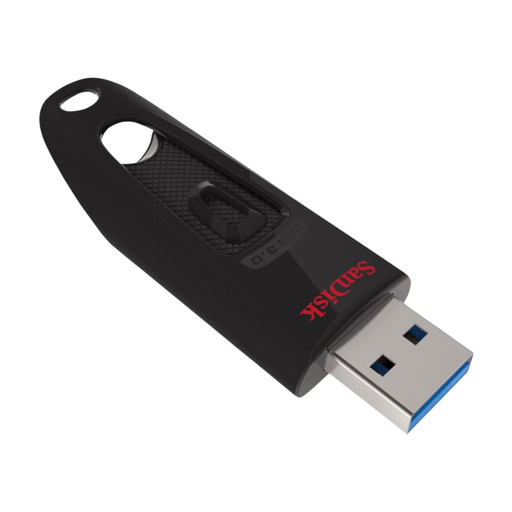 No image available
An option to compare if your folder and the versions you want to keep fit within the stated capacity.
The product name lists 128 GB and USB 3.0; the description says it connects via USB-A to Windows and macOS computers.
 No image available
The dual connectors make this an option if you want to move project files between devices with USB-A and USB-C ports.
The product name lists 512 GB. The description mentions both connectors and read speeds of up to 150 MB/s; this is not a write speed.
 No image available
An option to compare for storing and carrying documents and other files.
The description lists USB 3.2 Gen 1 and compatibility with Windows, macOS and Linux.
 No image available
An option to compare if you want to carry a project folder up to the stated capacity.
The product name lists 512 GB and USB 3.2 Gen 1. The description mentions read speeds of up to 220 MB/s and a metal casing; the read speed is not a write specification.
No, don’t use the USB stick as your only backup. The National Cyber Security Centre advises keeping copies on different media and in different locations. Also test that you can open or restore files from your backup.
As well as checking the available space, check the file system and the size of the individual file. Microsoft states that FAT32 has a maximum file size of 4 GiB; exFAT supports larger files. Apple lists exFAT as a Mac disk format that’s compatible with Windows. Check the data already on the USB stick and the devices you use it with before reformatting it.
First check that your files have copied correctly and are readable. Microsoft recommends ejecting USB storage in Windows using ‘Safely Remove Hardware’ before disconnecting the USB stick, to help prevent data loss.
No. When you buy as a consumer in the Netherlands, you have statutory consumer rights as well as any manufacturer’s warranty. ACM ConsuWijzer explains that, under the applicable conditions, the seller must repair, replace or refund a product free of charge if it breaks sooner than you could reasonably expect with normal use. There is no fixed warranty period in the Netherlands that applies to every product.
There’s no blanket rule that applies to every manuscript. For personal data, the Dutch Data Protection Authority cites losing a USB stick containing unencrypted data as an example of a data breach. If your project folder contains personal data or other confidential information, consider what security measures and key or password protection are appropriate.