Start with a capacity that suits the project files and versions you want to keep, but don’t use a USB stick as your only archive copy. Then choose a connector and file system that work with the studio computers. For sensitive files, prioritise access protection, and if you regularly export large files, compare the stated write speeds.
Who is this relevant to?
Design version manager
You want to keep completed concepts and earlier versions organised so you can restore them later. Capacity, a consistent copying routine and a recovery test matter more than a headline peak speed alone. The National Cyber Security Centre advises keeping important data in multiple versions and testing backups.
Designer using multiple computers
You move concepts between USB-A and USB-C devices, or between Mac and Windows computers. Check both the connectors and the file system: Apple, for example, explains that writing to an NTFS drive on a Mac may be restricted.
Manager of confidential files
You want to control who can open files in a shared workspace. If the studio processes personal data, the Dutch Data Protection Authority requires appropriate security measures that reflect the risks of that processing.
What should you look for when choosing?
| What to consider |
What to look for when buying |
Who should pay particular attention? |
| Keeping and restoring versions |
Compare the size of your project folders with the usable capacity and plan a second copy; test that you can restore your files. |
If I want to restore earlier design versions later, I don’t want to rely on a single copy. Around 31% of consumers put recoverable version history at the top of their list of concerns when buying. |
| Connectors and compatibility |
Check the ports on all the devices involved and whether the chosen file system can be written to on the Macs and Windows computers you use. |
When I move files between computers with different ports, I want to know that every device can use the stick. Around 25% of consumers give compatibility between devices their top priority. |
| Access to confidential files |
Decide who needs access, which files will be stored on the stick and whether any security features will work on the studio computers. |
If I store files in a shared workspace, I want to restrict unauthorised access. Around 25% of consumers put access protection for confidential files first. |
| Write speed for large exports |
Compare the stated write and read speeds for the exact model, and check the computer’s USB standard; maximum quoted speeds are not guaranteed real-world transfer times. |
If I regularly archive large exports, the time it takes to write them may determine my choice. Around 19% of consumers give file write time their top priority. |
Common pitfalls
-
Assuming a high read speed means fast archiving
Read speed doesn’t tell you how long it takes to write large design files to the stick. SanDisk specifies a maximum read speed for the Ultra Dual Drive Luxe model examined, while Samsung says that writing is slower than reading for the BAR Plus model examined.
If you often save large exports, compare the write specification for the exact model and the computer’s USB port.
-
Keeping your only copy on a portable stick
A stick can get lost, or a copy may turn out to be unusable. The National Cyber Security Centre advises keeping important data on multiple types of media and in another location, and testing that it can be restored.
Include the stick in a versioning and backup plan, and try restoring a design file from the copy.
-
Confusing a suitable connector with full compatibility
USB-A and USB-C are different connectors. A Mac may also be able to read an NTFS drive but not write to it, according to Apple Support.
Check the studio’s ports and operating systems, then choose a stick and file system.
If they aren’t compatible, you may need an adapter, or you may have to reconfigure the storage and copy the files again.
-
Confusing a robust casing with access protection
Protecting a casing against physical damage is not the same as preventing someone from opening files. Kingston describes the IronKey Locker+ 50 as having password-protected hardware encryption; Corsair’s description of the Flash Survivor Stealth focuses on its casing.
Assess physical protection and access protection as separate requirements, based on the files you store.
Relevant brands to consider
Kingston
The IronKey Locker+ 50 and DataTraveler Max are different product ranges: one focuses on access protection, while the other is designed for file transfers.
- Kingston specifies XTS-AES-256 hardware encryption and administrator and user passwords for the IronKey Locker+ 50. For the USB-A model, Kingston quotes write speeds of up to 115 MB/s.
- Kingston offers separate USB-A and USB-C models in the DataTraveler Max range, with write speeds of up to 900 MB/s, depending on the host and usage.
- Check which connector and any security software will work with the studio computers. Stated speeds are not measured transfer times in your studio.
SanDisk
The Ultra Dual Drive Luxe 256GB is designed for moving files between devices with USB-A and USB-C ports.
- According to SanDisk, the model examined has two connectors and read speeds of up to 400 MB/s under the stated test conditions.
- This is not a guaranteed stated write speed. Having two connectors does not, in itself, provide access protection or replace a second archive copy.
Corsair
The Flash Survivor Stealth 256GB is a USB-A option for anyone who values a protective casing.
- Corsair describes the aluminium casing as water- and shock-resistant, and says it works with Windows, Mac and Linux without installation.
- A protective casing does not guarantee that your data will be preserved or automatically restrict who can open files. Corsair does not quote a specific write speed here.
Samsung
The BAR Plus 256GB is a USB-A option for a studio that mainly uses this connector.
- For the US model examined, MUF-256BE3/AM, Samsung quotes read speeds of up to 400 MB/s via USB 3.2 Gen 1.
- Samsung says that writing is slower than reading and that actual speeds depend on the host and usage. Check the exact model code before comparing it with another variant.
USB sticks on Joybuy
These USB sticks are options for storing design files. Compare their capacity with the project folders you want to archive, and check that the connector is suitable for the studio computers.
 No image available
Kingston DataTraveler Exodia DTX 256 GB
The stated capacity may suit an archive if it matches the size of your project folders and versions.
The product name specifies USB 3.2 Gen 1 and write speeds of up to 625 MB/s; this is not a measured transfer time in the studio.
View on Joybuy
 No image available
SanDisk Ultra Flair 512 GB
Choose a capacity that suits the number of project files and versions you want to keep.
The product name specifies USB 3.0.
View on Joybuy
 No image available
SanDisk Ultra 512 GB
This capacity may suit an archive if it matches the size of the files and versions you want to keep.
The product name specifies USB 3.0.
View on Joybuy
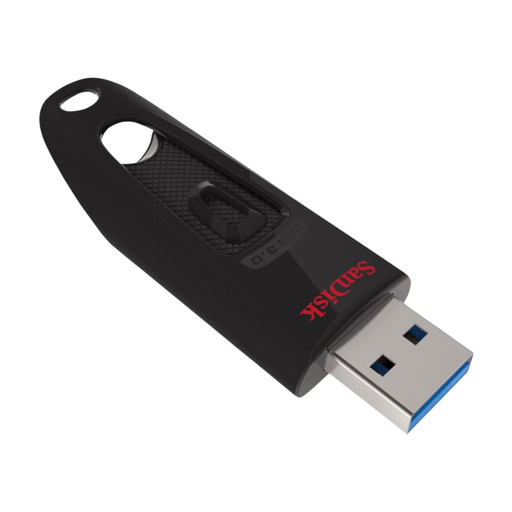 No image available
SanDisk Ultra 128 GB
Match the stated capacity to the project folders and versions you want to keep.
The product name specifies USB 3.0.
View on Joybuy
 No image available
SanDisk Ultra Flair 64 GB
Weigh the stated capacity against the amount of design work you want to store on this stick.
The product name specifies USB 3.0.
View on Joybuy
Frequently asked questions
Is one USB stick enough to archive our design concepts?
Not if it’s your only recovery copy. The National Cyber Security Centre advises keeping important business data in multiple versions, on different types of media and in another location. Regularly open files from your backup too, to check that they’re usable.
Which file system can I use if both Macs and Windows computers need to write to the stick?
Apple lists ExFAT as an option for Windows volumes larger than 32 GB. Check the file system and make another copy before reformatting: according to Apple, a Mac may be able to read an NTFS drive but not write to it.
How can I check that an archived copy is usable?
Open a few files from the copy and carry out a recovery test regularly. The National Cyber Security Centre advises opening files from a backup to check that they can be restored.
Is an encrypted USB stick always required for a studio in the Netherlands?
No, there is no general requirement for every design stick to use this specific type of security. If the studio processes personal data, the GDPR requires appropriate security based on the risks; the Dutch Data Protection Authority stresses that the measures must reflect those risks.
Does the loss of a stick containing personal data always have to be reported within 72 hours?
Not every loss has to be reported. Use the Dutch Data Protection Authority’s criteria to assess whether the data breach is reportable; if it is, the DPA gives the data controller 72 hours from becoming aware of it to report it.


