
Creator with a large video folder
Wants to check before handover that all the final films and versions will fit, and how long copying will take. The National Cyber Security Centre advises keeping multiple copies of important business data.


First, add up the final video files and any versions you plan to include. Then check your client’s device ports and file system. If you’ll be copying large files frequently or under time pressure, the stated write speed matters. If identifiable people appear in the footage, consider what access protection is appropriate and whether the recipient will be able to use it. Keep a separate, verified copy too: the USB stick you hand over is not automatically a backup.
Wants to check before handover that all the final films and versions will fit, and how long copying will take. The National Cyber Security Centre advises keeping multiple copies of important business data.
Copies files on one device and wants the client to be able to open them on another. Check both the connections and the file system; Microsoft and Apple explain the relevant differences between file systems.
Needs to consider who will have access during a business handover, and what level of protection is appropriate for the personal data. The Dutch Data Protection Authority considers identifiable people in images to be personal data.
First, check that the entire folder will fit and can be opened on your client’s device. Then consider copying time, access protection and a separate backup.
| Point to consider | What should you check? | Who is this important for? |
|---|---|---|
| Enough storage space | Check the size of the final video folder, including any versions to be included, and compare it with the stick’s available space. | I want to know before the meeting that the entire folder will fit. Around 26% of consumers give usable storage space top priority. |
| Works on both devices | Check the ports and file systems on both devices, and test a final video file on the client’s device. | If my client will open the films on another device, I want to know in advance that the connection and file system will work. Around 21% of consumers prioritise being able to open files on both devices. |
| Copying time | Compare the stated write speed for the exact variant with your computer’s port, and make a test copy if possible. | With a large folder or little time to prepare, I want to know how quickly files will be written to the stick. Around 21% of consumers make copying time their top priority. |
| Access to personal data | Consider what the footage shows, who is allowed to receive it, and whether the recipient can unlock an encrypted stick, if applicable. | If identifiable people appear in the footage, I want to agree suitable access arrangements in advance. Around 16% of consumers prioritise access protection. |
| A backup copy | Keep a separate, up-to-date copy and open files from it. Also check the files on the stick you’re handing over. | I want to keep my own readable copy in case the delivery stick is lost or doesn’t work. Around 16% of consumers give recovery after a failed handover top priority. |
A stated read speed doesn’t tell you how quickly your video files will be written to the stick. For the BAR Plus, Samsung distinguishes between the stated read speed and the actual speed, which also depends on the device and how it is used.
Check the write speed specification for the exact variant and, if possible, make a test copy using your own computer.
Making a test copy takes extra preparation time before your meeting.
The right port won’t resolve differences in file systems or playback capabilities. Microsoft states that FAT32 has a maximum file size of 4 GiB. Formatting can also erase existing files, as Apple explains.
Check the client’s device and test a large final video file in advance. Before formatting, make a copy of any files you want to keep.
If the stick is lost or turns out to be unreadable, you may no longer have access to the films without another copy. The National Cyber Security Centre advises keeping three versions of important business data: the originals and two backups.
Keep a separate, up-to-date copy and check that you can open files from it.
The built-in security on the Kingston IronKey Locker+ 50 G2 cannot be disabled. A secure stick is impractical if the authorised recipient can’t unlock the files.
Agree how to unlock it in advance, and consider what level of protection is appropriate for identifiable footage.
Agreeing access arrangements can take extra time and delay opening the files.
The Ultra Dual Drive Luxe is one example of a range with USB-A and USB-C connectors. The Extreme PRO Dual Drive is aimed at those looking for higher stated speeds.
The BAR Plus MUF-128BE3/APC is a USB-A option if your equipment has that connection.
DataTraveler Exodia is a USB-A range for transferring files; IronKey Locker+ 50 G2 is a separate range with hardware encryption.
This selection includes USB-A, USB-C and dual-connector models, in a range of capacities for carrying video files.
 No image available
Could suit a transfer between devices with USB-A; check that the capacity is sufficient for your final video folder.
128 GB; USB 3.2 Gen 1; USB Type-A.
 No image available
The stated capacity may be useful if your video folder needs plenty of space; check the available space after preparing it.
512 GB; USB 3.2 Gen 1; metal design; stated read speed of up to 220 MB/s. Read speed doesn’t indicate how quickly files will be written to the stick.
 No image available
Could suit a device with USB-C, provided the capacity is right for the size of your video folder.
512 GB; USB Type-C; USB 3.2 Gen 1 (3.1 Gen 1); grey.
 No image available
The two connectors may be useful when transferring between devices with USB-A and USB-C. Also check that the recipient will be able to access the files.
256 GB; USB-A and USB-C. The product description states speeds of up to 550 MB/s read and 500 MB/s write, plus AES-256 and fingerprint access.
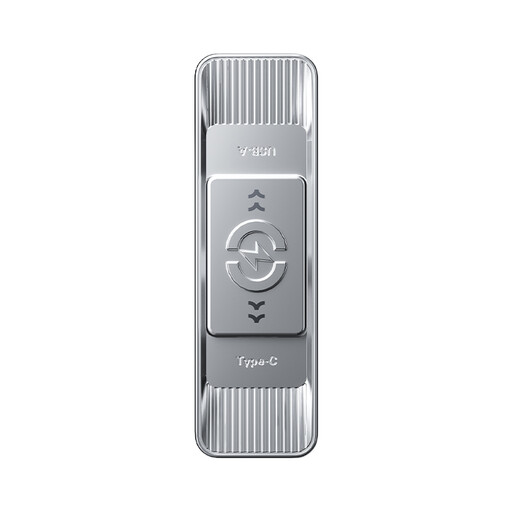 No image available
Could suit a large video folder and devices with different ports; check the connection on both the computer and the client’s device.
512 GB; USB-A and USB-C. The product description states speeds of up to 570 MB/s read and 520 MB/s write.
No, not if the stick uses FAT32: Microsoft states that FAT32 has a maximum file size of 4 GiB. Check the current file system and whether the client’s device supports an alternative. Apple describes exFAT as a format that is compatible with Windows; formatting deletes existing files.
Open a few final files from the delivery stick and also check the separate copy you’re keeping. The National Cyber Security Centre also advises testing whether files can be opened from a backup.
Not necessarily: the right level of protection depends on the situation. The Dutch Data Protection Authority considers identifiable people in images to be personal data and emphasises that appropriate protection should be assessed for each situation. Also consider whether the recipient will be able to unlock the stick.
For a consumer purchase in the Netherlands, the seller must offer a solution if the product is faulty. Any manufacturer’s guarantee is separate; according to the Dutch government, there is no fixed time limit for the statutory guarantee in the Netherlands. For a business purchase, check the applicable terms and conditions of sale separately.