Start with a USB stick that fits the computers you use and has enough usable space for the image folders you’ve measured. For regular, large copying jobs, the stated write speed matters more than read speed alone. If the portable copy contains personal data, also consider how access is protected. Don’t use the stick as your only archive copy: keep files on separate media and test that you can restore them.
Who is this guide for?
Archive copy manager
You want to be able to find and restore portfolio images if a USB stick or computer fails. So use a USB stick for transferring files or as an extra copy, rather than as your entire storage strategy. The National Cyber Security Centre recommends keeping important data in multiple versions, on different media, with one copy stored elsewhere.
Manager of images featuring people
You may include identifiable people in a portable copy and want to take care over access, the risk of loss and whether the images are shared. The Dutch Data Protection Authority notes that identifiable people in images may constitute personal data; consider the circumstances of your own collection.
Volunteer transferring large image folders
You may use computers with different USB ports and want to handle regular copying jobs efficiently. So check both the connector and the stated write speed of the exact model.
What should you look for?
First, measure the image folders and check the computers’ ports. Then compare usable capacity and, for large, regular transfers, the stated write speed. Consider access protection separately if the portable copy contains personal data.
| What to consider |
What should you check? |
Who is this most relevant to? |
| Restorable archive copies |
Keep copies on separate media and test that files can be opened and restored. |
If you want to avoid a faulty stick making your only copy inaccessible, prioritise recoverability. Around 29% of consumers say recoverability is their main concern. |
| Access to portable photos |
Consider which files contain personal data and how access and recovery are managed. |
If your portable copy includes identifiable people, you’ll want to limit unwanted access and make sure recovery is well organised. Around 23% of consumers give access protection their top priority. |
| Device compatibility |
Check the ports on both computers and, for mobile use, whether they support external USB storage. |
If you switch between computers with different ports, you’ll want to know whether the same stick will plug straight in. Around 18% of consumers put connectivity first. |
| Space for your image collection |
Measure the folders, allow for additions and compare their size with the usable capacity. |
If you want to transfer a measured collection and planned additions, you’ll need enough usable space. Around 18% of consumers say storage capacity is their main concern. |
| Time needed for regular copies |
Compare the stated write speed of the exact model and check the USB port and any hub. |
For frequent, large transfers, you’ll especially want to know how the write speed compares with your computer’s. Around 12% of consumers prioritise copying time. |
Common pitfalls
-
Treating the USB stick as the entire archive
If the only copy is stored on a single device, the archive’s availability depends on that device. The National Cyber Security Centre and the National Archives stress the importance of keeping multiple copies and ensuring files remain accessible.
Plan copies on separate media or in separate locations, and test that you can restore your files.
Multiple copies require extra storage space and time for management and recovery tests.
-
Confusing a high read speed with fast writing
Read and write speeds are separate specifications. The computer’s connection can also limit transfer speeds.
When copying files to the stick, compare the stated write speed of the exact model and check the port and any hub you’re using.
-
Assuming a secure stick needs no management
Access protection also depends on password management and a workable recovery plan. Kingston states that ten consecutive incorrect administrator passwords on the IronKey Vault Privacy 50 trigger a cryptographic erase.
Agree who will manage the passwords and keep a separate, restorable copy.
Access and recovery arrangements take time for the people managing the collection.
Brands and product ranges for reference
Kingston
DataTraveler Max and IronKey Vault Privacy 50 are separate product ranges focused on transfer speed and access protection respectively; features of one range do not automatically apply to the other.
- Kingston states maximum speeds of up to 1.000 MB/s read and 900 MB/s write for DataTraveler Max. Performance depends on factors including the host device; Kingston specifies USB 3.2 Gen 2 for optimum performance.
- For the IronKey Vault Privacy 50, Kingston describes hardware encryption and a cryptographic erase after ten consecutive incorrect administrator passwords. Password management therefore needs careful attention.
Transcend
The JetFlash 930C is an example of a USB stick with USB-A and USB-C connectors, for transferring files between devices with different ports.
- For this model, Transcend states maximum speeds of up to 420 MB/s read and 400 MB/s write.
- The connectors cannot be used at the same time. For use with mobile devices, Transcend states that USB OTG is required. The stated maximum speeds are not measured performance on your archive computer.
Verbatim
Dual QuickStick and MyDual Pro are separate dual-connector ranges with different stated speeds.
- For the 128 GB Dual QuickStick, Verbatim states maximum speeds of up to 510 MB/s read and 460 MB/s write. For the 128 GB MyDual Pro, the stated maximum speeds are 200 MB/s read and 80 MB/s write.
- These manufacturer specifications are not an independent comparison of performance when copying archive files. Check the capacity and model you choose.
USB sticks at Joybuy
These USB sticks are designed for transferring image folders. Before choosing, check that the connector is compatible and the capacity suits the collection you’ve measured.
 No image available
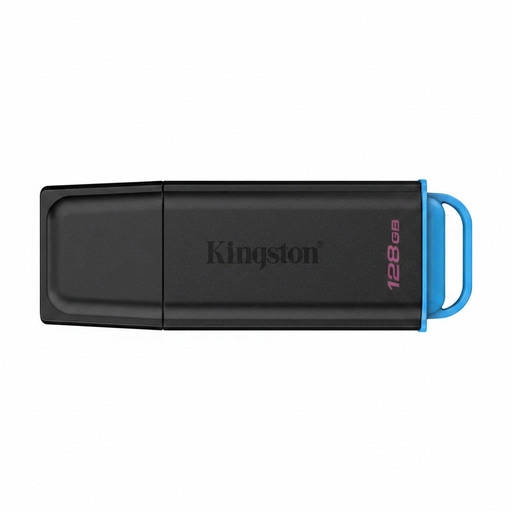
Kingston DataTraveler Exodia, 128 GB, USB 3.2 Gen 1 Type-A
An option for transferring files to a computer with USB Type-A; the product name specifies 128 GB of storage.
View at Joybuy
 No image available
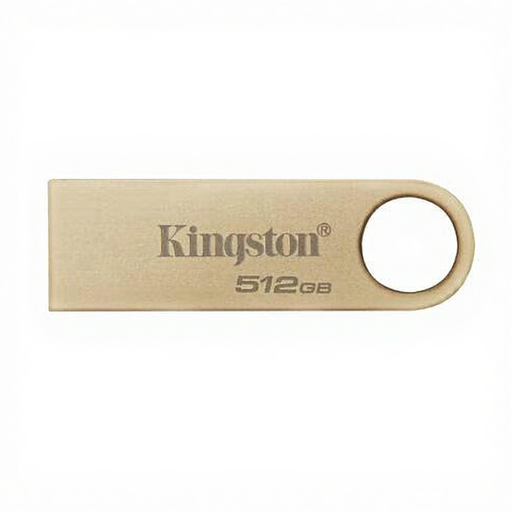
Kingston DataTraveler SE9 G3, 512 GB, USB 3.2 Gen 1
The capacity may suit large image folders; check that the connector fits the computer you’ll be copying from.
The product name specifies 512 GB and 220 MB/s. It does not state the write speed separately.
View at Joybuy
 No image available
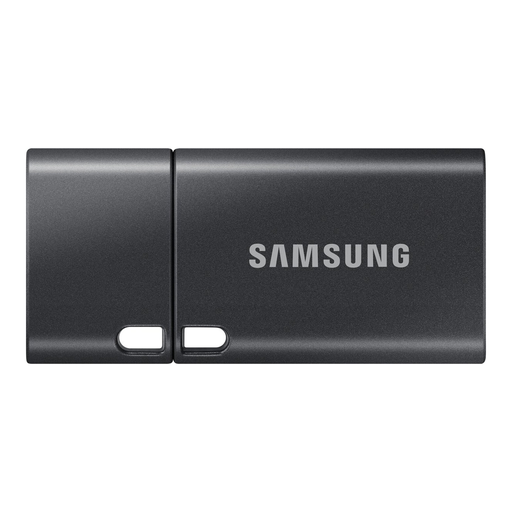
Samsung MUF-512DA, 512 GB, USB Type-C
Suitable for transferring files to devices with a compatible USB-C port; check the connection on the computer you’ll be copying the files to.
The product name specifies 512 GB and USB 3.2 Gen 1. Samsung states a read speed of up to 400 MB/s in the product description.
View at Joybuy
 No image available
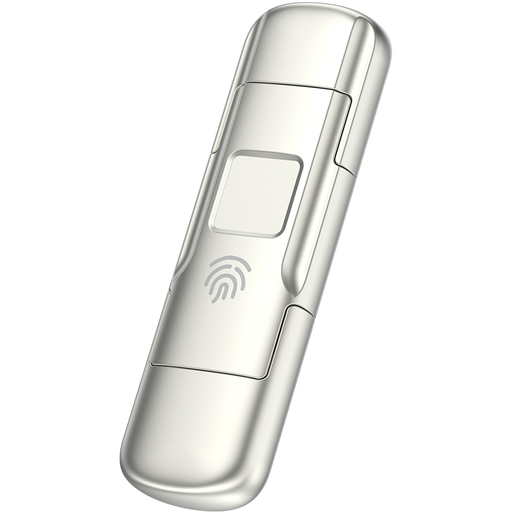
MOVESPEED YSUYC-256GSN, 256 GB
The product name specifies fingerprint encryption and a dual interface for use with USB 3.2 Gen 1 and Type-C; check that these connections are compatible with your devices.
The product name states maximum speeds of 550 MB/s read and 500 MB/s write. These are stated speeds, not a measurement of your copying job.
View at Joybuy
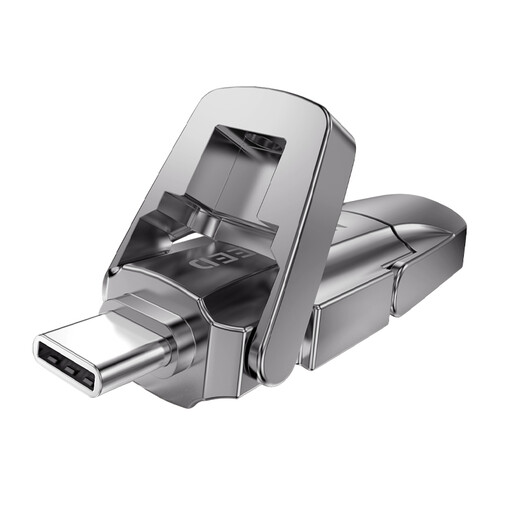 No image available
MOVESPEED YSUYVP10-512GSR, 512 GB, dual interface
The dual interface may be useful with computers that have different ports; check that the ports you use are compatible with USB 3.2 Gen 1 and Type-C.
The product name specifies 512 GB and 1.090 MB/s read. Read speed alone does not indicate write speed or guarantee a particular copying time.
View at Joybuy
Frequently asked questions
How do you work out how much storage space you need?
Measure the image folders you want to transfer and allow for planned additions. Compare the total with the usable capacity of the model you choose; this may be lower than the stated capacity.
How do you check a copy after transferring it?
Check that the files are present at the destination and can be opened, and also test that you can restore a separate backup. The National Cyber Security Centre recommends the 3-2-1 approach for important data.
What should you check if you use the stick with different computers?
Check that the connector fits and that the computers support access to the file system you choose. The host port can also affect the transfer speed you achieve; Microsoft describes exFAT as a file system for large files.
Can a community archive copy or publish identifiable photos without checking first?
Don’t assume that it can. The Dutch Data Protection Authority considers identifiable people in images to be personal data. The photographer may also hold copyright in the photos, as Ondernemersplein explains. Before sharing images, consider which privacy and usage arrangements apply to the specific collection.
What matters when choosing a USB stick with hardware encryption?
Decide who will manage the passwords and how access can be restored. Kingston states that ten consecutive incorrect administrator passwords on the IronKey Vault Privacy 50 trigger a cryptographic erase, so keep a separate copy that you can restore as well.


