
Reader with one free socket
Wants to charge a reading light and other small devices using a single compact wall charger. Focus on the ports you need and the shared output. IKEA lists three USB-A ports and 17 W total for the SMÅHAGEL.


If you’re only charging your reading light and a few other small USB devices, consider a compact multi-port wall charger. If you also need to keep standard plugs connected, a power strip with USB is a better fit. Check the cable connectors, your light’s charging input, and the output per port as well as the total output: a higher wattage doesn’t automatically mean your light will charge faster.
Wants to charge a reading light and other small devices using a single compact wall charger. Focus on the ports you need and the shared output. IKEA lists three USB-A ports and 17 W total for the SMÅHAGEL.
Wants to charge a reading light without losing sockets for devices with standard plugs. Compare a USB power strip with a multi-port wall charger. IKEA lists four standard sockets and two USB ports for the KOPPLA.
Uses devices with different cables as well as a reading light, and needs the right combination of USB-A and USB-C outputs. Belkin describes the BoostCharge WCB009vfWH as having one output of each type.
Choose this when: you want to connect several small USB devices to one wall socket and the ports are compatible with your cables.
Bear in mind: a USB wall charger doesn’t add any standard sockets, and the total output is shared when charging multiple devices at once.
Choose this when: you want to connect standard plugs in the same place as your USB devices.
Bear in mind: its location and cable length. IKEA states that the KOPPLA is for indoor use only and has a 3,0 m cable.
Choose this when: your cables have different connector types at the charger end.
Bear in mind: which output your light actually uses. Belkin lists up to 12 W via USB-A and 30 W via USB-C for the WCB009vfWH, but there’s no evidence that this charges a reading light faster.
Choose this when: you regularly charge several USB devices at once in a fixed location.
Bear in mind: Hama lists five ports and 140 W total for model 00201978. That capacity isn’t necessarily an advantage if you’re only charging a reading light.
When choosing, first compare how many standard plugs need to stay connected, then check your light’s cable and charging specifications.
| What to consider | What should you check? | Who is this important for? |
|---|---|---|
| Charging several devices | Count the devices you’ll charge at the same time; check the port types, output per port and total output. | If I want to connect my reading light and other USB devices to one socket, I look for compatible ports and shared output. Consumers who mainly want to bring their USB charging points together account for around 36% of those with this buying concern. |
| Cable and connection | Check both ends of the cable and the charging details in the manual for your specific light. | If I want to connect my own light without changing cables unnecessarily, I first check which output type fits the charger end. Around 29% of consumers focus mainly on choosing the right cable and output. |
| Keeping standard sockets available | Check how many standard sockets you need, where the power strip will go and its stated maximum load. | If standard plugs also need to stay connected in the same place, I look for an option that leaves room for them. For around 21% of consumers, keeping standard sockets available is their main buying concern. |
| Safe, tidy charging | Check for the CE marking on a mains-powered product, read the instructions and don’t use a damaged cable. | If I want to keep my charging area tidy and my cables in good condition, I check the product information and follow the instructions. Around 14% of consumers say this is their main buying concern. |
IKEA lists 17 W total for the SMÅHAGEL. That doesn’t mean 17 W for every port: when charging several devices at once, the available output is shared.
Compare the output per port and the total output with the number of devices you want to connect at the same time.
A wall charger provides USB outputs, but it doesn’t add sockets for standard plugs.
Before choosing, make a note of which USB cables and standard plugs need to stay connected in the same place.
The connector at the charger end of the cable determines which output fits directly. A USB-C connection on the light doesn’t automatically mean you need a USB-C output on the charger.
Check both ends of the cable and the charging specifications for your specific light.
The Fire Service advises against connecting extension leads to each other.
Choose an option with enough compatible connections and follow the stated maximum load and instructions.
The product ranges mentioned include both a USB wall charger and a power strip with USB.
The BoostCharge WCB009vfWH is a wall charger with one USB-A output and one USB-C output.
Model 00201978 is a desktop charging station designed for multiple USB devices.
The brand’s range includes multi-port wall and desktop chargers for different combinations of devices.
This selection features power strips with standard sockets and USB ports, for anyone who wants to charge a reading light without giving up all their sockets for standard plugs. Before use, check your light’s cable, the maximum load and the product instructions.
 No image available
An option if you want to connect USB devices and standard plugs in one place.
3 AC sockets and 4 USB ports: 3 USB-A and 1 USB-C.
1,5 m cable; maximum 2500 W.
Don’t exceed the stated maximum load or connect power strips in a chain.
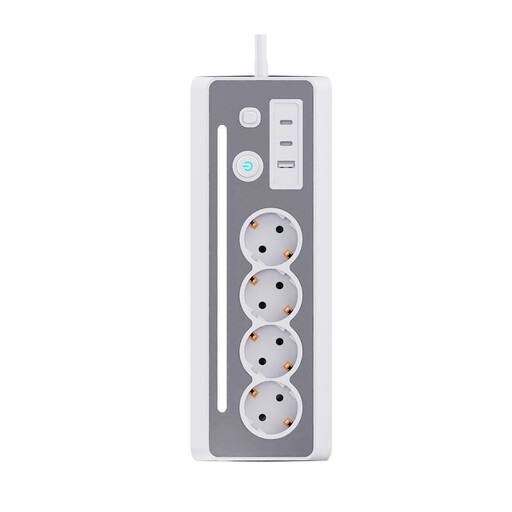 No image available
An option if you want to connect standard plugs and USB devices by a desk or bedside table.
3 Schuko sockets and 3 USB ports: 2 USB-C and 1 USB-A.
1,5 m cable; maximum load 3680 W/16 A.
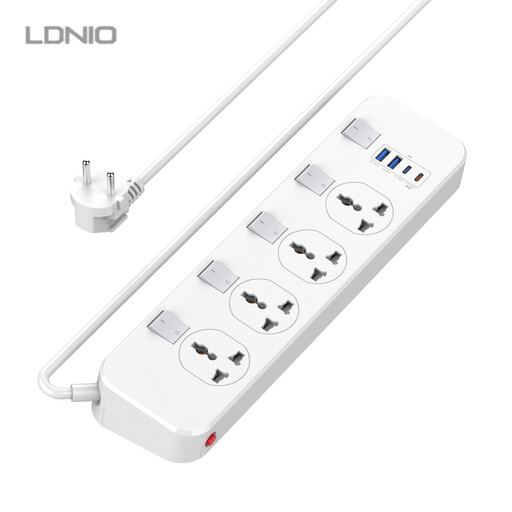 No image available
An option if you need several standard sockets and different USB outputs.
4 universal sockets, 2 USB-A ports and 1 USB-C PD output at 20 W.
The product name lists a 6,5 ft cable.
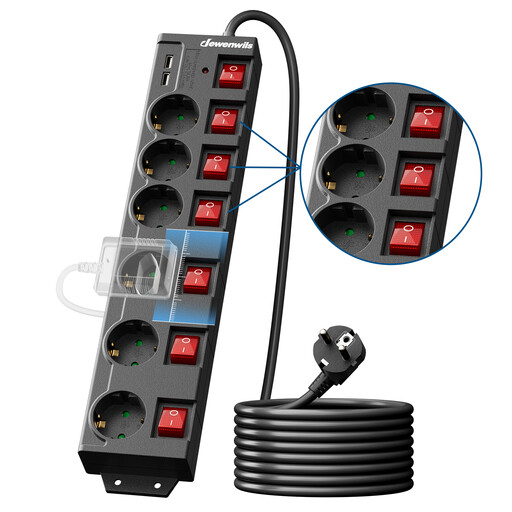 No image available
An option if you want to connect several standard and USB devices in the same place.
6 AC sockets and 2 USB ports.
5 m cable; maximum load 3680 W/16 A.
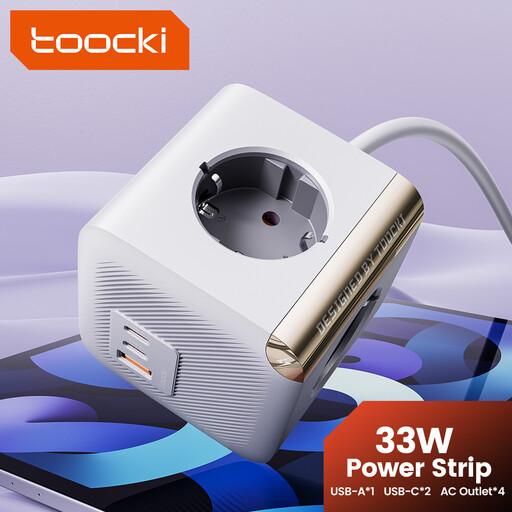 No image available
An option if you want to combine standard plugs with two USB-C connections.
4 AC sockets and 2 USB-C ports.
The product description lists a 20 W USB-C PD port and an 18 W USB-C QC port.
For indoor use only; don’t connect this power strip to another power strip.
Not based on the EU rules mentioned alone. The European Commission lists specific categories of devices covered by the common charging port rules; USB reading lights aren’t included in that list. Check the connection and charging details for your own light and cable.
Follow the instructions for the product you choose and don’t use damaged cables. IKEA specifies that the SMÅHAGEL should be kept in a dry place. The Fire Service highlights the risks associated with damaged batteries, short circuits and incorrect charging.
No. According to the Netherlands Food and Consumer Product Safety Authority, the CE marking is required for electrical products, but an independent inspection isn’t. So the marking doesn’t prove that an independent body has tested this particular charging station.
Report the problem to the retailer. The Dutch government states that you’re entitled to a product that works as it should, and that the retailer must resolve any problems. A manufacturer’s warranty doesn’t replace your statutory rights.
According to the Dutch government, you can hand in an old electrical device at the shop or online retailer where you buy a new, similar device, at a collection point or at your local council recycling centre.