What should you look for when buying?
First decide what you’ll need to restore, then compare the stick’s capacity, connection and write speed.
| What to consider |
What should you check? |
Who is this important for? |
| Restorable copy |
Decide which files you’ll need, keep another copy separately and try restoring a few files. |
If I don’t want to lose my photos when one device fails, I want to be able to restore a separate copy. Around 33% of consumers prioritise being able to restore their files. |
| Capacity |
Check the size of the files you want to keep and compare the total with the usable space on the version you’re considering. Adobe states that a Lightroom Classic catalogue backup doesn’t include the photos. |
If I want to keep a growing archive, there needs to be space for all the files I’ve chosen, not just the catalogue. Around 27% of consumers prioritise having enough capacity. |
| Connection |
Check the ports on the devices you’ll use to copy and restore files, and look at the exact connector type. |
If I switch between devices with different USB ports, I want to be able to connect the stick directly. Around 20% of consumers prioritise the connection. |
| Write speed |
Check the stated write speed and your computer’s USB interface. Don’t treat manufacturers’ maximum speeds as guaranteed transfer times. |
For large or frequent transfers, I want to spend less time waiting for files to be written. Around 20% of consumers prioritise the time needed to copy files. |
USB sticks at Joybuy
This selection at Joybuy features USB sticks for keeping a local copy of photo files. Check that the capacity suits the files you want to keep and that the connection works with your devices.
 No image available
SanDisk Ultra Flair 512GB USB 3.0
An option if you want to keep selected photo files locally on a USB stick.
The product name lists 512GB and USB 3.0. Check the size of the files you want to include and make sure your device has a compatible connection.
Joybuy
 No image available
SanDisk Ultra 512GB USB 3.0
An option for keeping a local copy of photo files that you may want to restore later.
The product name lists 512GB and USB 3.0. Check how much space your files take up and whether the connection suits your computer.
Joybuy
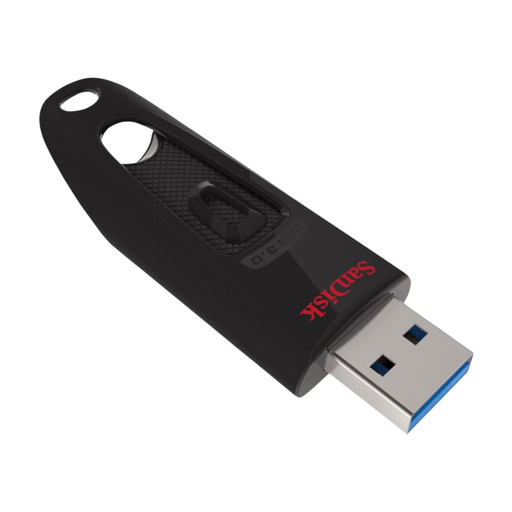 No image available
SanDisk Ultra 128GB USB 3.0
An option if you want to keep photo files locally and this version has enough space for them.
The product name lists 128GB and USB 3.0. Compare the capacity with the files you actually want to include.
Joybuy
 No image available
SanDisk Ultra Dual Drive Go USB 3.1/USB-C 512GB
An option to consider if you use the listed USB-C connection for your local photo backup.
The product name lists USB 3.1/USB-C and 512GB. Check which connections your devices need.
Joybuy
 No image available
Kingston DataTraveler Exodia USB 3.2
An option if you want to keep a local copy on a USB flash drive.
The product name lists USB 3.2. Before buying, check the capacity and connection of the version on offer.
Joybuy
Frequently asked questions
How do I work out how much storage space my photo backup needs?
On your own device, add up the files you want to be able to restore, including originals and any exported files you need. If you use Lightroom Classic, don’t count only on its built-in catalogue backup: according to Adobe, that includes only the catalogue file. Compare the total with the usable space on the stick you’ve chosen.
Can I keep a USB stick as my only backup?
That’s risky if your photos are irreplaceable, as the stick could be misplaced or fail. Keep another copy separately too, and check that you can restore your files. The National Cyber Security Centre advises organisations to keep multiple versions, media and locations; this is not a legal purchasing requirement for personal use.
What should I check after copying my files?
Check that the files you intended to copy are there and can be read. Try restoring a small number of files, then store the copy separately from the original. Follow your photo software’s instructions for catalogue and photo files too.
What can I do if a USB stick I bought online is faulty?
In the Netherlands, contact the seller if a product is faulty; according to the Dutch government, the seller is responsible for providing a solution. There is no fixed statutory guarantee period for every product, and a manufacturer’s guarantee is in addition to your statutory rights. When buying online at a distance, you usually have 14 days to change your mind, subject to legal exceptions.
Does the GDPR apply to photos I keep for personal use?
The Dutch Data Protection Authority describes an exemption for photos you keep for personal use or share with only a very limited group. The exemption doesn’t apply if you share them more widely or use them for business; assess those uses separately.


