What should you look for when buying?
Start by checking the microphone’s direction and distance from your mouth, then test the sound in your voice chat app. Next, consider whether you need an easy-to-reach mute button, more flexibility in where you place it, or a way to monitor your own voice.
| What to consider |
What should you look for? |
Who is this important for? |
| Clarity with room noise |
Check the pickup pattern and input sensitivity. Ask someone to listen while the usual background noise is present. |
If I’m giving quick callouts while there’s other noise at home, I want my voice to come through clearly without silence being picked up unintentionally. Around 36% of consumers with this buying need prioritise clarity in a noisy room. |
| Quick muting |
Check whether you can reach the mute button from where you sit and how you can tell if the mic is muted. |
When I switch between talking to my team and staying quiet, I want to be able to mute the microphone straight away and check its status. Around 29% of consumers give top priority to mute controls that are easy to reach and recognise. |
| Positioning and connections |
Check the stand or mount, adjustability, included USB cable and the ports on your computer. |
At a shared desk, I want to be able to position the microphone towards me and use it without connection problems. Around 21% of consumers making this choice prioritise positioning and connections. |
| Monitoring and level control |
Check whether the model has a headphone output, direct monitoring or gain control; these are different features. |
If I want to check my voice regularly or my speaking volume varies, a headphone connection or gain control can be useful. Around 14% of consumers prioritise monitoring or level adjustment. |
USB microphones at Joybuy
Joybuy’s selection of USB microphones for gaming and voice chat.
 No image available
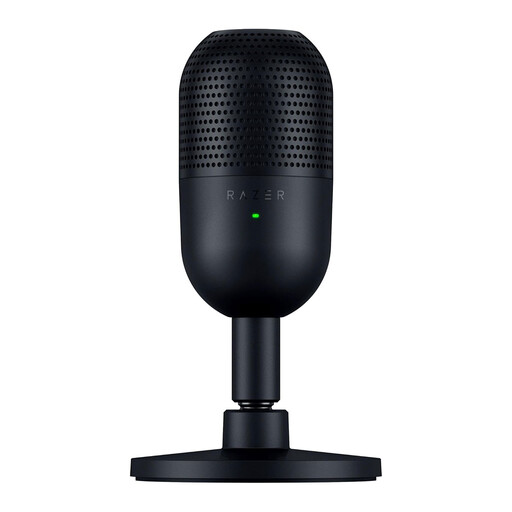
Razer Seiren V3 Mini - Black
A good fit for a compact desk setup if you want a physical mute control. Razer lists a supercardioid pattern and tap-to-mute with an LED indicator; test how the positioning and chat settings work in your room.
View at Joybuy
 No image available
HyperX SoloCast 2 USB gaming microphone, cardioid, black
The product name specifies USB and a cardioid pickup pattern for this gaming microphone. Check the product information to make sure its controls and connections suit your voice chat setup.
View at Joybuy
 No image available
USB condenser microphone, cardioid
The product name lists gaming and podcasting as possible uses. Check that the connections, controls and included accessories suit your desk and the way you use team chat.
View at Joybuy
Frequently asked questions
How can you stop voice chat cutting off words or picking up room noise?
First, check that the right microphone is selected as your input device. Discord Support covers voice activation and push-to-talk. With voice activation, adjust the input sensitivity so quiet words come through without silence being picked up unintentionally. Test it with the background noise in your own room.
Do you need special software to connect the RØDE NT-USB Mini?
According to RØDE’s user guide, you can connect the microphone to a compatible PC or Mac using the included USB-C-to-USB-A cable, then select it as your audio input. Check first that your computer has the right port.
What can you do if a microphone bought in the Netherlands develops a fault during normal use?
The Dutch government says you’re entitled to a product that works as it should, and that the seller must provide a solution if it doesn’t. A manufacturer’s warranty is in addition to your statutory rights; according to the Dutch government, there is no single statutory warranty period that applies to all products in the Netherlands.
Can you record team conversations in your home workspace without permission?
Connecting a microphone isn’t the same as recording conversations. The Dutch Data Protection Authority says, among other things, that employers recording employees’ conversations must inform those affected in advance. This guidance doesn’t give a general answer for private gaming chats, so don’t assume the same rules automatically apply.


