
Explainer with a cluttered desk
You record voice-overs and need space for notes, a keyboard or demonstration materials at the same time. So consider how much room the stand takes up and whether you can mount the microphone on a boom arm.


Start by positioning the microphone close enough to your mouth without getting in the way of your notes or keyboard. A desk stand is easy to set up; a boom arm can free up desk space, but you’ll need a suitable place to attach it. Then check the connections, included mounting options and whether you can monitor your audio while recording for each version.
You record voice-overs and need space for notes, a keyboard or demonstration materials at the same time. So consider how much room the stand takes up and whether you can mount the microphone on a boom arm.
You record at home with some background noise and can position the microphone close to your mouth. Compare the pickup pattern and make a test recording in your own space.
You record explanations in several takes and want to hear yourself through headphones while recording, or adjust the level on the microphone.
Start with how the microphone will sit on your desk and how far it is from your mouth. Then consider background noise, recording controls and connections.
| What to consider | What should you look for? | Who will find this most important? |
|---|---|---|
| Desk space and positioning | Check the stand’s dimensions, how close you can position it to your mouth, whether it can be mounted on an arm and which mounting parts are included with that version. | If I need notes or demonstration materials beside the microphone, I want to choose where it sits without blocking my work surface. Around 36% of consumers put having a clear desk first. |
| Voice quality with background noise | Compare the pickup pattern and make a test recording in your own room at a practical speaking distance. For voice-over recordings with the NT-USB Mini, RØDE recommends a distance of around 10–15 cm from the mouth; this advice applies to that specific model. | If there’s background noise at home, I want to hear how my voice sounds from where I usually speak. Around 29% of consumers put room noise first. |
| Monitoring your recording | Check whether the version has a headphone output and direct monitoring, and whether level controls or a mute function would be useful to you. | When I record explanations in several takes, I want to check what I’m hearing as I record and adjust a setting if needed. Around 21% of consumers prioritise monitoring their recording directly. |
| Connections and future upgrades | Compare the port on your recording device with the cable included. Also check whether a stand or arm is included; choose USB/XLR only if you plan to use XLR equipment later. | If I want to connect the microphone to my current device or upgrade my setup later, I want to know which cable and connections come with the version I’ve chosen. Around 14% of consumers consider connections or future upgrades most important. |
A compact stand won’t help if it leaves the microphone too far from your mouth or takes up space in an awkward spot.
Check how much room you have beside your keyboard and notes. For the exact version, also check whether it can be mounted on an arm and where you’ll be able to speak from.
If you need an arm to keep your work surface clear, you may need to buy one separately or use another mounting option.
A pickup pattern or a claimed noise-reduction feature won’t make a noisy room quiet. Results also depend on positioning and distance.
Make a short test recording from your usual speaking position and listen to the balance between your voice and the room noise.
The Sennheiser Profile is available with a desk stand and as a Streaming Set with an arm. The listed basic contents of the Shure MV7+ don’t include a stand or arm.
Check what’s included with the exact set and how you could attach an arm to your desk, if needed.
Depending on the version, you may need to buy a stand or arm separately.
The Dutch government explains that there is no fixed time limit for the legal guarantee in the Netherlands, and that it is separate from any manufacturer’s warranty.
Keep your proof of purchase and contact the seller if a product is faulty.
The NT-USB Mini is a compact USB condenser microphone with a detachable desk stand and the option to mount it on an arm.
The Seiren V3 Mini is a compact USB microphone with a desk stand, designed for a simple one-person setup.
The Profile USB is an option if you want physical recording controls. Sennheiser offers a version with a desk stand and a Streaming Set with an arm.
The SoloCast 2 is a compact USB condenser microphone for a simple desk setup.
The MV7+ is a dynamic USB-C/XLR microphone for close-up speech and for anyone who may want to use an XLR setup later.
These product picks focus on compact USB setups for spoken explanations, with options for both desk-stand and boom-arm mounting.
 No image available
Suitable for a USB setup where you want to keep your work surface clear. Before buying, check which mounting options, connections and controls come with this version.
 No image available
A compact USB option for a one-person desk setup. For this model, HyperX lists a built-in pop filter, shock mount and threading for a compatible arm.
Check that the included setup suits the space you have available.
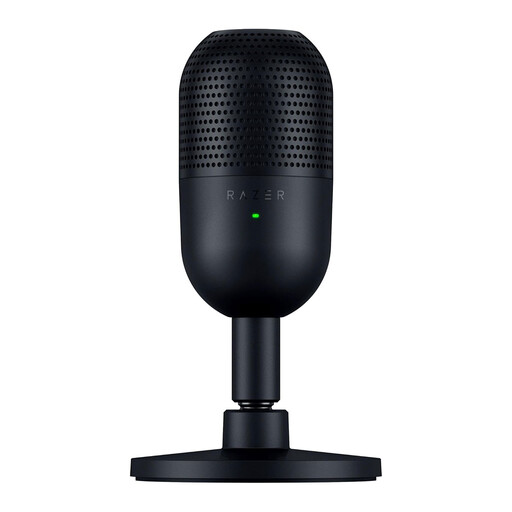 No image available
Its compact desk setup is a good fit for a workspace with limited room. For this model, Razer lists a supercardioid pickup pattern and an adjustable stand.
A pickup pattern won’t remove background noise on its own; if you’re unsure, make a test recording in your own room.
First, choose a position where you can speak naturally and still use your work surface. For voice-over recordings with the NT-USB Mini, RØDE recommends a distance of around 10–15 cm from the mouth. If the stand gets in the way, you could consider a version with a suitable arm mount. This advice applies to that model; it isn’t a general distance requirement.
For the straightforward USB connections on the RØDE NT-USB Mini and Sennheiser Profile mentioned here, the manufacturers specify that no extra drivers are needed. Do check the USB port, cable and supported devices for the exact version. XLR is a separate connection type and isn’t needed for USB recording.
The legal guarantee is separate from any manufacturer’s warranty, and there is no fixed statutory time limit for it in the Netherlands, according to the Dutch government. Contact the seller if a product is faulty. For online purchases, you generally have 14 days from delivery to change your mind, subject to legal exceptions, according to ACM ConsuWijzer.
Electrical and electronic devices covered by the relevant European rules must meet product requirements, including those for safety and electromagnetic interference. The Dutch government and the European Union explain that products for which those rules require CE marking must meet the associated conformity obligations. A product listing alone doesn’t prove that a specific item meets all the applicable requirements.