What factors determine the choice?
Omnidirectional USB tabletop microphone
Choose this when: several people around a table are contributing to a local recording.
Consider: recording from multiple directions also picks up unwanted room noise, so test the seating arrangement.
Directional USB microphone
Choose this when: mainly one speaker close to the microphone will be recording the summary.
Consider: other participants may be harder to hear; noise reduction is not guaranteed to remove background voices.
USB speakerphone
Choose this when: remote participants also need to listen and respond.
Consider: test whether the app you use records remote participants’ voices in the saved file.
USB recorder with memory card recording
Choose this when: you want to record to a memory card as well as use USB; Zoom describes this option for the H2essential.
Consider: choose and test the recording pattern, and check which card and settings you need.
The percentages indicate how consumers choosing a microphone for this situation are distributed by their main purchasing priority.
| Priority |
What to look for |
Who is this most relevant to? |
| Contributions around the table |
Compare the recording pattern with the table layout and make a test recording from every seat. |
If I want to listen back to contributions from different places around the table, I’ll look at the coverage without assuming every voice will be equally clear; around 39% of consumers prioritise group voices. |
| Voice alongside room noise |
Have the intended speaker talk from the actual position while normal background noise is present. |
If I mainly want to hear one speaker clearly alongside, for example, instruments or ventilation, I want to be able to position the microphone close to their voice; around 31% of consumers prioritise clarity over room noise. |
| Hybrid participation |
Check the distance from the seats and make a test recording with a remote participant. |
If remote participants need to respond and be included in the recording, I’ll check both the speakerphone and the app; around 15% of consumers prioritise hybrid participation. |
| Connection and recording file |
Check the port, selected input and whether the test file has been saved; for card recording, also check which memory card is required. |
I want to be able to check in advance that my connection and recording method produce a file I can find; around 15% of consumers prioritise reliable recording and connectivity. |
Joybuy products
These Joybuy products include directional USB microphones and speakerphones for one main speaker or hybrid meetings. If you are recording several people, check that your chosen placement and meeting app capture the voices you want in the file.
 No image available
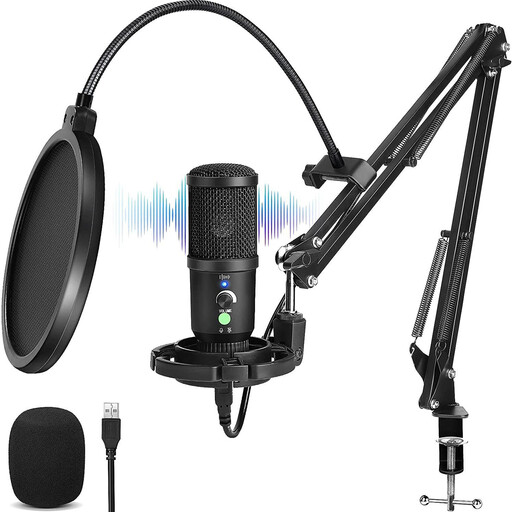
USB condenser microphone with cardioid pattern
This directional microphone is suited to a setup focused on one speaker in front of the mic. Test the positioning if other voices also need to be included in the summary.
The product is described as a USB condenser microphone with a cardioid pattern.
View at Joybuy
 No image available
Insta360 Wave AI Conference Speakerphone
A conference speakerphone may be a good fit if you need hybrid meetings as well as recording; test whether your chosen app captures calls in the saved file.
The product name specifies Bluetooth and a white finish.
View at Joybuy
 No image available
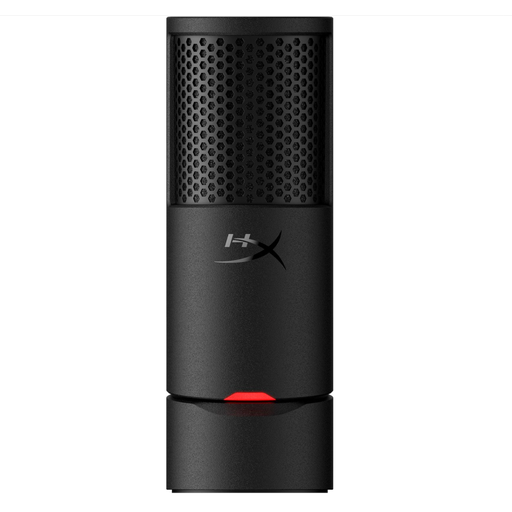
HyperX SoloCast 2 USB Gaming Microphone
This cardioid USB microphone suits a setup focused on one speaker in front of the mic; check that other participants can be heard clearly enough too.
The product name specifies a cardioid recording pattern and a black finish.
View at Joybuy
 No image available
Jabra SPEAK 510 MS Conference Room Loudspeaker
A speakerphone may be a good fit when participants join a call via a computer; check that the recording app saves their voices in the meeting file.
The product name specifies Bluetooth, USB-A (USB 2.0) and a black finish.
View at Joybuy
 No image available
Jabra Speak2 55 MS Teams
This model may suit hybrid meetings where participants need to speak and listen to one another; check separately whether the recording app captures both sides in the file.
Jabra specifies USB, four microphones and full-duplex audio. The stated microphone range is up to 2,3 m; this is not a measure of speech clarity in this rehearsal room.
View at Joybuy
Frequently asked questions
How can I check whether everyone has been recorded clearly enough?
Make a short recording in the intended location with someone speaking from every seat, then listen back to the saved file, including when normal room noise is present. An omnidirectional pattern or stated recording range is no substitute for this test.
Can I use the microphone straight away via USB?
Check which port your computer has, then select the microphone as the input device in your system and recording app. According to Audio-Technica, the ATR4697-USB has a USB-C plug and comes with a USB-A adapter; once connected, check that the correct input is selected.
How long should I keep a recording?
For an organisation processing personal data in a recording, the Dutch Data Protection Authority does not specify a general GDPR retention period: do not keep data for longer than necessary for its purpose, and set an appropriate period for the circumstances. Different rules may apply to a purely personal recording.
Can I record a meeting in the Netherlands to prepare a summary?
It depends on the specific circumstances, so there is no unconditional yes or no. If an organisation processes identifiable voices as personal data, it must determine an applicable GDPR legal basis and inform the people concerned before processing, according to the Dutch Data Protection Authority. Consent is one possible legal basis, not automatically a requirement; consider the purpose, the recorder’s role, the participants and any other applicable rules before recording.
Does a USB speakerphone automatically record the voices of remote participants?
Not necessarily: what ends up in the file depends on both the speakerphone and the recording app. Make a short test recording of a meeting in advance and listen back to check that both local and remote participants can be heard.


