
Solo streamer with background noise
You speak on your own and want your voice to come through clearly, even if your PC, keyboard or other room noise is audible. You can position the microphone close to your mouth.


If you can position the microphone close to your mouth in a room where keyboard or PC noise is audible, start with a dynamic model and test the recording in your own setup. If the room is quieter and you mainly want to control mute, monitoring and the balance between your voice and game audio while streaming, look for USB models with those controls. No recording pattern or noise filter can guarantee a quiet broadcast on its own.
You speak on your own and want your voice to come through clearly, even if your PC, keyboard or other room noise is audible. You can position the microphone close to your mouth.
You want to be able to mute quickly, hear yourself and assess your voice and game audio separately while gaming.
You want to get started with a direct USB connection and check in advance that the stand, cable and any microphone arm will fit your desk.
For a charity gaming stream in a spare room, your choice mainly comes down to speaking distance, controls you can use during the broadcast and the connection that suits your setup.
| What to consider | What should you check? | Who should prioritise this? |
|---|---|---|
| Clear speech with background noise | Check the speaking direction and recommended distance, and make a test recording in the room where you plan to stream. | If I'm speaking on my own and keyboard or PC noise might be audible, I want to record my voice close to the microphone. Around 33% of consumers prioritise clear speech. |
| Live audio control | Check whether the model has mute and headphone monitoring, and whether its mixing features work with your computer. | During a live gaming broadcast, I want to switch quickly and assess my voice and game audio. Around 27% of consumers put this control ahead of other purchasing considerations. |
| USB setup and positioning | Check your computer port, the included cable and stand, and the mount if you want to use a microphone arm. | If I want to get started quickly, the microphone needs to fit on my desk and connect to my computer. Around 20% of consumers make an easy setup their top priority. |
| Upgrading to XLR later | Check the connections and which features are available over USB and XLR; they may not be the same. | If I want to use a different audio chain later, I want to know what the XLR connection actually adds. Around 20% of consumers prioritise expandability. |
A recording pattern determines how a microphone picks up sound, but it won't automatically make a noisy room quiet. OBS Project describes noise suppression as a way to help with light background noise; it is generally ineffective with a lot of noise, and heavy filtering can distort your voice.
Before your broadcast, make a short recording in your own room and listen back to how your voice and the background noise sound together.
According to Shure, DSP processing on the Shure MV7+ works with the USB signal, but not the XLR signal. An XLR setup may also require different equipment later on.
Compare the features available through each output on the exact model before planning an XLR setup.
Don't assume the HyperX QuadCast 2 and QuadCast 2 S are the same model without checking further. Also check whether you're looking at the Wave:3 or Wave:3 MK.2.
Compare the full model name, connection and included accessories before choosing a product.
The PodMic USB is designed for a single speaker who can sit close to the microphone and may want to use a different audio chain later on.
The Wave:3 MK.2 is a USB condenser microphone for streamers who want to use Wave Link controls.
According to Shure, the MV7+ is a dynamic microphone with USB-C and XLR connections, with voice processing over USB.
The QuadCast 2 is a USB gaming microphone for anyone who wants direct controls and a choice of recording patterns.
According to FIFINE, the AmpliGame AM8 is a dynamic cardioid USB/XLR model for gaming and speaking.
Below are Joybuy product picks whose titles mention streaming or gaming. Check that the microphone type and connection suit your broadcast for each model.
 No image available
The product name mentions streaming and gaming use, and specifies a cardioid recording pattern.
Check that the recommended speaking distance and positioning suit your desk.
 No image available
The product name describes a USB gaming microphone with a cardioid pattern.
Worth considering if you're looking for a USB microphone for gaming; check its controls and included accessories for your setup.
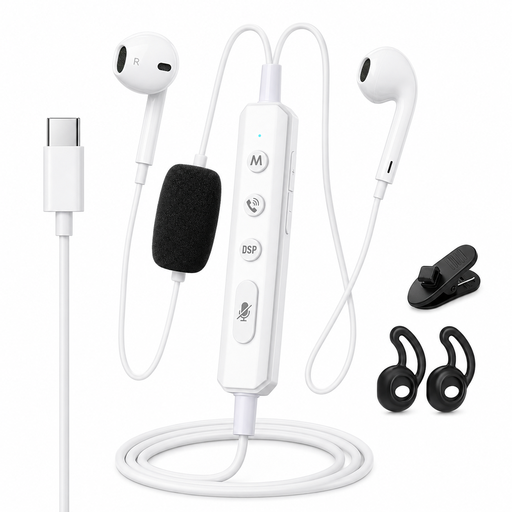 No image available
The product name describes wired headphones with a sound card for monitoring.
Before buying, check whether this type of product meets your need for a streaming microphone.
 No image available
The product name describes a compact USB microphone with tap-to-mute.
Check that the controls and available desk space suit your streaming setup.
 No image available
The product name describes a wireless mini microphone for livestreaming with a Type-C connection.
Consider this option if you're looking for a portable microphone, and check that its connection works with your equipment.
Make a test recording before your charity stream and listen to the final OBS mix. OBS Project recommends checking both the level meters and the audio: sources that look similar on the meter may sound different in volume to viewers.
OBS Project warns that an echo can occur if the same device is selected both as a global audio source and as a separate source in a scene. Check for this duplicate selection before adding extra filters.
Not reliably. According to OBS Project, noise suppression can reduce light background noise, such as a PC fan, but the filter is generally ineffective when there is a lot of noise; heavy filtering can also distort your voice.
For online purchases from a business, you generally have a 14-day cooling-off period, according to the Dutch government (Rijksoverheid). In the Netherlands, you are also entitled to a product that works as it should under the statutory guarantee; if there's a fault, contact the seller. Check the terms of your specific purchase, and distinguish the statutory guarantee from any manufacturer's warranty.
Don't assume you can. BumaStemra says that a livestream featuring music on platforms such as Twitch or YouTube may be blocked, and that BumaStemra does not represent all rights. The permissions you need depend on the music used and how you stream it, not on which microphone you choose.