
Taking notes during conversations in a hall
You dictate your own notes while other people are talking. Shure recommends positioning the microphone close to the speaker; this won’t automatically eliminate reverberation.


For recording your own spoken notes, a microphone positioned close to your mouth is usually the right choice. Pick a headset, handheld microphone or desktop model that suits the way you work. Shure explains that a microphone won’t automatically separate direct speech from reverberation. If you also want to record people around the table, consider a separate conference setup and check the privacy requirements.
You dictate your own notes while other people are talking. Shure recommends positioning the microphone close to the speaker; this won’t automatically eliminate reverberation.
You work at a table and want a handheld or desktop microphone that suits your connection and dictation style. For a Philips SpeechMike, check that the controls work with your dictation software.
You also want to capture the voices of people sitting around a table. Jabra lists four microphones and a stated range of up to 2.3 m for the Speak2 55. This is a manufacturer’s specification, not a guarantee of intelligible recordings throughout a hall.
Choose this if: you dictate your own voice, want to keep your hands free and can wear the microphone close to your mouth.
Bear in mind: a headset isn’t designed to record other people at a distance. Also check which USB version you need.
Choose this if: you’ll be speaking yourself and want controls on the microphone.
Bear in mind: holding it takes up one hand, and dedicated recording buttons won’t necessarily work with every dictation app.
Choose this if: you can sit in one place and position the microphone nearby.
Bear in mind: distance and reflections in the room will still affect the recording; a directional pickup pattern won’t eliminate reverberation completely.
Choose this if: you also want to capture people around a table and have checked the privacy requirements.
Bear in mind: the stated range of the Jabra Speak2 55 doesn’t guarantee transcription in a reverberant hall or coverage of the whole room.
| Consideration | What to look for when buying | Who is this most important for? |
|---|---|---|
| Your own voice and background noise | Check whether you can position the microphone close by, and make a test recording where you plan to use it. | When I dictate my own notes in the hall, I want to keep my voice close to the microphone and pick up as few reflections from the room as possible. Around 36% of consumers prioritise separating their own voice. |
| Dictation controls | Check that the controls on the version you choose work with your dictation software. | I want to use recording controls while dictating without having to keep going back to the screen. Around 29% of consumers prioritise dictation controls and software compatibility. |
| Working position and connection | Choose between a headset and a fixed microphone, and check which USB connection you need and whether you’ll need an adapter. | If I want to keep my hands free, I look for a comfortable working position and a suitable connection. Around 21% of consumers prioritise hands-free use and a suitable connection. |
| Personal dictation or a table conversation | Decide whose voices need to be captured and compare the stated range with your actual table setup. | If I also want to record people around the table, the setup needs to suit the table and meet the privacy requirements. Around 14% of consumers prioritise capturing multiple speakers. |
A setup that picks up voices around a table won’t automatically separate your voice from the rest of the room more effectively. Other people may also be audible.
Decide in advance whether you want to capture only yourself or other people at the table too. If you’re recording others, also check the applicable privacy requirements.
A directional pickup pattern won’t remove the distance between you and the speaker or the reflections in the room.
Choose a spot close to the intended speaker and assess a test recording in the room where you plan to dictate.
A USB audio connection and controls for a particular dictation programme are two different things.
Check the exact version and whether its buttons are supported by the software you use.
The MV7+ is a USB dynamic microphone designed for close-up use.
The wired SpeechMike Premium Touch SMP3700/3800 is a handheld microphone for dictation.
The Evolve2 40 SE is a USB headset option for one speaker; the Speak2 55 is a separate speakerphone for a small group.
The NT-USB Mini is a compact USB desktop microphone for a fixed speaking position.
The SoloCast is a USB desktop option for one speaker, with a simple mute control.
This selection includes USB headsets for hands-free dictation and USB desktop microphones for a fixed speaking position. They’re intended for recording your own spoken notes; none of these setups guarantees recording an entire hall.
 No image available
An option for hands-free personal dictation at a fixed spot. Check that the USB-A connection and MS Teams version suit your device and the way you work.
 No image available
A USB headset for hands-free dictation. Check that its controls and connection suit the dictation app and device you use.
 No image available
This wired USB headset is an option if you want to dictate your own notes hands-free. Check that the connection and input work with your device and dictation software.
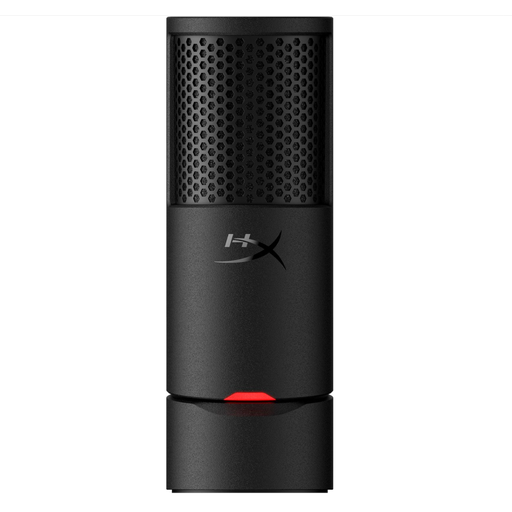 No image available
A USB microphone for a fixed speaking position and your own spoken notes. Keep the microphone close and test it in the hall; positioning remains important in a reverberant space.
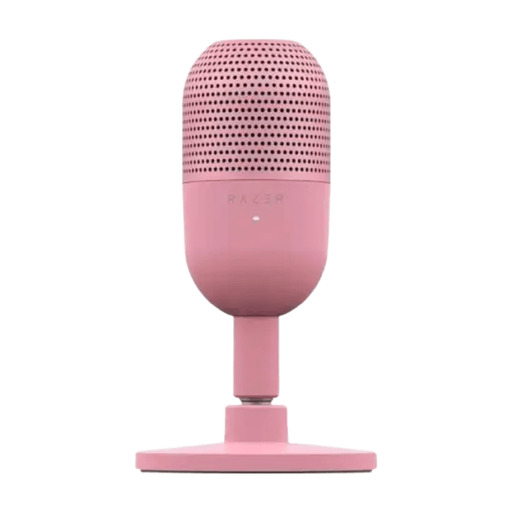 No image available
A compact USB microphone for a fixed spot on your desk; the product name lists a tap-to-mute function. Check that the connection suits your device and position the microphone close to the speaker.
No. Noise cancellation doesn’t replace good microphone positioning. Shure explains that a microphone can’t effectively separate direct speech from reflected speech. Test the position with a short dictation before recording a long meeting.
Select the connected microphone as the audio input on your device, then check the input in your dictation app. RØDE supplies a USB-C-to-USB-A cable with the NT-USB Mini. If your device only has USB-C, check which cable or connection you need.
First, check that you’ve selected the right audio input and move the microphone closer to the speaker. Greater distance in a reverberant room can make words harder to understand. Also check that the microphone isn’t moving while you use it.
For an online purchase by a consumer, there is generally a statutory 14-day cooling-off period after delivery, subject to certain exceptions. The ACM explains this cooling-off period for consumers. If a product doesn’t conform to the contract, you can assert your statutory guarantee rights with the seller; any manufacturer’s guarantee doesn’t replace those rights.
There isn’t a simple yes-or-no answer. According to the Dutch Data Protection Authority, audio recordings in which people can be identified may constitute personal data. If the GDPR applies, you must establish an appropriate legal basis before processing the data. Consent is one possible legal basis, but it isn’t automatically the only one or always sufficient. The GDPR includes an exception for purely personal or household use, but whether it applies here doesn’t depend solely on the recording taking place in a community hall. Consider the purpose, the people involved and the applicable rules before recording others.