
Teacher dictating text
Wants to record their voice or convert it to text on a classroom computer. Consider the microphone position, the input selected and the dictation software together.


The right set-up depends on what you need the voice for: entering text on a computer, making a recording or making your voice audible to pupils. For one person dictating at a computer, a headset keeps your hands free; a standalone microphone suits speaking from a fixed position without a headset, while a handheld microphone makes most sense when its controls fit your dictation workflow. Check the USB connection and software too. If pupils’ voices are being processed, the school should review its privacy arrangements.
Wants to record their voice or convert it to text on a classroom computer. Consider the microphone position, the input selected and the dictation software together.
Wants to speak from a fixed position without wearing anything on their head. A desktop or handheld microphone does, however, require a suitable speaking position and posture.
When buying, the school should also check whether pupils’ voices will be recorded or processed by software. The privacy obligations depend on how the data is processed.
Suitable when: one person dictates at a computer, wants to keep their hands free and needs to position the microphone near their mouth.
Bear in mind: you have to wear the headset; check whether the USB-A or USB-C version is compatible.
Suitable when: you want to speak from a fixed position without wearing a headset.
Bear in mind: a desktop set-up takes up space, and the speaker needs to maintain a suitable position in relation to the microphone.
Suitable when: you want to hold the device and its functions fit your dictation workflow.
Bear in mind: holding it is less practical if you want both hands free; check the software features.
| Factor | What to look for | Who it matters to |
|---|---|---|
| Voice against classroom noise | Check the position of the headset boom or the speaking side of a standalone microphone; make a short test recording in the classroom. | If I want one speaker’s voice to be picked up clearly amid classroom noise, I focus on the microphone’s direction and position; around 36% of consumers prioritise this. |
| How you wear it and freedom of movement | Try out your speaking position while editing the dictation or holding teaching materials. | If I don’t want to wear a headset or need to keep my hands free, the way the microphone is worn determines how much room the set-up gives me to move; around 29% of consumers give this top priority. |
| Controls while dictating | Check that the buttons work with your chosen software; muting is not the same as starting or stopping a recording. | If I often need to start, stop or mute, I check that the controls work with my dictation software; around 21% of consumers prioritise dictation controls. |
| Connection and input | Check the USB port and version, select the microphone as the input and test it before use. | If I want to connect and set it up without any hassle, I check which USB connection and input source my computer uses; around 14% of consumers consider connection and set-up the most important factors. |
A product claim about noise cancellation doesn’t tell you how accurately speech recognition will work in your classroom.
Test a short, representative dictation using the actual classroom noise and the software you intend to use.
Allow extra time to check and correct the recognised text if the set-up doesn’t work well.
If a headset is available in different USB versions, the connection you choose may not be compatible with the classroom computer.
Check the computer’s port and the exact version before ordering.
A microphone captures your voice as an input; that doesn’t determine how pupils hear the teacher.
First decide whether you need computer input, a recording or audio playback for pupils. If necessary, consider audio playback as a separate requirement.
Microsoft describes Windows voice typing as online speech recognition. If pupils’ data is processed, the school must review the relevant privacy obligations.
Before use, establish whose voices will be picked up and which software will be used. Involve the school’s privacy lead if pupils’ data is being processed.
The H390 is a USB headset set-up for one person using a computer.
The Evolve2 30 SE is a headset option if its fit and microphone boom suit the speaker.
The Q2U is a standalone USB/XLR microphone for someone speaking at a desk or from a fixed position.
The SpeechMike Premium Touch SMP3700/3800 range is designed for dictation using a handheld microphone.
These products are intended for dictating at a computer: choose a headset or a standalone microphone for a fixed or more mobile speaking position.
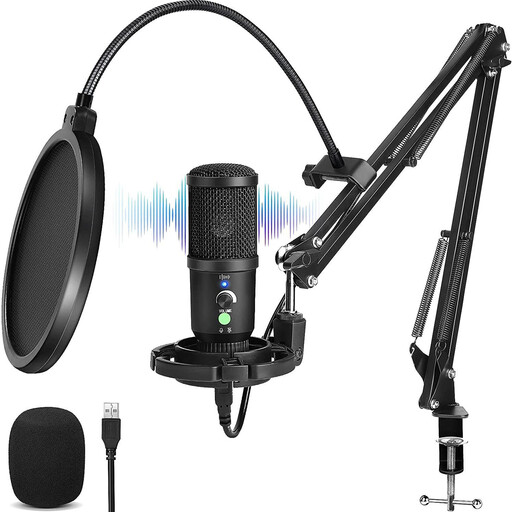 No image available
Suitable for speaking from a fixed position at a computer.
The product name mentions a cardioid pickup pattern and noise cancellation.
Check that the connection and included set-up suit your needs.
 No image available
Suitable for dictating at a computer if you want to keep the microphone near the speaker without holding it.
The product name describes a wired USB headset. It needs to be worn while dictating.
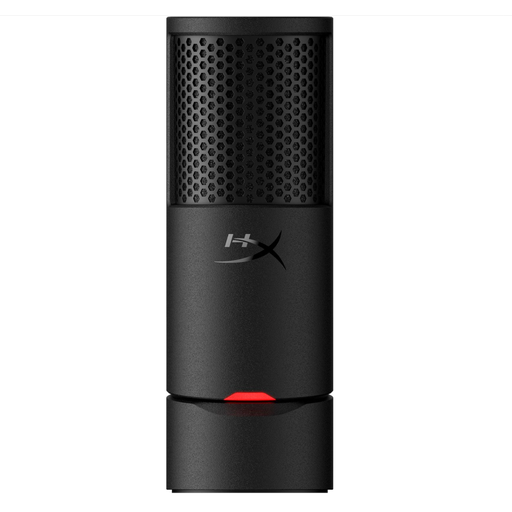 No image available
Suitable for someone dictating at a computer who wants to use a standalone microphone.
The product name describes a USB microphone with a cardioid pickup pattern.
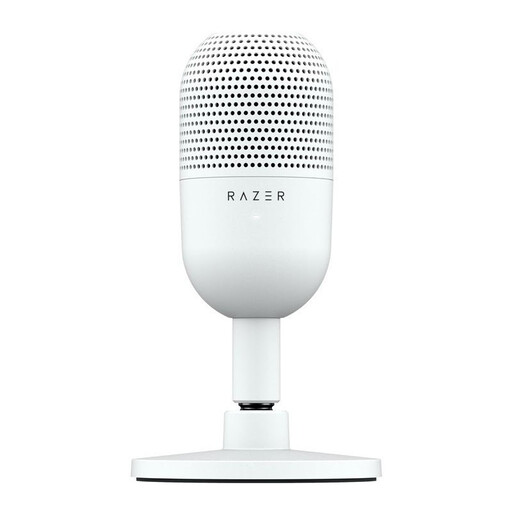 No image available
Suitable for computer use if you’re looking for a compact standalone microphone with a pickup pattern directed towards the speaker.
The product name describes a USB microphone; the product description mentions tap-to-mute controls.
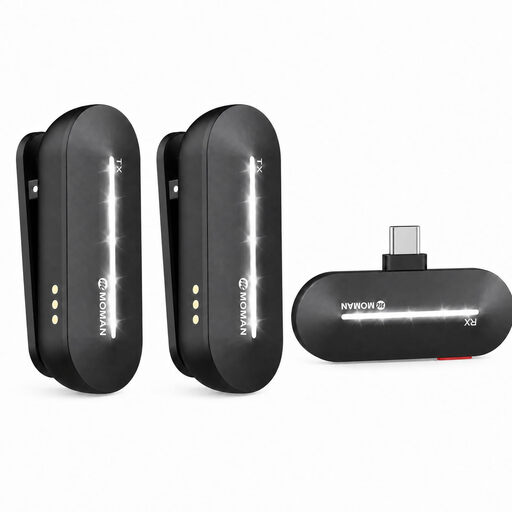 No image available
Suitable for a speaker who wants to move around while recording or teaching.
The product name describes a wireless lavalier microphone with a USB-C receiver and two transmitters.
The product description mentions omnidirectional microphones, so the recording is not described as focusing on one speaker.
No. A USB microphone provides audio input; you also need speech-to-text software to convert it into text. Microsoft describes Voice Typing in Windows 11 as online speech recognition, which you can start by pressing the Windows key and H. Check which software you use and how it handles data.
Under Sound, select the microphone you want to use for input, then use the Windows microphone test to check a spoken sample. Microsoft also advises checking whether the app has access to the microphone if you run into problems.
If a school processes pupils’ personal data, the Dutch Data Protection Authority says it has obligations including accountability, protection and providing information. If an external party acts as a data processor, a written data processing agreement is required. Whether a particular recording or dictation session is permitted depends on its purpose, whose voices are involved and which service is used.
For a consumer purchase in the Netherlands, the product must meet what you could reasonably expect from it. If there’s a fault, contact the seller; according to the Dutch government, the Netherlands has no fixed statutory guarantee period. If you’re buying on behalf of a school, check the relevant contract terms separately.
Not necessarily. A USB microphone is an input device for a connected system and doesn’t, by itself, determine how pupils hear the teacher. Consider audio playback as a separate requirement.