First, check that the adapter port and cable match your book light’s connection and specified charging input. For the light alone, extra power isn’t automatically an advantage; multiple ports are mainly useful if you also want to charge another device at the same time. Use the adapter and cable in a dry, clear space, away from water and with room for heat to escape.
Who is this for?
Replacing your book light charger
You already have a USB book light but need a suitable mains adapter. Check the ends of the cable and the charging input specified in your light’s instruction manual. Glocusent lists a USB-C cable as included with one book light model, but no mains adapter. Anker Support recommends matching the adapter’s output to the device’s charging requirements.
Charging two devices from one socket
You want to charge your book light and another device at the same time. In that case, look beyond the number of ports: check the output of each port and the total output too. Belkin provides details for each port on its multi-port models.
Choosing a safe place to charge on the worktop
You want to use the charger on the worktop without exposing it to moisture or trapping heat. The Netherlands Fire Service recommends placing chargers in a clear space and not using damaged cables or chargers.
What should you look for when buying?
Start by checking the connection and charging input of your own light. Only choose extra ports if you need them for a second device.
| What to consider |
What should you look for? |
Who should pay particular attention? |
| Connection and charging input |
Compare the specified charging input for your exact light model with the output of the adapter port you plan to use. Check both ends of the cable too. |
If you’re looking for an adapter for a light you already own, you’ll want to check that the cable and power supply are compatible. Around 40% of consumers prioritise compatibility with their book light. |
| Keeping it dry and clear |
Choose a dry spot away from water, and place the adapter and device in a clear space. Don’t use a damaged cable or charger. |
If you charge your light on the kitchen worktop, you’ll want to avoid moisture and make sure heat can escape. Around 31% of consumers prioritise safe use on the worktop. |
| Ports for two devices |
Check the port type and output for each port, as well as the total output when charging multiple devices at once. For model WCB002vfWH, Belkin lists two USB-A ports rated at up to 12 W each and 24 W in total. For WCB009vfWH, the manufacturer lists one USB-C port rated at up to 30 W and one USB-A port rated at up to 12 W. |
If you want to charge another device from the same socket as your book light, a second compatible port could be useful. Around 15% of consumers prioritise charging multiple devices at once. |
| Cable and what’s in the box |
Check whether a cable is included and whether both plugs fit. Compare what’s in the box with the cables and adapters you already have too. |
If you’re not sure whether you have a suitable cable, check that the included cable isn’t intended for another device and that you won’t be replacing something unnecessarily. Around 14% of consumers pay particular attention to missing parts and unnecessary purchases. |
Common buying mistakes
-
Assuming an included cable will fit your book light
A cable bundle may contain a plug that won’t fit your light. For example, the Belkin bundle we reviewed includes a USB-A-to-Lightning cable, while Glocusent lists a USB-C cable for one of the book light models we reviewed.
Before buying, check the cable ends and the contents of the box for the exact version.
If you don’t already have a suitable cable, you may need to buy one separately.
-
Assuming more watts or ports mean faster charging
The stated output describes the adapter, not the measured charging speed of your book light. Anker Support points out that fast charging only works if both the adapter and device support the same charging technology.
Check your light’s charging input first, and only choose extra ports if you really want to charge another device at the same time.
-
Placing the adapter somewhere wet or covered
On a worktop, water and a lack of space for heat to escape can be a concern. The Netherlands Fire Service also warns against using damaged cables and chargers.
Charge in a dry, clear space and don’t use damaged charging equipment.
Brands to consider
Belkin
Belkin offers a range of port combinations, including chargers with two USB-A ports and models with USB-C and USB-A.
- For WCB002vfWH, Belkin lists up to 12 W per USB-A port and 24 W in total. For WCB009vfWH, the manufacturer lists a USB-C port rated at up to 30 W and a USB-A port rated at up to 12 W.
- These manufacturer specifications alone don’t tell you how quickly your book light will charge or whether the adapter is compatible with your light’s charging input.
Philips
Philips has documented USB wall chargers with different port types; model DLP2307A/12 is one example, with a USB-C cable.
- Philips lists a total output of 5 V/3,1 A for DLP2307A/12.
- Philips lists this model as no longer available on its Dutch product page, so don’t treat it as a confirmed product currently available to buy.
Baseus
A Joybuy product page describes the Compact Charger 3U 17 W as a multi-port adapter with USB-A and an EU plug.
- The product page lists three USB-A ports.
- The same page warns against moisture and covering the adapter during use. The store information provided isn’t an independent test.
Joybuy products
This selection includes USB mains adapters with USB-A and/or USB-C ports, so you can compare them with your book light’s connection. The final item is a table lamp, not a USB mains adapter; its listed ports don’t automatically make it a suitable replacement.
 No image available
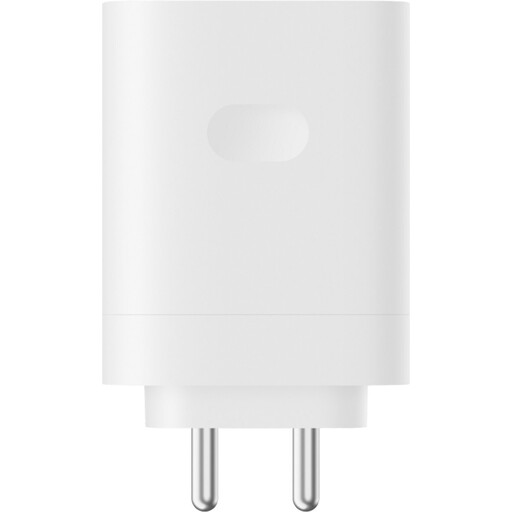
OnePlus 120W Single Port SuperVooc Adapter Type-A, white
The product title lists one USB-A port. Check that the adapter end of your book light’s cable fits this port.
Stated power: 120 W. This figure doesn’t confirm that your book light will charge faster.
View at Joybuy
 No image available
OnePlus 80W Dual Ports SUPERVOOC Adapter, Type A + Type C, white
The product title lists USB-A and USB-C ports. These may be useful if you want to connect a second device at the same time; check which port fits your book light’s cable.
Stated power: 80 W. The title doesn’t confirm the charging speed for your light.
View at Joybuy
 No image available
65W wall charger, two USB-C ports and one USB-A port
The product title lists three ports: two USB-C and one USB-A. Compare the port you want to use with the plug on your light’s cable.
Stated power: 65 W. The product description specifies indoor use.
View at Joybuy
 No image available
30W wall charger with USB-C and USB-A ports
The product title lists USB-C and USB-A; the description says it can charge two devices at once. Check that the port suits your book light and that the charging conditions are appropriate.
Stated power: 30 W. The description specifies indoor use in dry conditions.
View at Joybuy
 No image available
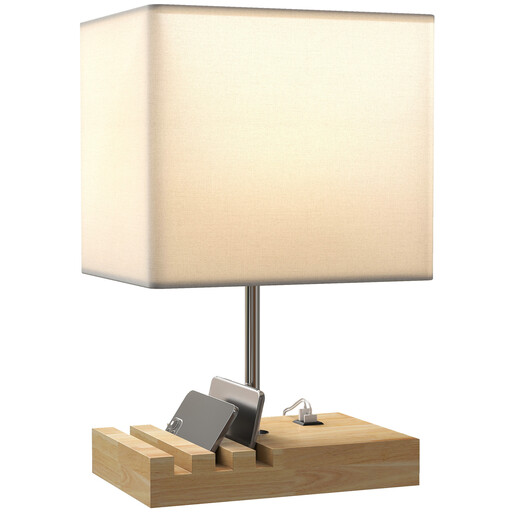
White table lamp with E27 fitting, USB-A and USB-C
The product title describes a table lamp with an E27 fitting and USB-A and USB-C ports. As it isn’t described as having a USB mains adapter function, it isn’t a proven replacement for your book light’s adapter.
The product description specifies indoor use in a dry place.
View at Joybuy
Frequently asked questions
How do I know if my existing adapter is suitable?
Compare the output of the adapter port with the charging input specified in the instruction manual for your exact book light. Check that both ends of the cable fit too; the word USB alone doesn’t confirm compatibility with a specific model.
Can I charge my book light right next to the sink?
It’s better to choose a dry spot where the light, cable and charger won’t come into contact with water. The Netherlands Fire Service recommends placing the charger in a clear space so heat can escape, and not using damaged charging equipment. There is no specified legal distance from a sink.
Do I need a high-powered USB-C fast charger for a book light?
Not simply because it’s a book light. First, check the specified charging input and cable for your light. According to Anker Support, fast charging depends on both the device and the adapter supporting it.
What can I do if my new charger is faulty?
In the Netherlands, you can contact the seller if a product is faulty; according to the Government of the Netherlands, the seller must provide a solution. There is no fixed legal two-year guarantee period for all products. A manufacturer’s guarantee is in addition to your statutory rights.
Does my book light need to have USB-C, and does my adapter already need to meet the 2028 EU rules?
Don’t assume that EU rules for other devices mean your book light needs USB-C: the European Commission doesn’t list book lights among the categories covered by the common USB-C charging port requirement. As of 27 October 2026, the new requirements for external power supplies under Regulation (EU) 2025/2052 are not yet in force; the European Commission gives 14 December 2028 as the date they come into effect.


