First, check whether your USB lamp charges a battery or needs a constant power supply while in use, then compare its connection and power requirements with the output of your charging device. A mains-powered USB charger is suitable if there’s a usable socket; choose a USB extension lead if you also need extra sockets, or consider a power bank if there’s no socket near the lamp and the power bank can meet its power requirements.
Who is this choice relevant to?
Lamp users who need to check the power requirements
If you first want to find out whether your lamp charges a battery or needs a constant USB power supply, compare the manual with the connection and output of the power source. IKEA Netherlands describes both USB lamps and rechargeable lamps.
Holidaymakers with few sockets
If you want to connect a lamp and possibly other devices at the same workstation, consider whether a USB charger will do or whether you also need extra mains sockets. The models described by UGREEN, Belkin and Baseus offer different combinations of connections.
Holidaymakers without a socket near the lamp
If you want to use the lamp temporarily without mains power, you could consider a power bank. Check that its output is suitable for the lamp and, if it will be used continuously at low power, that the specific model stays switched on. Anker Support recommends checking whether the power bank in question supports this.
What should you look for when buying?
Mains-powered USB charger
Choose this option if: there’s a usable socket and you want USB ports on or near your workstation.
Bear in mind: the charger won’t work without mains power; a high total wattage doesn’t automatically mean the lamp will charge faster.
Extension lead with USB
Choose this option if: you need extra mains sockets near your workstation as well as USB power.
Bear in mind: an extension lead takes up more space; the Fire Service advises against plugging extension leads into one another.
Power bank with USB output
Choose this option if: there’s no usable socket near the lamp and the USB output is suitable for it.
Bear in mind: the power bank needs to be recharged; how it switches off at low power usage can vary between models.
| Consideration |
What to look for |
Which consumers it is relevant to |
| Power supply suitable for the lamp |
Check the manual to see whether the lamp charges via USB or needs power while in use. Compare its connection and power requirements with the output of the charging device. |
I want to find out which connection and power supply my lamp needs first, so that the option I choose is suitable for how I use it. Around 36% of consumers say compatibility with the lamp is their top priority. |
| Reach to the workstation |
Compare the length of the mains cable and the position of the ports with the distance to the socket; don’t plug extension leads into one another. |
If the socket is awkwardly placed, I want to position the lamp without having to arrange my workstation around a cable that’s too short. Around 29% of consumers say reach to the workstation is their top priority. |
| Connecting multiple devices |
Count the USB and mains connections you need and, when using them simultaneously, check how the output is distributed on the exact model. |
I want to connect other devices as well as the lamp, so I need enough suitable ports. Around 21% of consumers say connections for multiple devices are their top priority. |
| Use without a socket |
Check that the output is suitable for the lamp. If it needs a constant power supply and uses little power, check whether the specific power bank model stays switched on. |
If there’s no usable socket, I want to know whether a power bank can keep the lamp powered. Around 14% of consumers say use without a socket is their top priority. |
Avoid common buying mistakes
-
Assuming every USB lamp is rechargeable
Some lamps charge a battery via USB; others need a constant USB power supply while in use. The right power option depends on the type of lamp.
Read the manual to find out whether you need to charge the lamp or keep it connected to a power supply.
-
Looking only at the total wattage or number of ports
The total power doesn’t automatically tell you how much power is available per connection when several devices are in use at once, or what the lamp needs.
Compare the relevant USB output and power distribution of the exact model with the lamp’s manual.
-
Choosing a power bank based only on its mAh rating
The stated capacity doesn’t show how long the power bank can run your lamp. With a low-power lamp, the model’s automatic shut-off behaviour may also make a difference.
Check the USB output and whether it supports continuous low-power use; don’t use the mAh rating alone to estimate how long it will run.
-
Plugging one extension lead into another
The Fire Service warns against plugging extension leads into one another because of the risk of fire.
Choose an option with a cable that reaches the available wall socket, and check the cable and permitted load.
Brands to consider
Baseus
According to Baseus and the Dutch Joybuy product page, the PowerCombo PSLR000301 combines USB connections, a retractable USB-C cable and two mains sockets. It could be a good fit if you need both types of connection.
- This combination could replace separate connection points if you need both USB and mains sockets.
- Check the model’s version and permitted load; product descriptions aren’t independent safety or performance tests.
UGREEN
The Nexode Desktop GaN Charger is designed for multiple USB devices when you don’t need extra mains sockets.
- UGREEN lists four USB-C ports, one USB-A port and up to 65 W total for model 65195.
- Compare the output per port with your lamp’s requirements; these specifications apply to this model, not every charger from the brand.
Belkin
The range includes a mains-powered BoostCharge Pro desktop charger and the BoostCharge power bank BPB016btBK for situations without a socket.
- Belkin lists a 2 m power cable and up to 108 W total for the desktop charger; the power bank mentioned has USB-A and USB-C outputs.
- The power bank needs to be recharged and isn’t a replacement for a permanent mains-powered charging point.
Hama
Model 00223192 is an extension lead with USB connections for when you also need mains sockets.
- Hama lists three mains sockets, three USB ports and a 1.4 m cable for this model.
- A larger extension lead isn’t automatically necessary if you only need to power a USB lamp.
Trust
The Maxo 25242 is a mains-powered USB desktop charger with three USB-C connections and one USB-A connection.
- Trust describes it as suitable for simultaneous use with devices including a laptop and phone.
- That description doesn’t confirm that the model is suitable for every USB lamp; compare it with your own lamp’s requirements.
Joybuy products for these charging scenarios
These products are suited to mains-powered USB charging, an extension lead with USB or portable USB power. Always check that the connection and power supply are suitable for your lamp.
 No image available
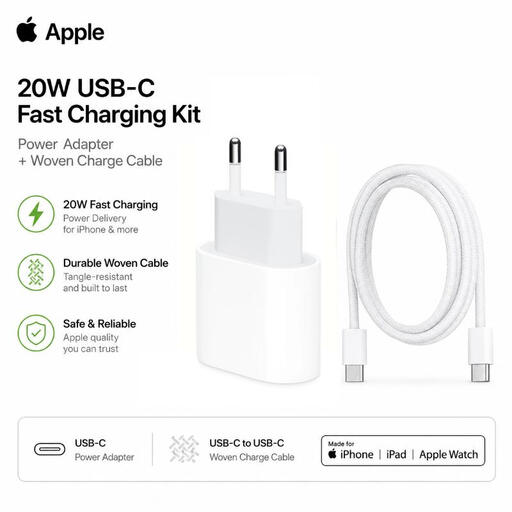
Apple 20 W USB-C adapter with USB-C cable
This set could suit a lamp with a USB-C connection if its power requirements match.
According to the product description, the set includes a 20 W USB-C adapter and a 1 m braided USB-C to USB-C cable. Check that the connections are suitable for your lamp.
View at Joybuy
 No image available
7-in-1 Cube Power Strip with 1.5 m cable
This extension lead could be suitable if you need mains sockets at your workstation as well as USB connections.
The product description lists three USB-A ports, one USB-C port, three AC sockets and a 1.5 m cable. The title states a maximum of 2500 W. Don’t plug the extension lead into another extension lead.
View at Joybuy
 No image available
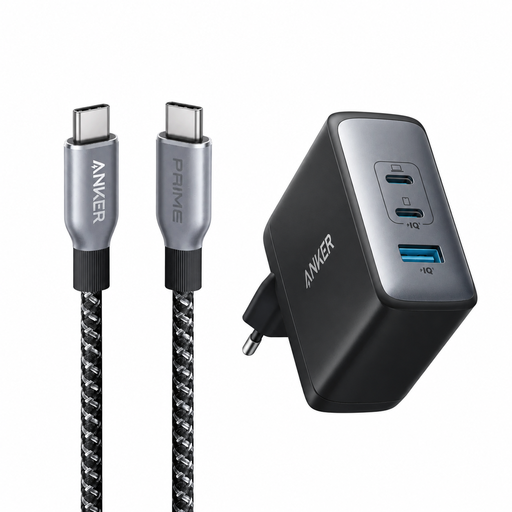
Anker 736 Nano II 100 W charger with Prime USB-C cable
This mains-powered charging set could suit a lamp with USB-C if the connection and power requirements match.
The product title lists a 90 cm USB-C to USB-C cable, rated at 240 W. Check that the cable and adapter are suitable for your lamp’s requirements.
View at Joybuy
 No image available
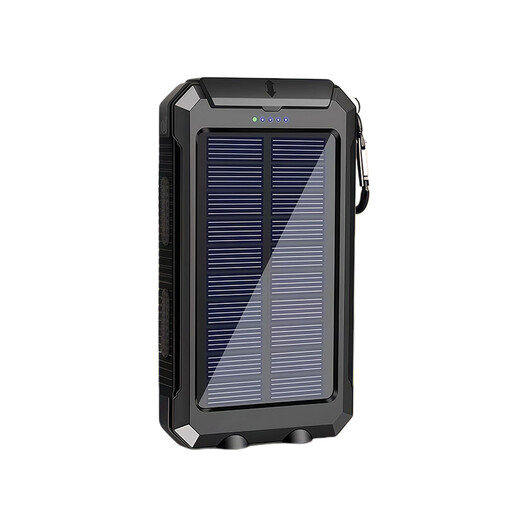
XBJ T8 10,000 mAh USB power bank with solar charging
A power bank could be suitable if there’s no usable socket near the lamp, provided its USB output is suitable for the lamp.
The product title lists a capacity of 10,000 mAh and solar charging. Capacity alone doesn’t determine how long your lamp will run; for continuous use, also check whether the model stays switched on at low power usage.
View at Joybuy
 No image available
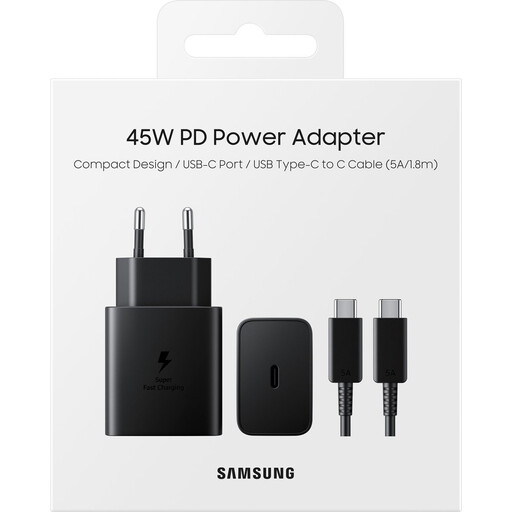
Samsung 45 W USB-C charger with 1.8 m cable
This mains-powered charging set could suit a lamp with USB-C if the connection and power requirements match.
The product description lists a 1.8 m USB-C cable and a 45 W output. Check that the connections are suitable for your lamp.
View at Joybuy
Frequently asked questions
Can you charge any USB desk lamp with a power bank?
No. First check whether your lamp charges a battery or needs USB power while in use. Then compare its connection and power requirements with the power bank’s output. If it will be used continuously at low power, how the specific model switches off is also relevant.
How can you use your charging device safely in a holiday cottage?
Follow the instructions, don’t use damaged cables and leave the charger clear so heat can escape. The Fire Service also advises against plugging extension leads into one another.
Does a mains-powered USB charger need a CE mark in the Netherlands?
The Netherlands Food and Consumer Product Safety Authority states that CE marking is required for electrical products covered by the applicable rules. According to the NVWA, a separate mandatory inspection isn’t required for electrical consumer products. Check the product information and markings on the exact model.
What can you do if your charging device develops a fault after purchase?
In the Netherlands, you have a legal guarantee with no fixed statutory time limit; what you can expect from a product depends partly on the product and the information provided. If a product is faulty, you can contact the seller. A manufacturer’s guarantee is in addition to your statutory rights.


