
Active group speaker
If you often lead the conversation or give presentations, an easy-to-reach mute control can be handy when there’s background noise at home. Logitech and Trust both describe mute controls on the headset models mentioned here.


For an online study group, a USB headset with the right connection and an easy-to-reach mute control is a practical choice. Logitech describes the H390’s in-line controls, while Trust says you can mute the microphone on Ayda models by flipping it up. If there’s background noise in your room, compare the microphone features; for longer sessions, pay extra attention to fit and wearing style. Microphone noise cancellation is not the same as blocking the noise you hear yourself.
If you often lead the conversation or give presentations, an easy-to-reach mute control can be handy when there’s background noise at home. Logitech and Trust both describe mute controls on the headset models mentioned here.
If you attend long discussions with several speakers, consider the fit and whether you prefer mono or stereo. HP Poly describes both wearing styles for the Blackwire 3200 series, while Jabra mentions memory foam ear cushions for the Evolve2 30.
If you connect your headset to different laptops or devices, check the USB version and whether it’s supported by your meeting app each time. Jabra cautions that not every USB-C device or app supports audio through the Evolve2 30.
First, check that the connection is compatible and that you can reach the mute control during a call. Then decide whether clear speech, comfortable listening over longer periods or extra features matter most to your study group.
| What to consider | What should you check? | Who will find this especially useful? |
|---|---|---|
| Clear speech and muting | Check the microphone features, how easy it is to mute, and the exact model. Test the microphone in your own room and meeting app. | If I’m speaking from a noisy room, I want to be able to mute my microphone quickly and check how my voice comes across. Around 33% of consumers prioritise clear speech and muting. |
| Comfortable listening over longer periods | Compare mono and stereo, adjustability and ear cushions; assess the fit during a session of your usual length. | For longer group discussions, I want to follow several speakers clearly and choose a style that suits me. Around 27% of consumers prioritise comfortable listening and fit. |
| Connection and app controls | Check whether it’s a USB-A or USB-C model, which port is available and what headset features work with your meeting app. | If I want to use the headset with different devices, the model needs to work with the port and app. Around 20% of consumers prioritise connectivity and device controls. |
| Essential features | Compare the connection, microphone, mute function and fit you need before considering extra features. | If all I need for my study group is to connect, speak, listen and mute, I don’t want to pay for features I won’t use. Around 20% of consumers prioritise essential features without unnecessary extras. |
Microphone features are designed to affect what other people hear from your end. Ear cushions and sound isolation affect what you hear; a product claim won’t tell you exactly how it will perform in your room.
Decide which end of the conversation you want to improve, then test the microphone in the room where you usually use it.
USB-A, USB-C, Teams and UC versions can differ. The product range name alone doesn’t confirm that the connection or controls will work with your device.
Before buying, check the full model name, connector and the features you need in your meeting app.
The Joybuy listing for a Trust Ayda with a 3.5mm connection isn’t automatically the USB version of the Ayda range.
Check the connection listed for the specific model, not just the product range in the title.
The H390 is a wired USB headset worth comparing if you’re looking for simple controls for group calls.
The Ayda USB and Ayda USB-ENC are separate models to compare based on the microphone features you want.
The wired Evolve2 30 is worth considering if you want to compare USB versions and controls for UC or Teams.
The wired Blackwire 3200 series is worth considering if you want to choose between mono and stereo.
These products are selected for online group discussions and include USB headsets with different connections, controls and wearing styles. Check that each model is compatible with your device and meeting app.
 No image available
An option to compare if you want mute and call controls for group discussions.
The product description lists USB-A, stereo sound, two integrated microphones, volume, mute and call controls, and memory foam ear cushions. For devices with USB-C only, it says a compatible adapter is required.
 No image available
This wireless model may suit you if you need USB-A and Teams controls, as well as the option to listen wirelessly.
The product description lists Bluetooth, up to 36 hours of battery life and a connection to two devices. The title specifies the USB-A MS Teams version.
 No image available
A wired USB option to compare if you’re looking for stereo sound and in-line controls.
The product description lists stereo sound, a mute indicator, volume and mute controls, and a noise-cancelling microphone. It also mentions a lightweight design and soft ear cushions.
 No image available
A wired USB option to compare if you’re looking for an adjustable microphone and stereo sound.
The product description lists USB plug-and-play, stereo sound and an adjustable microphone that reduces background noise. It also mentions a lightweight design and adjustable headband.
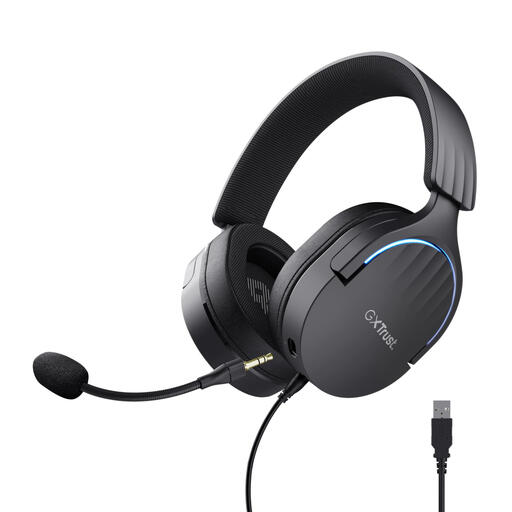 No image available
This USB headset is worth comparing if you’re also considering the gaming model listed for group discussions.
The product description lists USB audio, stereo sound, a detachable microphone, and volume and mute controls. It also mentions soft ear cushions and adjustable, rotating ear cups.
Check the connection on the specific headset and your laptop before buying. According to the manual, the Jabra Evolve2 30 is available in USB-A and USB-C versions; having a USB-C port doesn’t mean the USB-A version will connect directly. Jabra also cautions that not every USB-C device or app supports audio through the headset.
No. A microphone feature isn’t the same as blocking sound from reaching your ears. Compare microphone features if you want your group to hear less background noise, and consider the wearing style and ear cushions separately if you want to block out noise around you.
Connect the version that matches your device’s port, select the headset in your meeting app’s audio settings, and test speaking and muting beforehand. Logitech’s instructions for the H390 explain how to connect it to a USB port and adjust the headband and microphone boom.
Not every study group needs a Teams version. It’s worth considering if you use Microsoft Teams and want headset controls or integration; Microsoft describes plug-and-play setup and call controls for certified devices. Check that the specific model is designed for this.
Don’t listen any louder than you need to overcome the noise around you, and take listening breaks. The World Health Organization explains that sound level, listening duration and how often you’re exposed to loud sound all affect the risk of hearing damage.