
Reader with an online audience
You’re reading aloud via a computer and want online listeners to hear your voice clearly. Look for a well-positioned microphone, easy-to-use mute controls and a USB connection that works with your computer.


A USB headset is a good fit when you mainly need to send the reader’s voice to online listeners. Look for a well-positioned microphone, the right USB connection and easy-to-reach mute controls. If speakers in different parts of the room also need to be heard, a headset for one person is no substitute for suitable room audio. A wired headset doesn’t need a battery, while a wireless model with a USB receiver gives you more freedom to move, but needs charging and a compatible receiver.
You’re reading aloud via a computer and want online listeners to hear your voice clearly. Look for a well-positioned microphone, easy-to-use mute controls and a USB connection that works with your computer.
You also want to share contributions from other parts of the meeting room with online participants. First decide whether you need room audio rather than just a headset for the organiser; Zoom’s guidance on meeting room audio can help you assess microphone placement.
You don’t want to stay beside the computer throughout, so you’re weighing up the freedom to move with a headset that has a USB receiver against the need to charge it and keep the receiver with you.
Choose this if: you’ll be reading from roughly the same spot and mainly need to send your voice to online participants.
Bear in mind: the cable limits how far you can move from the computer, and the headset isn’t proven to cover every speaking position in the room.
Choose this if: you want to move around while reading and the specific receiver matches the available USB port.
Bear in mind: you’ll need to charge it, keep track of the receiver and complete an extra connection step; the microphone is still focused on the wearer.
Choose this if: online participants also need to hear questions or readings from different parts of the room, or people in the room need sound amplification.
Bear in mind: you’ll need to position and test the setup. Zoom warns that multiple devices with active audio in the same room can cause echo.
| Consideration | What should you check? | Who is this important for? |
|---|---|---|
| Voices around the room | Decide who needs to be heard online and test the microphone coverage from every intended speaking position. | If questions from other parts of the room also need to be heard online, I want to assess coverage across the whole room. Around 36% of consumers prioritise hearing multiple speakers. |
| Clarity when reading aloud | Check whether the microphone boom is adjustable and make a test recording in the meeting app you’ll be using. | For an online reading, I want to position my voice clearly in relation to the microphone. Around 29% of consumers prioritise how clearly their own voice comes across. |
| USB connection and controls | Compare your computer’s port with the exact USB-A, USB-C or receiver version, and test the volume and mute controls in the app. | If the connection and mute controls need to work smoothly while I’m reading, I want to check them beforehand. Around 21% of consumers put connection and controls first. |
| Comfort and staying in touch with the room | Consider whether mono or stereo suits the way you interact with people in the room, and try the fit if possible. | When I want to stay in touch with the room while listening, I consider the fit and whether one ear will be free. Around 14% of consumers make comfort and staying connected with the room their top priority. |
A microphone worn by the organiser won’t automatically pick up voices clearly from other parts of the room.
Map out the speaking positions in advance and test them. Then choose between a personal headset and a room audio setup.
A room audio setup may require extra equipment and time to arrange.
USB-A, USB-C and receiver versions can differ; a product name that just says ‘USB’ doesn’t tell you which connection it uses.
Compare the full model and version details with the ports on your computer.
Zoom identifies multiple devices with active audio in one meeting room as a possible cause of echo.
Test the setup in advance. Zoom recommends disconnecting computer audio on other devices in the room if needed; muting the microphones alone may not be enough.
The H390 is a wired computer headset for one wearer. According to Logitech’s Dutch product information, it’s available in USB-A and USB-C versions.
The wired Evolve 20 range includes different mono, stereo, MS and connection variants. The Evolve2 65 is also available with a USB-A Bluetooth adapter.
The Blackwire 3200 series offers wired business headsets in mono and stereo versions.
The IMPACT 100 range includes lightweight wired mono and stereo headsets, including versions with USB-C and a USB-A adapter.
GO Work Gen 2 is an option to consider if you’re looking for a wireless headset with a USB-C dongle.
These models are wired USB headsets for a reader who mainly speaks from a computer. They focus on the wearer’s voice and aren’t a substitute for a microphone setup that covers multiple speaking positions.
 No image available
A wired USB headset for reading aloud from a computer. The adjustable microphone boom and in-line controls are handy if you want to mute or adjust the volume while reading.
The mute function has an indicator light. A headset for one wearer isn’t proven to provide microphone coverage for every speaking position in the room.
 No image available
This wired stereo headset is designed for use with a computer via the included USB controller.
The description also lists a 3.5 mm connection. A headset for one wearer isn’t proven to provide microphone coverage for every speaking position in the room.
 No image available
A wired headset for computer use. The product description lists USB-A and a USB-C adapter cable as connection options.
You can flip the microphone up to mute it. A headset for one wearer isn’t proven to provide microphone coverage for every speaking position in the room.
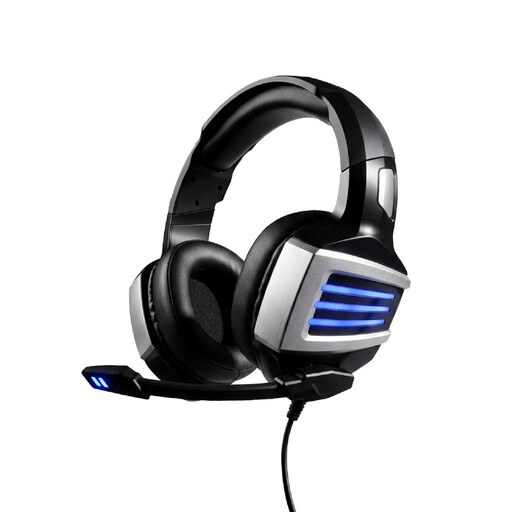 No image available
This wired headset is an option if your computer setup uses a USB or 3.5 mm connection.
The product description lists an adjustable headband and a microphone that flips up to mute. A headset for one wearer isn’t proven to provide microphone coverage for every speaking position in the room.
 No image available
This single-sided wired USB headset leaves one ear free, which may suit you if you want to stay in touch with people in the room while reading aloud.
The description lists an adjustable microphone boom and in-line controls. A headset for one wearer isn’t proven to provide microphone coverage for every speaking position in the room.
Don’t assume it can: a headset microphone sits close to the wearer. If people will speak from several positions, test the coverage of a room audio setup. This is a conclusion based on microphone placement and Zoom’s guidance on room audio, not a measured performance claim about a particular headset.
Check which devices in the room have active audio. For multiple devices in the same meeting room, Zoom recommends disconnecting computer audio on the other devices. According to Zoom, muting the microphone alone isn’t always enough, as the speaker may remain active.
Connect the version that matches your computer’s port, select the headset as the input and output device in the app you’re using, then position the microphone boom near your mouth. Test how clearly your voice comes across and check the mute controls. Available settings may vary by app and headset version.
According to the Dutch government, for distance purchases you generally have a 14-day cooling-off period in many cases. This is separate from your statutory guarantee: there is no fixed statutory guarantee period in the Netherlands, and the retailer is your point of contact if something is faulty. The applicable outcome depends on the circumstances of the purchase and the fault.
A headset doesn’t give you permission to use content. The Dutch government states that you may need the creator’s permission to use copyright-protected texts. If an organisation films identifiable visitors at an event, the Dutch Data Protection Authority says there must be a lawful basis under the GDPR. The position for an audio-only recording depends on the specific circumstances.