
Teacher who teaches standing in one place
You teach beside your computer and want to position the microphone easily and mute it quickly.


For teaching online at a sit-stand desk, a wired USB headset is a good fit if its connector is compatible with your computer and the cable gives you enough room at your working height. Also look for a microphone you can position easily, accessible mute controls and the wearing style you prefer. Microphone noise cancellation does not mean you will hear less background noise yourself. Logitech Support lists a 1.9 m cable for the H390, while Trust lists a 1.8 m cable for the Ayda USB. Measure the full cable route in your own setup.
You teach beside your computer and want to position the microphone easily and mute it quickly.
You turn between your screen, notes and work surface, so the cable route and room to move are important.
You wear your headset for extended periods and want to find a fit, ear cups and connection that work for you and your work computer.
Start by considering how much room you have to move and which ports your computer has. Then narrow down your choice by looking at the microphone controls and wearing style.
| What to consider | What to look for when buying | Who is this important for? |
|---|---|---|
| Clear speech and muting | Check the microphone boom and mute controls on the exact model, and make a test recording beforehand. | If I want to be heard clearly while teaching and be able to mute quickly, I look at the microphone and controls. Around 33% of consumers prioritise clear speech and muting. |
| Room to move | Measure the cable route from the USB port, including when the desk is at the highest setting you use. Leave yourself room to move. | When I turn between my screen and work surface, I don't want the cable to become taut. Around 27% of consumers prioritise room to move. |
| Connection and model variant | Compare your computer's port with the full model variant and check whether any adapter you need is included. | If I want to connect the headset to my teaching computer, I check the port and included accessories first. Around 20% of consumers prioritise a compatible connection. |
| Comfort during long lessons | Choose between mono and stereo, and decide for yourself whether the ear cups and headband feel comfortable. | For a long lesson, I want a wearing style that suits me, rather than relying on a product description to tell me whether it will be comfortable. Around 20% of consumers focus mainly on fit and wearing style. |
Microphone noise cancellation affects the sound transmitted to other people. Logitech describes active noise cancellation for the listener as a separate feature of the Zone Wired 2 for Business.
Decide whether your priority is helping pupils hear less background noise or reducing distractions for yourself. Check that the exact model has the feature you need.
The cable also needs to run along the edge of the desk and leave enough slack when you raise or turn the desk. Logitech lists a 1.9 m cable for the H390, while Trust lists a 1.8 m cable for the Ayda USB.
A cable that's too short may mean you need to move your computer or find another way to connect it.
Measure the full cable route in your own setup before choosing a model.
A manufacturer's warranty does not replace your legal rights. The Dutch Government states that there is no fixed statutory warranty period in the Netherlands.
Keep your purchase and product details, and contact the seller if something goes wrong. Check any additional warranty against its own terms.
The H390 is a wired USB option; the Zone Wired 2 for Business is a separate range with different noise-cancelling features.
The Blackwire 5200 series includes models you can compare in mono and stereo.
The Evolve2 40 SE is available in different wearing styles and USB variants; the Evolve 20 is a separate product range.
The Ayda USB and Ayda Max USB are wired options with different ear cup designs.
This selection focuses on wired headsets for teaching online, with models that vary in connection, cable route and wearing style.
 No image available
A wired USB headset for teaching from one spot, with an adjustable microphone boom and mute and volume controls.
Stated cable length: 240 cm.
 No image available
A wired USB option with an adjustable microphone for teaching online.
Listed features include a noise-cancelling microphone and an adjustable headband. The description calls the design lightweight.
 No image available
A stereo model for those who want to cover both ears; the USB connection is made via the included controller.
The headset has a 3.5 mm connection and a stated cable length of 0.95 m.
 No image available
A wired option with a flip-up-to-mute microphone, ideal if you want to mute quickly while teaching.
USB-A connection with USB-C adapter; stated cable length: 180 cm. The on-ear model weighs 141 g according to the product description.
 No image available
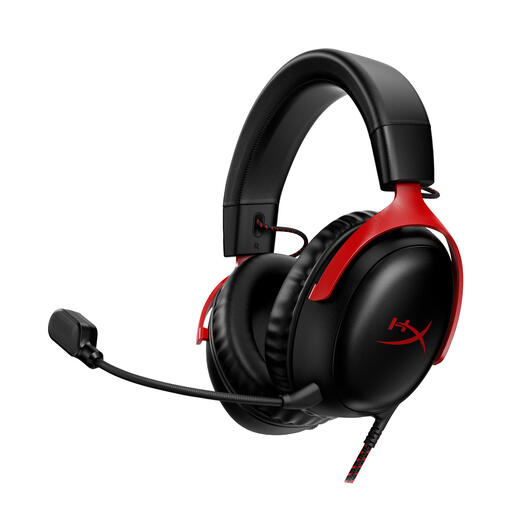
A wired headset with a microphone and mute function for anyone who wants to be able to switch off the microphone while teaching.
The product description lists USB-A, USB-C and 3.5 mm connections, plus a detachable microphone.
No. The shape of the connector alone doesn't guarantee that audio will work. Jabra warns that not all mobile USB-C devices or apps support the audio connection for the Evolve2 40 SE. Check your device, app and headset variant.
Connect the compatible USB model, select the intended microphone and speaker in your teaching app, and make a short test recording. Set the desk to teaching height, position the microphone close to your mouth and check that the cable doesn't become taut when you turn or reach.
For a consumer purchase in the Netherlands, you are entitled to a product that works as it should. The Dutch Government states that there is no fixed statutory warranty period. Contact the seller if you have a problem. For online purchases from a business, you will often also have a 14-day cooling-off period; check what applies to your purchase.
Sellers of electrical or electronic equipment in the Netherlands must comply with the relevant European product safety requirements. Business.gov.nl also explains CE marking and an EU declaration of conformity for equipment covered by these requirements. The rules and supporting documents that apply to an individual headset must be determined for each product.