
Teacher with an online conversation partner
Wants to speak clearly during a lesson and hear the person they’re talking to. A headset for the teacher doesn’t automatically pick up voices from the rest of the classroom.


For individual speaking and listening practice, choose a USB headset with a connection, fit and microphone that suit the user and the school computer. If you’re buying a shared classroom set, easy-to-clean or replaceable parts are important too. A headset worn by one person is not a reliable way to record voices from around the classroom; for that, assess separate room audio or microphones based on their coverage.
Wants to speak clearly during a lesson and hear the person they’re talking to. A headset for the teacher doesn’t automatically pick up voices from the rest of the classroom.
Speaks using a language app or in an online conversation, then listens back. The connection, microphone position and fit of the chosen model all matter.
Needs headsets that work with school devices and make shared use, cleaning and replacement parts easy to manage.
| What to consider | What to look for when buying | Who is this most relevant to? |
|---|---|---|
| Recording your own voice clearly | Check the microphone boom and mute controls on the exact model. Test the recording in the room where the lesson will take place. | For a speaking task, I want my own voice to be picked up clearly; around 36% of consumers prioritise voice recording. |
| Listening and staying in touch with the class | Compare mono and stereo options, as well as their fit, in the intended setting. Choose a comfortable listening level. | As a teacher, I want to hear my conversation partner while staying in touch with pupils; around 29% of consumers prioritise listening and awareness of their surroundings. |
| Maintaining a shared set | Check the cleaning instructions and whether the cushions or cables on the chosen model can be replaced. | When headsets are shared between pupils, I want to be able to manage cleaning and maintenance properly; around 21% of consumers prioritise shared use. |
| Connecting to school devices | Make a note of the available ports, check what’s included with the exact model and test the microphone and speakers in the lesson app you use. | If I’m using different school computers, I want to know in advance whether the connection will work; around 14% of consumers prioritise USB connectivity and settings. |
A claim about the microphone doesn’t tell you how much classroom noise the wearer can hear, or how well voices from other pupils will be picked up.
Assess the microphone recording and listening fit separately, and test them in the intended room.
Cables, connections and included parts can vary between models.
Before buying, check the full model designation, the plug and what’s included in the box.
If the model you choose isn’t compatible with the school computer, you may need a suitable cable or adapter.
A microphone worn by one person doesn’t prove that voices from elsewhere in the classroom will be picked up.
Decide who needs to be heard in the online conversation, then test the audio from the relevant seats.
If voices from further away also need to be picked up, you may need a separate room audio setup.
Logitech describes the H390 as a personal USB computer headset and positions Zone Learn for school use.
Cyber Acoustics positions the AC-6012 as a USB-A classroom headset set for older pupils.
According to HP Poly, the Blackwire 3200 series includes personal wired mono and stereo versions.
The Evolve2 30 SE is a range of personal wired headsets with mono, stereo, USB-A, USB-C, Teams and UC versions.
Trust describes the Ayda USB and Ayda USB-ENC as different personal PC headsets for calls.
These picks are for individual speaking and listening practice on a computer. There’s also a one-ear option for anyone who wants to keep one ear free while listening.
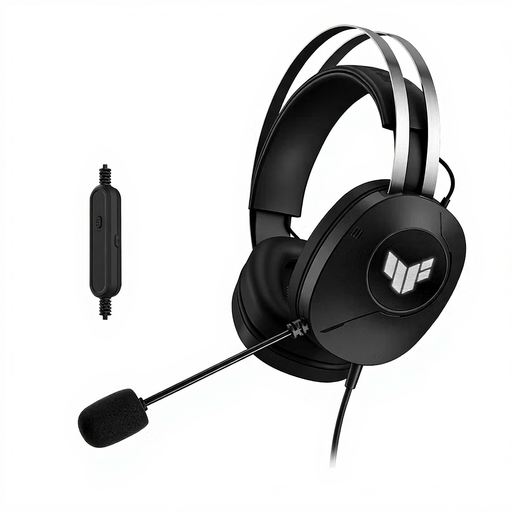 Image unavailable
For individual speaking tasks at a computer; the product name specifies a wired connection and USB Type-A.
The listed over-ear cushions may be less suitable if the teacher wants to keep hearing classroom noise clearly.
 Image unavailable
For individual conversations and speaking tasks on a computer; the product name specifies a wired USB headset.
 Image unavailable
For individual communication over USB; the product name specifies an over-ear headset with a 7.1 designation.
 Image unavailable
For individual speaking tasks on a computer; the product name specifies a wired headset with USB Type-A.
 Image unavailable
This wired USB model may suit a teacher who wants to keep one ear free while listening.
With this single-sided model, audio is heard through one ear only.
Don’t assume it can: the personal models reviewed describe a microphone worn by the user, not guaranteed coverage of every seat. If several voices need to be heard through one computer, test a room audio setup designed for this purpose from the relevant seats.
Select both the headset microphone and headset speakers in the lesson app you’re using. Zoom Support describes separate tests for speakers and microphone; if you’re using another app, use its own test features.
Check the cleaning instructions and whether the cushions and cables on the chosen model can be replaced. Logitech lists these parts for Zone Learn; Cyber Acoustics says the AC-6012 has wipe-clean cushions. Before buying a set, ask whether replacement parts are available.
For a consumer purchase in the Netherlands, statutory guarantees apply: if a product breaks earlier than could reasonably be expected under normal use, the retailer must provide an appropriate solution under ACM ConsuWijzer guidance. Don’t assume the same terms apply to a business or institutional school purchase; check the contract.
A headset on its own does not give permission to process or store pupils’ personal data. The Dutch Data Protection Authority says that schools in the Netherlands must comply with the GDPR, inform the people concerned and be able to explain how they protect personal data. Whether a specific recording is allowed depends on its purpose, legal basis and how the data is processed.
Not as a default solution. VeiligheidNL advises ensuring a good fit around the ear, so less sound escapes and background noise is less likely to prompt you to turn up the volume. For pupils, check the actual listening volume too.