
Meeting host at a laptop
You’re leading the meeting from one place and want remote participants to hear you clearly. Being able to mute quickly and having a connection that works with your computer are practical considerations.


If you’re leading the meeting from one place and mainly speaking to remote participants, a wired personal USB headset with a suitable connection and an easy-to-reach mute control may be right for the job. But if people around the classroom also need to be heard directly, one personal headset’s microphone won’t necessarily be enough. First decide which shared microphone set-up suits the room, then test it from the seats. For longer meetings, comfort matters too, as does balancing noise isolation with being able to hear what’s happening in the classroom.
You’re leading the meeting from one place and want remote participants to hear you clearly. Being able to mute quickly and having a connection that works with your computer are practical considerations.
People elsewhere in the classroom also need to be able to contribute. So first work out how their voices will reach remote participants: a headset for one speaker won’t automatically work for the whole room.
You’ll be wearing the headset for a while, so consider how much background noise you want to block out. Also think about whether you need to be able to hear people in the classroom during the meeting.
Choose this option: if you’re the main speaker and lead the meeting from your computer.
Bear in mind: the microphone is designed for the wearer, and the cable limits how far you can move.
Choose this option: if several people around the classroom need to speak directly to remote participants.
Bear in mind: the microphone set-up needs to suit the room and be tested from the places where people will speak.
First decide who needs to be heard remotely; then choose a headset, connection and style of fit for the meeting host.
| What to consider | What should you check? | Who is this important for? |
|---|---|---|
| Making sure people can hear you clearly | Check whether the microphone boom is adjustable and where the mute control is. Record a quick test before the meeting and play it back. | If I’m leading the meeting, I want remote participants to hear me clearly and I want to be able to mute quickly. Around 29% of consumers prioritise being heard clearly. |
| Sharing other people’s voices | Decide who needs to be able to join in remotely, then test a shared microphone set-up from the seats in the classroom. | If several people are sitting around the room, I want to know whether remote participants can hear them. Around 24% of consumers prioritise sharing voices from the classroom. |
| Connection and meeting software | Check whether the exact model has a USB-A or USB-C connection, then test the selected microphone and speaker in your meeting app. | I want to use the headset with my computer and meeting app without connection problems. Around 18% of consumers prioritise a suitable connection and compatibility with their software. |
| Comfort and background noise | Compare the fit and, if available, the mono or stereo version. Consider whether you need to be able to hear what’s happening in the classroom. | For a longer meeting, I want a comfortable headset that still lets me follow what’s happening in the classroom. Around 17% of consumers prioritise comfort and awareness of their surroundings. |
| Choosing the right features | Decide which meeting features you need, then compare the full specification, including the connection. | I want to choose features that suit my meetings, rather than assuming I need extras. Around 12% of consumers prioritise matching features to what they spend. |
A personal headset is designed for the wearer. That doesn’t mean the voices of other people in the room will reach remote participants clearly.
Before buying, decide who needs to be heard. If several people in the room will be speaking, test a shared set-up from their usual seats.
If other people also need to speak directly, you may need a separate room microphone or a different meeting set-up.
A product range may include versions with different connections or meeting-specific variants. The product range name alone won’t tell you which version you need.
Check the full product name, connector and stated meeting variant against your computer and software.
The wrong connection or a missing feature you need could mean choosing a different version.
Room acoustics, microphone position and where people are sitting vary from meeting to meeting.
Run a short test from the usual seats and listen back to the result before relying on the set-up.
Logitech offers both basic wired personal USB headsets and the Zone Wired 2 for Business for workplace use.
The wired Evolve2 40 SE is worth considering if you want to compare fit, passive noise isolation and the choice between UC and Teams versions.
The Blackwire 3220 series includes wired personal headsets for meetings.
The Ayda USB-ENC is a personal on-ear option for calls from a computer.
The UH37 is a wired personal USB headset for business calls.
These wired personal headsets are designed for a meeting host joining from a computer; they don’t replace a shared microphone set-up when several people in the classroom need to be heard.
 No image available
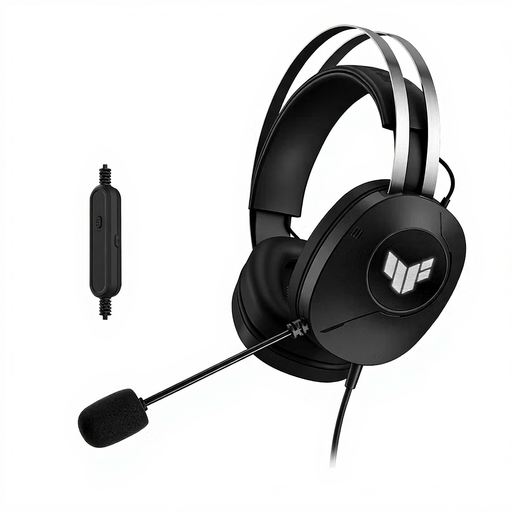
An option for a meeting host looking for a personal headset. Before buying, check that the connection on the exact version works with your computer.
 No image available
Suitable for a meeting host looking for a personal wired headset. The product name specifies USB Type-A, so check that your computer has a compatible port.
 No image available
A wired USB headset to consider if you lead the meeting from your computer. Check in advance that this version suits your meeting app and how you plan to use it.
 No image available
A personal wired USB headset for a meeting host at a computer. Check that the connection and controls suit the way you hold meetings.
 No image available
A personal headset for a meeting host using a computer; the product name specifies USB Type-A. Check that this connection works with your device.
Don’t assume it can without testing. A personal headset is designed for the wearer. If other people need to join in remotely, consider a shared microphone set-up and test it from their seats.
Connect the right USB version, select the intended microphone and speaker in your meeting app, check the mute function and run a voice test. Zoom describes a test for both audio channels, though the exact steps may vary between apps.
Adjust the headband for a comfortable fit and keep the microphone close to your mouth while using it, as Jabra recommends for its headset. After moving the boom, check that the microphone isn’t muted.
For an online consumer purchase, you’ll generally have a statutory cooling-off period of up to 14 days after delivery; check whether an exception applies. According to ACM ConsuWijzer, you’re also entitled to a solution if, under normal use, a product doesn’t do what you could reasonably expect. The retailer is your point of contact.
It depends on the specific recording and the circumstances. If an organisation collects or uses personal data, it must have a valid legal basis under the GDPR, according to the Dutch Data Protection Authority. Consent is one possible legal basis, but isn’t automatically required. You should also check the organisation’s privacy policy before recording.