Who is this guide for?

Active workshop participant

If you read your own writing aloud or regularly respond, a microphone you can position and mute quickly is useful. Microsoft Support explains how to make a test call in Teams; try speaking from the place where you’ll join the workshop too.

Participant who switches between laptops

If you use computers with different ports, compare the connector on the exact version with the USB-A or USB-C port available. Also check whether any required adapter is actually included.

Long-session listener

If you’re joining a longer session, consider adjustability, ear cushions and whether to choose mono or stereo. The style also affects whether you can keep one ear free to hear what’s happening in the room.

What should you look for?

Start with the connector you need and the microphone controls. Then choose a style that suits how much you want to stay aware of what’s happening in the room.

When choosing a USB headset for this writing workshop, consumers may prioritise clear speech, connectivity, comfort or staying in touch with what’s happening around them.

What to consider What should you check? Who is this important for?
Clear speech and muting Check whether you can position the microphone and reach the mute control easily; test the headset on a call. If I’m reading aloud or responding during the workshop, I want to be able to position my microphone and mute it quickly. Around 36% of consumers put clear speech first.
The right USB connector Compare the port on each computer you use with the connector and any adapter included. If I want to use the headset with different computers, I want to know in advance whether it will connect. Around 29% of consumers prioritise having the right connector.
Comfort Check the adjustability, type of ear cushion and style of the exact version. If I’m listening throughout a longer workshop, I want a fit that suits me. Around 21% of consumers make comfort their top priority.
Hearing what’s happening in the room Check whether the model is mono or stereo; these are separate versions. If I want to be able to hear someone sitting next to me, I want to keep one ear free. Around 14% of consumers prioritise staying aware of their surroundings.

A mono headset leaves one ear free, so you can hear more of what’s happening in the room; a stereo headset focuses both ears on the online participants. A noise-cancelling microphone does not actively block sound from reaching your ears, and it doesn’t guarantee that you’ll be heard clearly in every room.

What to watch out for when buying

  • Confusing a microphone feature with a fix for backlighting

    Microphone features affect how your voice is picked up; light from the window separately affects how your camera displays your image.

    Test the audio recording and video image separately in the place where you’ll join the workshop. Zoom Support notes that daylight can affect how the camera captures the image.

  • Assuming every version has the same connector or style

    USB-A, USB-C, mono and stereo can vary between versions. For example, a Trust Ayda with a 3.5mm connector does not have the same connection as a USB version.

    Compare the full model name, connector and style with the manufacturer’s product information.

    If the connector isn’t compatible, you may need to buy a separate adapter or return the headset.

  • Taking a two-year commercial warranty to mean you have full statutory protection

    According to ACM ConsuWijzer, Dutch statutory guarantees have no fixed end date and are separate from commercial warranties.

    Keep your proof of purchase and contact the seller if the product develops a fault.

Brands to compare

Logitech

The H390 is a wired stereo headset for computer calls, available in different USB versions.

  • Logitech lists a positionable microphone, in-line controls and an adjustable headband.
  • Check whether your chosen version has USB-A or USB-C. The stated microphone noise cancellation is a manufacturer claim, not an independent test in a writing workshop.

Trust

The Ayda USB-ENC is an on-ear option with on-ear controls and a fold-up microphone that mutes when raised.

  • Trust lists USB and USB-C connectivity options and an adjustable headband on certain versions.
  • Check the exact product number and connector: an Ayda with a 3.5mm jack is not a USB headset. ENC performance in your room has not been independently verified.

HP Poly

The Blackwire 3200 series includes wired mono and stereo headsets for computer calls.

  • HP describes a range of styles and connection options within the series.
  • Features listed for the series won’t necessarily apply to every Blackwire 3220 version; check the full variant details.

Jabra

The Evolve 20 is available as a mono or stereo headset; certain versions have USB-C/A connectivity and an in-line control unit.

  • The specifications distinguish between mono and stereo and describe the connection options for each version.
  • Check the exact connector and whether the model you choose has a Teams feature.

EPOS

The PC 8 USB is a stereo headset for computer use, with in-line controls.

  • EPOS lists volume control and muting via the in-line controls.
  • The stereo version does not leave one ear free like a mono headset. Describing the microphone as noise-cancelling is a manufacturer claim.

Joybuy products

These Joybuy products are wired headsets for joining online workshops via USB.

Logitech PC 960 wired USB headset

Logitech PC 960 USB

A good fit if you’re looking for a wired USB headset to use with a computer.

View at Joybuy

Logitech H340 wired USB headset, black

Logitech H340 USB, black

A good fit if you’re looking for a wired USB headset for computer calls.

View at Joybuy

Jabra EVOLVE 30 II MS Stereo

Jabra EVOLVE 30 II MS Stereo

A good fit if you’re looking for a wired stereo headset for workshop calls.

The product name specifies a stereo version.

View at Joybuy

Trust Ayda wired headset with USB Type-A connector

Trust Ayda USB Type-A

A good fit if you’re looking for a wired headset for online calls and switch between computers with different USB ports.

The product information lists USB-A with a USB-C adapter cable and a fold-up microphone that mutes when raised.

View at Joybuy
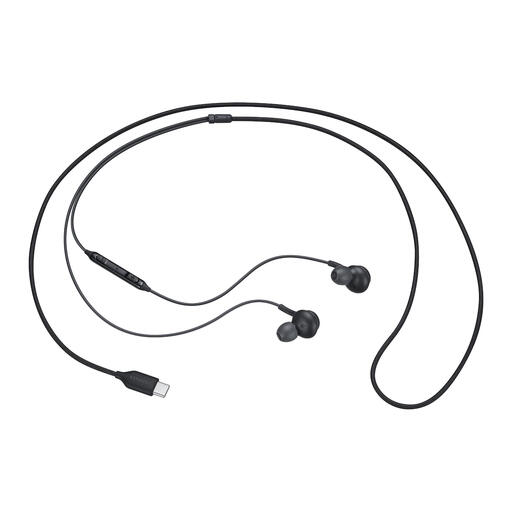
Samsung EO-IC100 wired USB Type-C in-ear headset

Samsung EO-IC100 USB Type-C

A good fit if you’re looking for a wired USB-C headset with an in-ear style.

The product name specifies a USB Type-C connection and an in-ear design.

View at Joybuy

Frequently asked questions

Will a headset make me look better on camera beside a bright window?

No. A headset handles audio; it doesn’t correct the camera image. Zoom Support explains that daylight can affect how the camera displays the image. Check your video preview and, if needed, try a different seating position or adjust the lighting.

How can I check my headset before the writing workshop?

Select the headset as both your speaker and microphone in the meeting app, then make a test call. Microsoft Support explains these steps for Teams; check the equivalent settings in the app you’ll use for your workshop.

Can I return a headset bought online in the Netherlands if it doesn’t fit comfortably?

For online consumer purchases, you generally have a statutory cooling-off period of up to 14 days after delivery, according to ACM ConsuWijzer. There are exceptions for certain hygiene products where the seal has been broken; don’t assume every headset is covered by this exception. Check the terms before trying the product.

Does the statutory guarantee automatically end after two years?

No. ACM ConsuWijzer explains that Dutch statutory guarantees have no fixed end date; what you can expect in terms of a product’s lifespan depends, among other things, on the product and its price. Contact the seller if the product is faulty.

How can I keep my headset comfortable during a longer session?

Adjust the headband and microphone, position the cable so it won’t get pulled, and start with the volume low. Follow the manufacturer’s instructions for cleaning the exact version.
