What should you look for when choosing?
First, choose between a boom arm that moves with your head and a desktop microphone for a fixed speaking position. Then check the connection, recording controls and dictation app.
| What to consider |
What should you check? |
Who is this important for? |
| Your voice and room noise |
Check the microphone’s direction and placement, and make a test recording with your usual background noise. |
If I can hear my housemates, I want to know whether my voice remains clear in my recording app. Around 36% of consumers prioritise separating their own voice from room noise. |
| Microphone distance |
Compare the position of a headset boom arm with the space needed to position a desktop model securely. |
When I change position while studying, I don’t want to keep repositioning a desktop microphone. Around 29% of consumers prioritise freedom of movement while keeping the microphone at a consistent distance. |
| Connection and dictation app |
Check whether it uses USB-A or USB-C, which cable is included, and whether the app recognises the microphone. For dictation in Word, Microsoft lists requirements including a Microsoft 365 sign-in and a reliable internet connection. |
If I want to get started without a complicated setup, I want to know in advance whether my computer and dictation app will work together. Around 21% of consumers prioritise a simple connection. |
| Listening back to recordings |
Check whether the model has a headphone output or mute control, and test your dictation app’s settings. |
Before dictating long notes, I want to be able to check my voice and control the recording easily. Around 14% of consumers prioritise recording checks and control of their dictation workflow. |
Joybuy products for desk-based or headset dictation
This selection includes wired USB headsets with boom arms and compact USB desktop microphones for dictating study notes.
 No image available
Logitech PC 960 USB headset
The adjustable microphone boom arm could suit you if you want to keep the microphone close to your mouth while changing position.
The product description lists in-line volume and mute controls, as well as a noise-cancelling microphone. Check that the connection is compatible with your computer.
View at Joybuy
 No image available
Logitech H340 USB headset, black
This wired headset could suit you if you want an adjustable microphone that stays close to you while you dictate.
The product name identifies it as a USB headset; the product description lists an adjustable, noise-cancelling microphone. Check your computer’s connection.
View at Joybuy
 No image available
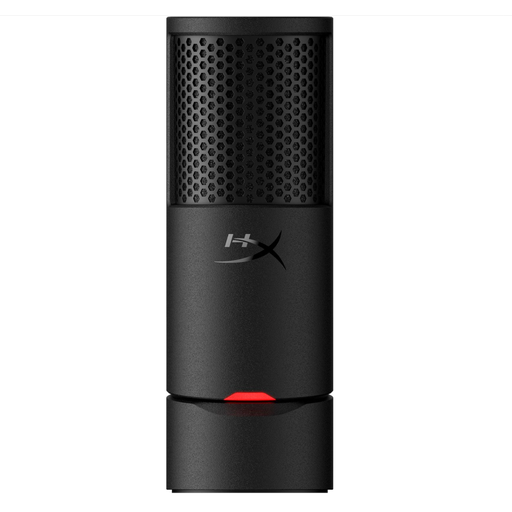
HyperX SoloCast 2 USB microphone
This compact USB microphone could suit a fixed position where you want to be able to mute it quickly.
The product name lists a cardioid recording pattern; the product description mentions a built-in pop filter, shock absorption and touch-to-mute control with an indicator.
View at Joybuy
 No image available
Trust Ayda wired headset
This headset could suit you if you want the microphone to stay in position while you move around as you study.
The product description lists USB-A and a USB-C adapter cable, as well as a flip-to-mute microphone and on-ear volume control. Check which connection you need.
View at Joybuy
 No image available
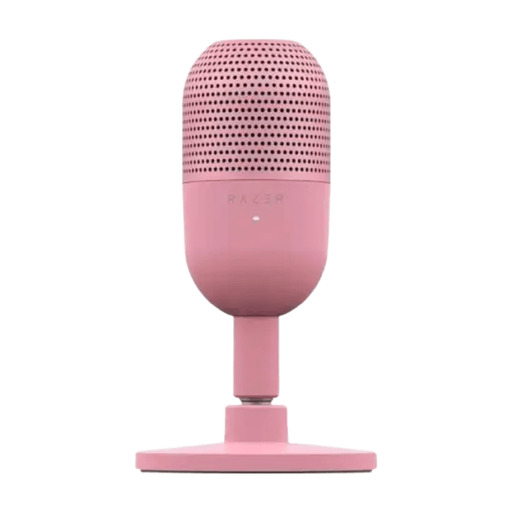
Razer Seiren V3 Mini Quartz USB microphone
This ultra-compact microphone could suit a small workspace where you want to use it on your desk.
The product name lists USB; the product description mentions tap-to-mute controls. Check the connection and make a test recording in your own dictation app.
View at Joybuy
Frequently asked questions
Will a USB microphone automatically turn my study notes into text?
No, you also need dictation software. For dictation in Word, Microsoft lists an enabled microphone, a Microsoft 365 sign-in and a reliable internet connection as requirements. Check the requirements of the app you want to use as well.
How should I set up a desktop microphone in a noisy room?
Point the speaking side towards your mouth and make a short test recording. For speech recording with the NT-USB Mini, RØDE recommends a distance of around 10–15 cm. According to RØDE, moving it closer improves the balance between your voice and background noise. This advice applies to that model and is not a universal distance for all microphones.
How can I check everything works before a long dictation session?
Select the connected microphone in your dictation app, dictate a short passage and listen back to it. According to their manufacturers, the Q2U and NT-USB Mini have a headphone output for direct monitoring. Also check your app’s microphone permissions and settings.
If I buy online in the Netherlands, do I have a cooling-off period and a warranty?
According to the Government of the Netherlands, in many cases you have 14 days to change your mind when buying at a distance, although exceptions apply. You’re also entitled to a product that meets legal requirements. The Government of the Netherlands states that there is no fixed statutory warranty period in the Netherlands; if a product is faulty, contact the seller.
Am I allowed to record my housemates’ voices?
A recognisable voice recording can be personal data. The Dutch Data Protection Authority describes an exemption from the GDPR for use that is purely personal or domestic, but this does not mean that every recording, upload or distribution is permitted. Where possible, dictate your own notes without recording other people’s conversations, and consider separately what you want to do with recordings of others.


