What should you look for when buying?
First, check the USB connection and the cable route to your standing position. Then choose the microphone controls, listening style and fit to suit the way you present.
| What to consider |
What should you check? |
Who should prioritise this? |
| Clear speech and muting |
Check that you can position the microphone near your mouth, where the mute control is, and how your voice sounds in your meeting app. |
If I want to speak clearly during a summary and be able to mute quickly, I focus on the microphone position and controls. Around 31% of consumers make clear speech and instant muting their top priority. |
| Room to move |
Measure from the USB port you use, along the cable route, to your head while standing and making your usual presentation movements. |
If I want to change position without pulling the cable taut, the distance from the port matters. Around 25% of consumers put room to move first. |
| USB connection and meeting setup |
Check the USB port on your computer, the exact headset model, and the audio settings in your operating system and meeting app. |
If I want to use the headset with a particular device and meeting app, I check the connection and model first. The right connection comes first for around 25% of consumers. |
| Comfort and awareness of your surroundings |
Choose between mono and stereo, check the adjustability and, if possible, try the fit during a session of a similar length. |
For a longer presentation, I want to hear remote participants but sometimes stay in touch with people in the room too. Around 19% of consumers prioritise comfort and the balance they want between the headset and surrounding sounds. |
Joybuy product picks
These product picks include wired USB headsets and USB-C earphones for presentations and online conversations. Check that the connection and controls on each model suit your setup.
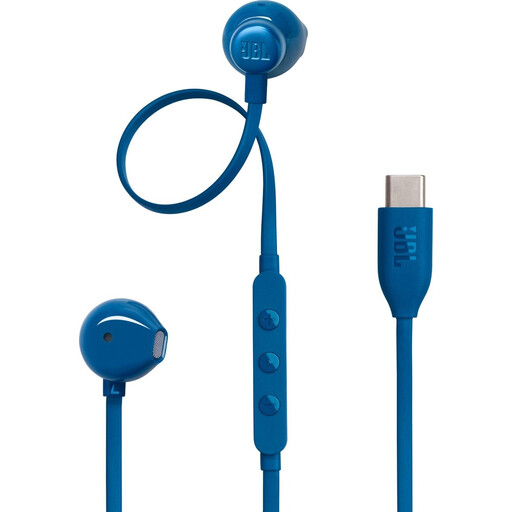 Image unavailable
JBL Tune 305C wired USB-C earphones, blue
An option for anyone who wants to use wired USB-C earphones during a presentation. The product title specifies USB-C and High Resolution.
View product at Joybuy
 Image unavailable
Jabra Evolve2 30 SE headset
May suit anyone considering the Evolve2 30 SE for online presentations. Before buying, check which USB model and features apply to this product.
View product at Joybuy
 Image unavailable
Logitech PC 960 wired USB headset
A wired USB option for anyone who wants a fixed connection during a presentation.
View product at Joybuy
 Image unavailable
Logitech H340 USB headset, black and wired
A wired USB headset to consider if you’re looking for one for online conversations. The product name specifies USB and black.
View product at Joybuy
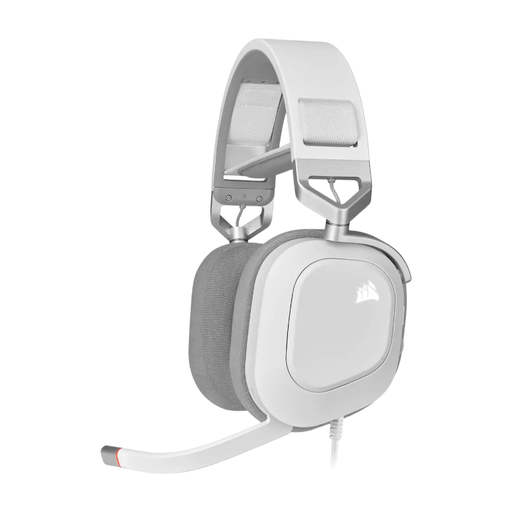 Image unavailable
CORSAIR HS80 RGB USB wired gaming headset, white
A wired USB gaming headset for anyone considering using this type of model for calls too. The product title specifies Dolby Audio 7.1 Surround Sound. Check that the model suits your presentation setup.
View product at Joybuy
Frequently asked questions
Is a noise-cancelling microphone enough to make you easy to hear anywhere?
No. A product description can’t tell you how your voice will sound in your space. Position the microphone near your mouth as instructed for your model, then test in your meeting app whether your voice comes through clearly and background noise is kept in check. Claims about noise reduction from Logitech and Trust are made by the manufacturers.
What should I check if my USB headset is connected but isn’t working?
First, check that the headset isn’t muted and that the USB connection is secure. The Logitech guide also recommends trying another USB port or connecting directly if you have problems, then checking the microphone and volume settings in both your operating system and the app.
What are my rights in the Netherlands if my online-bought headset develops a fault?
When you buy as a consumer, you’re entitled to a product that works as it should, and you can contact the seller if there’s a problem. The Dutch government states that the Netherlands does not have a fixed statutory warranty period of two years; a manufacturer’s warranty is separate from your legal rights. Online purchases from a business usually also come with a 14-day cooling-off period, subject to applicable exceptions.
Can I record a presentation just because I’m using a USB headset?
Using a headset does not, by itself, give you permission to record personal data. According to the Dutch Data Protection Authority, processing personal data requires a legal basis under the GDPR; consent is one possible legal basis. For business calls, use a secure meeting option provided by your organisation and consider the recording plan separately.


