
One remote speaker
You’re discussing the design brief on your laptop, while colleagues may be in the room. The microphone and easy-to-reach mute controls are important features to assess; Logitech lists in-line controls for the H390.


A USB headset is a good fit when you’re the person speaking remotely. In that case, consider the microphone, mute controls, wearing style and connection to your computer. If several colleagues need to be heard around the table, compare a shared speakerphone or a meeting system: Logitech positions the BCC950 as a speakerphone for small teams. In your meeting app, select the microphone and speaker you’re actually using.
You’re discussing the design brief on your laptop, while colleagues may be in the room. The microphone and easy-to-reach mute controls are important features to assess; Logitech lists in-line controls for the H390.
Several colleagues need to contribute from the same room. First decide whether a personal headset is the right type of audio device for you; Logitech describes the BCC950 as a separate speakerphone solution for small teams.
You move between workstations or use different computers. Check the connection on the version you’re considering, then select the right microphone and speaker in your meeting app.
A good fit when: you’re speaking remotely and want to focus more on the audio during the call.
Trade-off: a headset worn on one person’s head isn’t designed to pick up everyone around the table. Jabra describes the Evolve2 30 SE as having a two-microphone system; claims about noise reduction come from the manufacturer.
A good fit when: you’re speaking online and also want to hear colleagues beside you directly. Poly offers mono and stereo versions in the Blackwire 3300 series.
Trade-off: mono leaves one ear free, but this style isn’t a microphone for the whole meeting table either.
A good fit when: several people in the room need to take turns speaking to remote participants. Logitech positions the BCC950 as a speakerphone for teams of one to four people.
Trade-off: a speakerphone is a different product category and doesn’t offer the individual listening privacy of a headset. The room and setup remain important factors.
| What to consider | What should you look for? | Who is this important for? |
|---|---|---|
| Making your own voice clear | Check the type and position of the microphone, and whether the mute function is easy to use. Test the microphone in your meeting app. | If I’m speaking while colleagues are meeting in the room, I want my voice to be picked up clearly. Around 36% of consumers say making their own voice clear is their main need. |
| Letting everyone at the table join in | Decide who needs to be heard and where they’ll be sitting around the table. If several people in the room will be speaking, compare a room device with a personal headset. | If several people are joining from the same room, I want them all to be able to contribute to the conversation. Around 29% of consumers prioritise making the whole table audible. |
| Connection and meeting app | Check which USB port is available and the full model specification. Select both the right microphone and speaker in your meeting app. | When I switch between computers or meeting setups, I want to join without connection problems. Around 21% of consumers put connection and audio device selection first. |
| Wearing comfort and staying in touch with colleagues | Compare mono or stereo, adjustability and ear cushions. The fit needs to suit you; manufacturers’ comfort claims aren’t a comparative wear test. | If I want to keep hearing colleagues in the room during a discussion, or wear the headset for a long time, the style matters. Around 14% of consumers give comfort or keeping one ear free top priority. |
A personal headset is designed for the person wearing it. If several colleagues in the same room need to speak to remote participants, the product category you’ve chosen may not suit the situation.
Before buying, establish who needs to be heard online. If several people in the room will be speaking, compare a speakerphone as a separate solution.
A description of microphone noise reduction doesn’t automatically tell you how much noise you’ll hear yourself or how well colleagues in the room will be picked up.
Assess the microphone, ear cushions and any listening isolation as separate features.
Connections, mono or stereo styles, and Teams certification can vary between versions.
Compare the full model name and supplied connection with your computer and meeting app.
Logitech offers personal headsets such as the H390 and Zone Wired, as well as the separate BCC950 for shared room audio.
The Blackwire 3300 series includes wired UC headsets in mono and stereo versions.
The Evolve2 30 SE is available in versions with different connections, in mono or stereo, and for UC or Teams.
According to EPOS, the wired IMPACT 100 series offers mono and stereo options for calls.
This selection features personal headsets for individual calls from a computer. Check the connection and features you need for each version.
 No image available
A personal headset to consider if you’re taking part in an online call yourself.
 No image available
A personal headset to consider when you’re the person speaking in an online call.
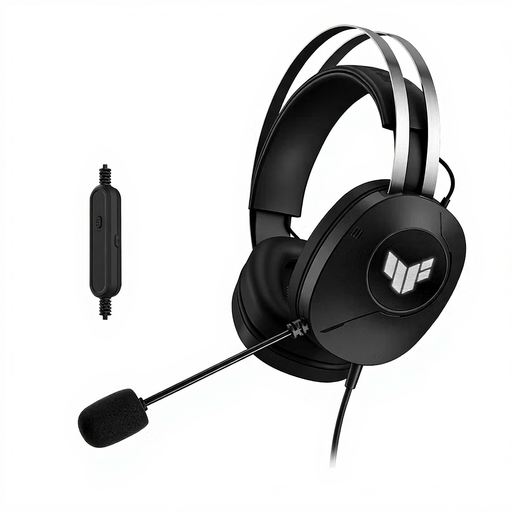 No image available
A personal headset to consider if you’re joining the call yourself from a computer.
The product name specifies a wired USB Type-A connection.
 No image available
A personal headset to consider for taking part in a call individually.
 No image available
A personal headset to consider when you’re taking part in an online call yourself.
The product name specifies a USB-A version for MS Teams.
Don’t assume so: a personal headset is designed for the person wearing it. If several people in the same room need to speak to remote participants, compare a room device; Logitech describes the BCC950 as a speakerphone for small teams.
Connect the version with the right connection, then select your preferred speaker and microphone in Teams before the meeting. Microsoft Support explains these settings and provides instructions for a test call. If you’re using a shared room device, check that it’s selected as the audio device.
Adjust the headband and microphone to fit, and keep the listening volume comfortable. Separate workplace health and safety rules apply to exposure to harmful noise at work; standard headset specifications don’t show that a workplace complies with those rules.
No. According to the Dutch government, there’s no fixed statutory guarantee period in the Netherlands. You can expect a product to work properly for a reasonable period; what’s reasonable depends, among other things, on the product and the information provided at the time of sale. If a product is faulty, contact the seller.
For distance purchases, a 14-day cooling-off period applies in many cases; the seller must tell you about it. Check the terms and any applicable exceptions for your purchase, and don’t assume that every used item can be returned unconditionally.